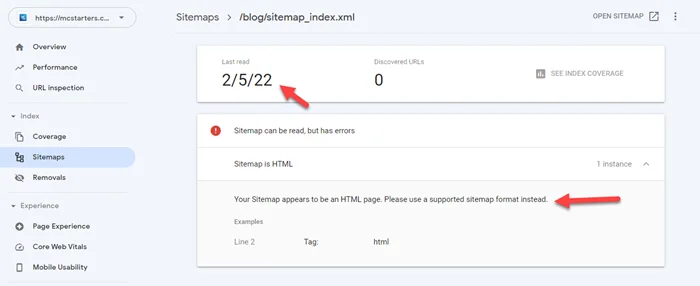
Your Sitemap appears to be an HTML page. Please use a supported sitemap format instead
I face the “Your Sitemap appears to be an HTML page. Please use a supported sitemap format instead” error in my blog. I fix this easily with just a simple hack.
You Might Also Like: Free Elementor Templates For WordPress
Learn More About Elementor Page Builder
Your Sitemap appears to be an HTML page error
Please follow the steps to fix this issue.
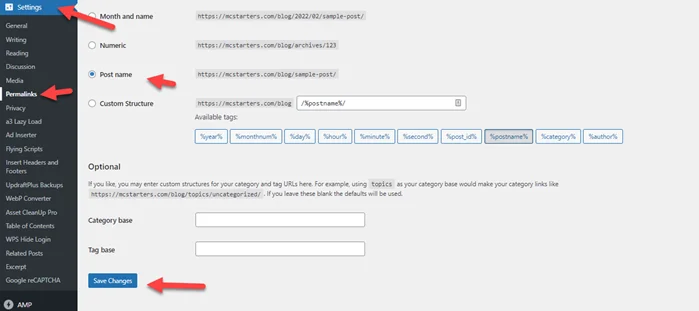
Step 1: Go to settings > Permalinks >Here just click on Save Changes
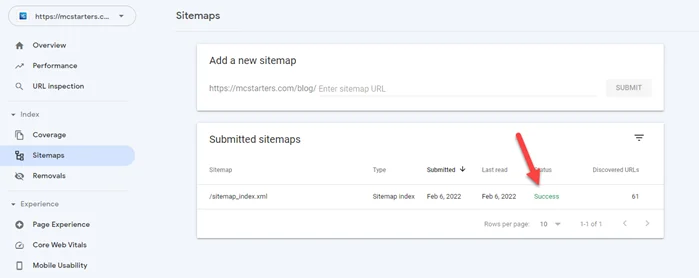
Step 2: Remove the previous sitemap from the google search console and add new again. You see a success message.
I hope you fix this issue but if you still need any help then comment below or hire an expert from the below link.
You Might Also Like: Cheap WordPress Design services for businesses.