How to change the email used in the contact form Squarespace
Some of the clients ask how do can I change the email address on the contact form? So, now I make a step-by-step tutorial for everyone who wants to know how to change the email used in the contact form Squarespace.
Check Our Free Elementor Templates For WordPress Websites.
Learn More About Elementor Page Builder.
Change the email used in the contact form Squarespace
Please follow the step to step guides.
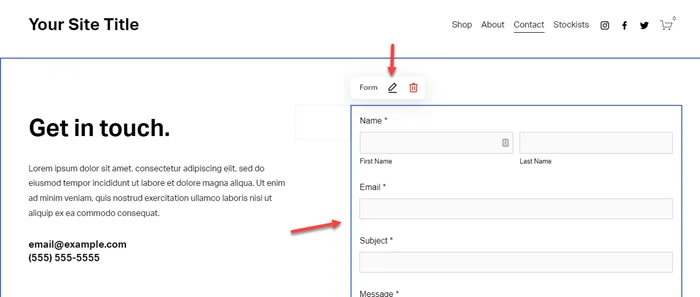
Step 1: Go to the Contact form and click on the Edit icon.
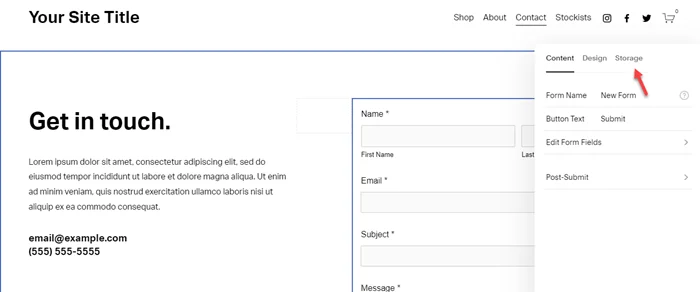
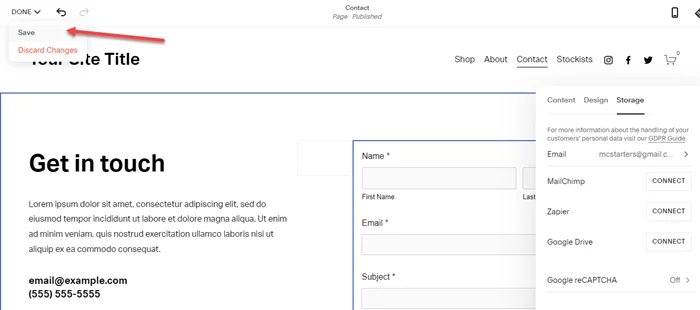
Step 2: Now click on Storage.
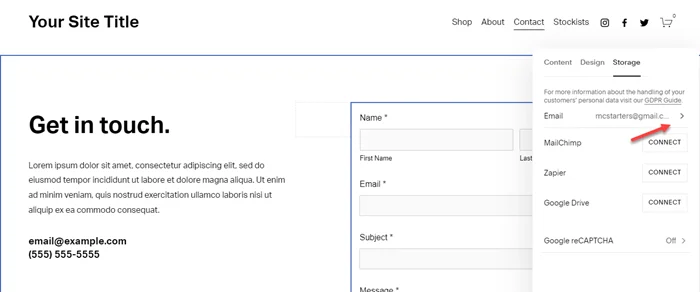
Step 3: Now click on Email.
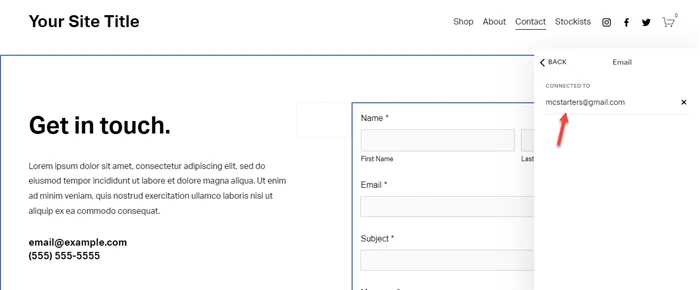
Step 4: Now here enter the email below the “Connected to” text.
Step 5: Last click on Done and Save.
It’s done now. Just go to the website and refresh the contact page and test the form is works or not. If you still face any problems then comment below.