
FlyingPress Review & Benefits – The Best WordPress Optimization Plugin
Introduction
If you’re looking for the best WordPress optimization plugin, FlyingPress is a game-changer. It helps improve website speed, enhance Core Web Vitals, and boost SEO rankings. In this in-depth Flyingpress review, we’ll explore its features, benefits, pricing, and why it’s the ultimate choice for WordPress users.
What is FlyingPress?
FlyingPress is a premium WordPress performance optimization plugin designed to make websites faster and more efficient. It minimizes bloat, optimizes CSS & JavaScript, and ensures lightning-fast loading times. Unlike other caching plugins, Flyingpress is lightweight yet powerful, providing a complete speed optimization solution.
Why Choose FlyingPress Over Other Plugins?
- All-in-One Performance Solution – Caching, lazy loading, database optimization, and more in a single plugin.
- Lightweight and Fast – Unlike bloated plugins, FlyingPress is optimized for minimal resource usage.
- Easy to Use – Beginner-friendly settings with advanced customization for developers.
- Regular Updates & Support – Continuous improvements and expert support ensure top-notch performance.
Key Features of FlyingPress
Advanced Caching Mechanism
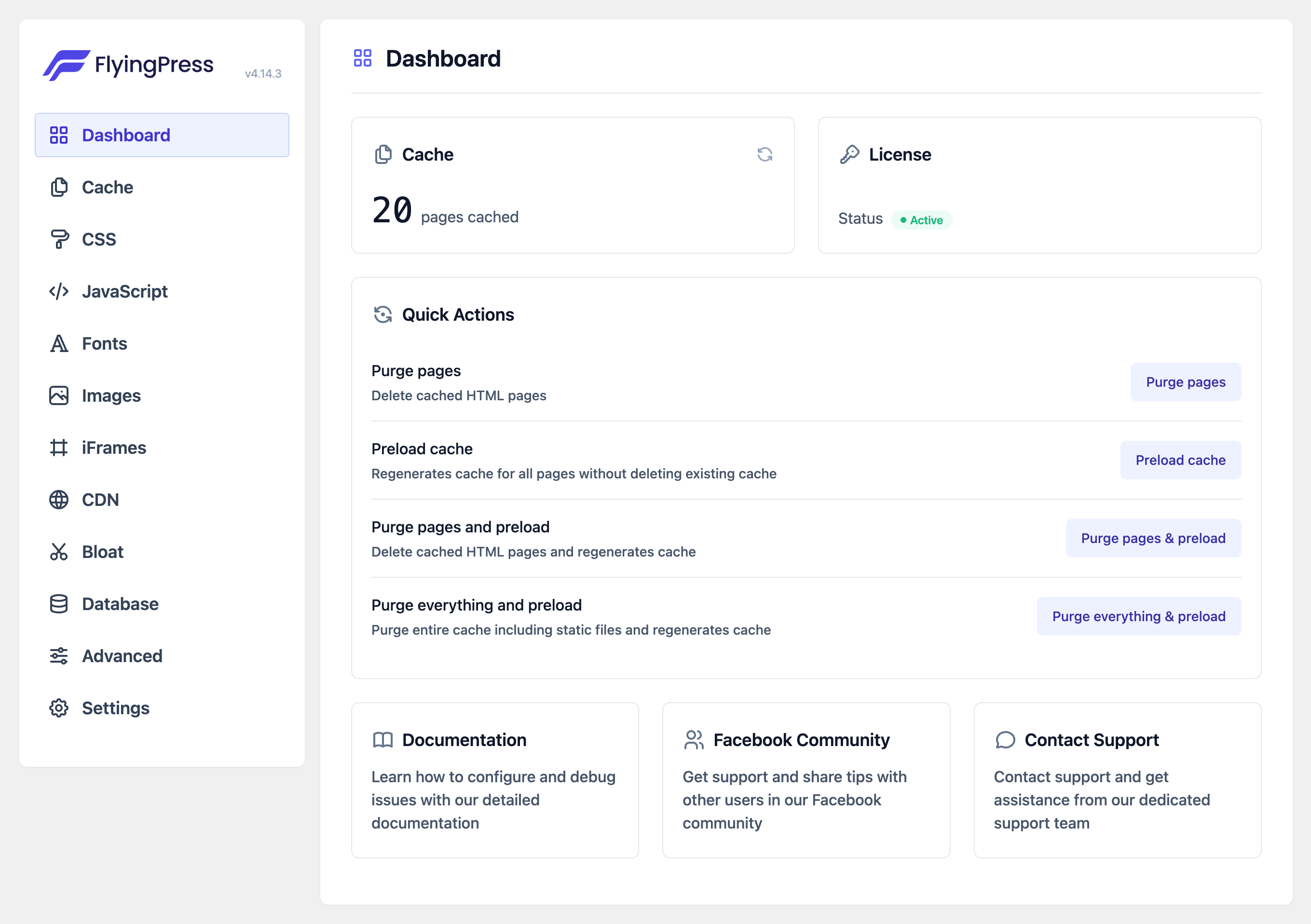
FlyingPress uses smart page caching to reduce server load and speed up content delivery. It supports:

- Full-page caching
- Cache preloading
- Smart cache clearing
JavaScript & CSS Optimization
- Minify and combine CSS/JS files to reduce HTTP requests.
- Remove unused CSS to improve load times.
- Defer JavaScript execution to avoid render-blocking issues.
Lazy Loading for Images & Iframes
- Improves performance by loading images only when they enter the viewport.
- Supports lazy loading for iframes and background images.
Database Optimization
- Cleans up post revisions, spam comments, and transients.
- Reduces database size for faster queries and performance.
Font Optimization
- Preloads and hosts fonts locally to eliminate external requests.
- Removes unused Google Fonts to improve speed.
CDN Integration
- Seamless integration with Cloudflare, BunnyCDN, and other CDN providers for faster global content delivery.
FlyingPress vs Other Optimization Plugins
| Feature | FlyingPress | WP Rocket | NitroPack |
|---|---|---|---|
| Full-Page Caching | ✅ | ✅ | ✅ |
| JavaScript Optimization | ✅ | ✅ | ✅ |
| Remove Unused CSS | ✅ | ✅ | ❌ |
| Lazy Loading | ✅ | ✅ | ✅ |
| Database Cleanup | ✅ | ✅ | ❌ |
| Affordable Pricing | ✅ | ❌ | ❌ |
Benefits of Using FlyingPress
- Improves Core Web Vitals – Enhances LCP, FID, and CLS for better Google rankings.
- Boosts SEO & Conversions – Faster sites rank higher and retain visitors longer.
- Reduces Server Load – Optimized caching reduces stress on hosting servers.
- Mobile Performance Optimization – Ensures smooth performance on all devices.
- Works with Any Hosting Provider – Compatible with shared, VPS, and cloud hosting.
Pricing & Plans
FlyingPress offers competitive pricing compared to other premium caching plugins.
- Starter Plan – $49/year (1 website)
- Pro Plan – $99/year (3 websites)
- Business Plan – $199/year (25 websites)
- Unlimited Plan – $249/year (Unlimited websites)
All plans come with a 14-day money-back guarantee, so you can try it risk-free!
Click Here to Purchase FlyingPress Now

How to Get Started with FlyingPress
- Purchase & Install – Get FlyingPress from the official website.
- Activate & Configure – Enable recommended settings for best performance.
- Monitor Performance – Use tools like GTmetrix and PageSpeed Insights to check improvements.
Final Verdict – Is FlyingPress Worth It?
Absolutely! If you want lightning-fast performance, improved SEO rankings, and a seamless user experience, FlyingPress is the perfect WordPress optimization plugin. Its powerful features, ease of use, and competitive pricing make it a must-have for any WordPress site.