
Do you want to Display COVID 19 Live Statistics to WordPress Website or any website?
We will help you display live updates with Elfsight Widgets. The Elfsight widget is coding coding-free Coronavirus Stats widget.
There are three simple steps to display COVID-19 Live Statistics on the WordPress Website.
- Create Elfsight Account
- Create Covid-19 Widget
- Add Coronavirus Stats widget to the Website
You Might Also Like: Elementor Templates
Create Elfsight Account
Step 1: First click here to create an account on Elfsight

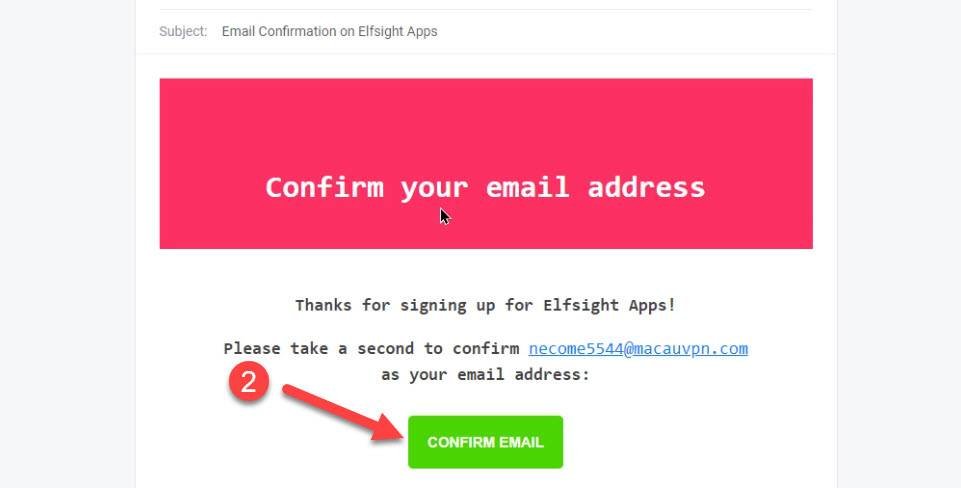
Step 2: Check your Gmail inbox and verify your Email.
Create Covid-19 Widget
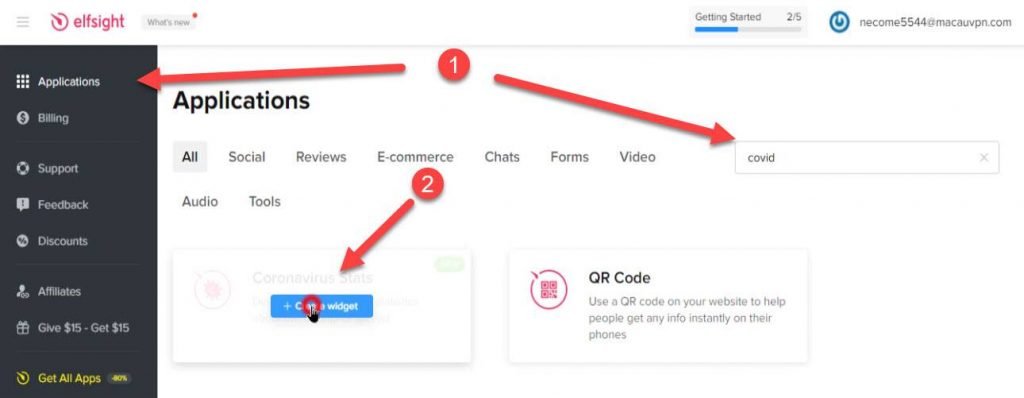
Step 3: Under the Application tab. Search Covid and then click on coronavirus Stats widgets
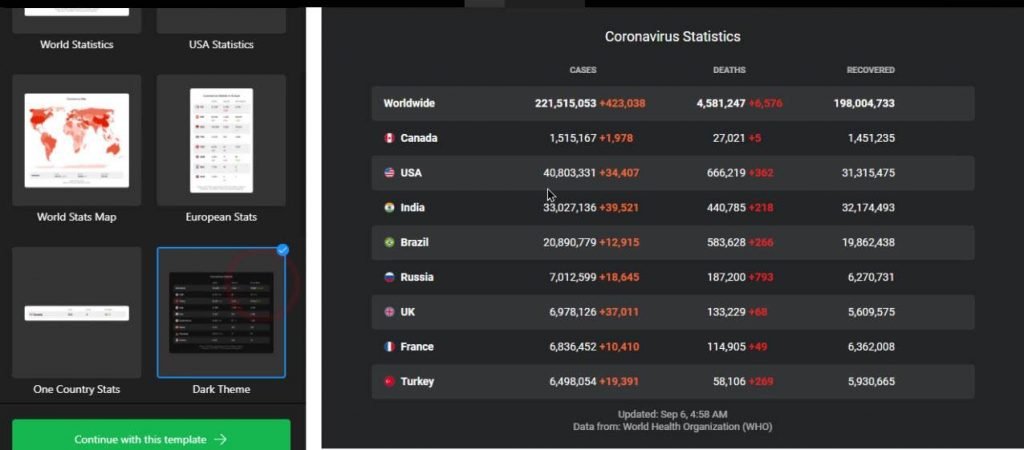
Step 4: Select Coronavirus Statistics Templates
Step 5: Setup other settings here like color, Choose country, features country, etc.
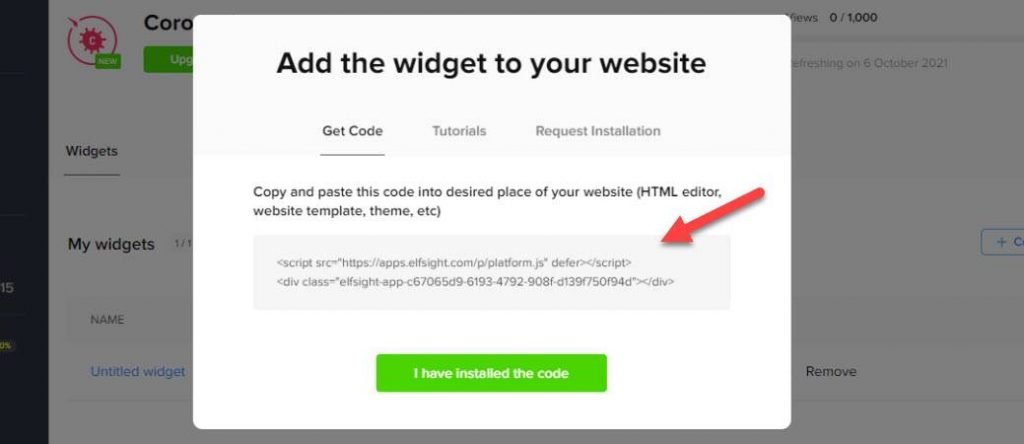
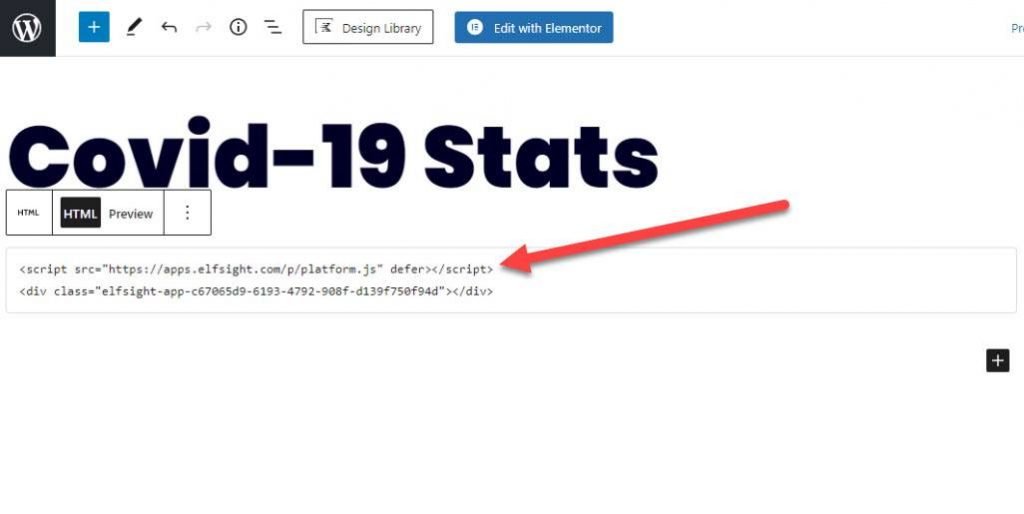
Step 6: Copy the Widget Code for adding to the website
Add Coronavirus Stats widget to Website
Step 7: Create Page and add html block in gutenberg and html widget in Elementor
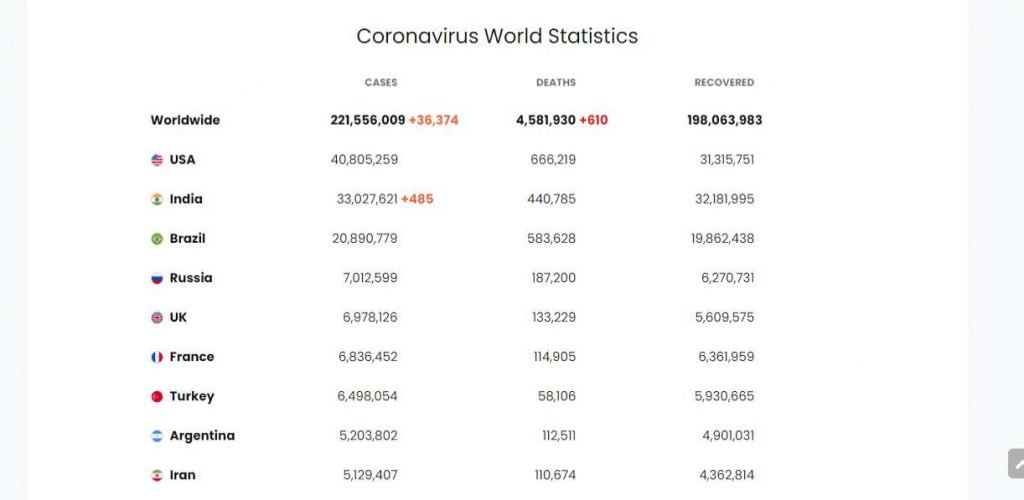
Step 8: Final View Live Page
Watch Video
I hope you successfully Display COVID-19 Live Statistics On the WordPress Website. If you face any problem then please click on live chat and discuss problems.
You Might Also Like: WordPress Maintenance Services