
Looking for professionally designed Divi Header Templates to improve your website’s navigation and user experience? Mc Starters offers a growing collection of free and premium Divi Header Templates that help you build beautiful, responsive headers using the Divi Theme Builder. Whether you’re creating a business website, agency portfolio, online store, local service website, or corporate platform, these templates help you launch faster without designing everything from scratch.
Browse the latest Divi Header Templates from the Mc Starters Template Library:
Your website header is one of the first elements visitors interact with. It displays your logo, navigation menu, contact information, call-to-action buttons, and sometimes even search bars or user account links. A poorly designed header can confuse visitors and increase bounce rates, while a well-structured navigation encourages users to explore more pages and ultimately improves conversions.
With the Divi Theme Builder, you can completely replace the default WordPress header with a fully customized global header. Combined with professionally designed templates from Mc Starters, creating a modern navigation experience becomes quick, easy, and code-free.
In this guide, we’ll explore over 24 professional Divi Header Templates, explain their layouts, highlight their standout features, identify their ideal use cases, and share best practices for creating headers that improve navigation and generate more leads.
Download Divi Header Templates
Build beautiful, responsive website headers using professionally designed Divi Theme Builder templates.
Why Divi Header Templates Matter
The header appears on nearly every page of your website, making it one of the most important design elements for usability and branding. It guides visitors through your content, reinforces your identity, and provides quick access to the most important pages.
An effective header helps:
- Improve website navigation
- Increase user engagement
- Build brand recognition
- Highlight important calls-to-action
- Improve mobile usability
- Increase conversions
- Reduce bounce rates
Instead of relying on generic theme headers, Divi Header Templates give you complete control over your website’s navigation.
Why Use Divi Header Templates?
The Divi Theme Builder makes it possible to create fully customized headers without touching code. However, designing a professional navigation system from scratch requires significant time and design expertise.
Divi Header Templates from Mc Starters provide professionally designed layouts that you can import, customize, and publish in minutes.
Benefits include:
- Divi Theme Builder compatible
- Fully responsive layouts
- Professional UI design
- Easy customization
- Mobile-friendly navigation
- Fast-loading layouts
- Modern typography
- Flexible menu structures
- Conversion-focused designs
Whether you’re building your own website or designing client projects, these templates dramatically speed up development.
Why Download from Mc Starters?
Every Divi template is designed with usability, performance, and conversions in mind.
You’ll receive:
- Professional layouts
- Modern navigation styles
- Responsive designs
- Easy customization
- Optimized spacing
- Conversion-focused elements
- Regular template updates
- Beginner-friendly imports
No coding knowledge is required—simply import the template into Divi Theme Builder and customize it to match your brand.
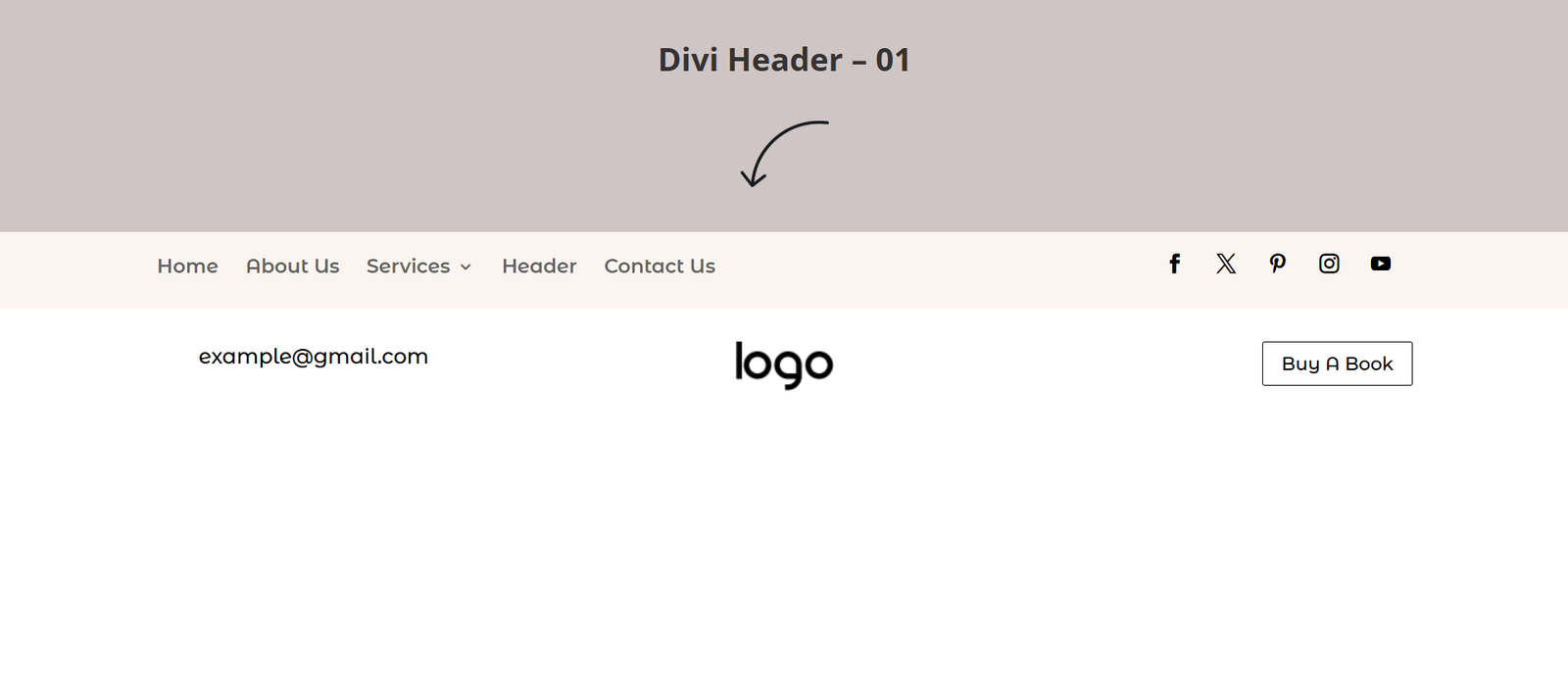
Divi Header Template 01 – The Split Utility Ribbon
The Layout
A professional dual-row navigation layout featuring a slim utility bar above a spacious white navigation area. The upper section accommodates secondary links, email addresses, or announcements, while the primary row focuses on branding and navigation.
Key Features
- Dual-row structure
- Utility information bar
- Large navigation menu
- Dedicated search box
- Responsive design
Best Used For
- Digital agencies
- Consultants
- Professional services
- Corporate businesses
- Marketing firms
This layout keeps secondary information separate from the primary navigation, creating a clean and organized user experience.
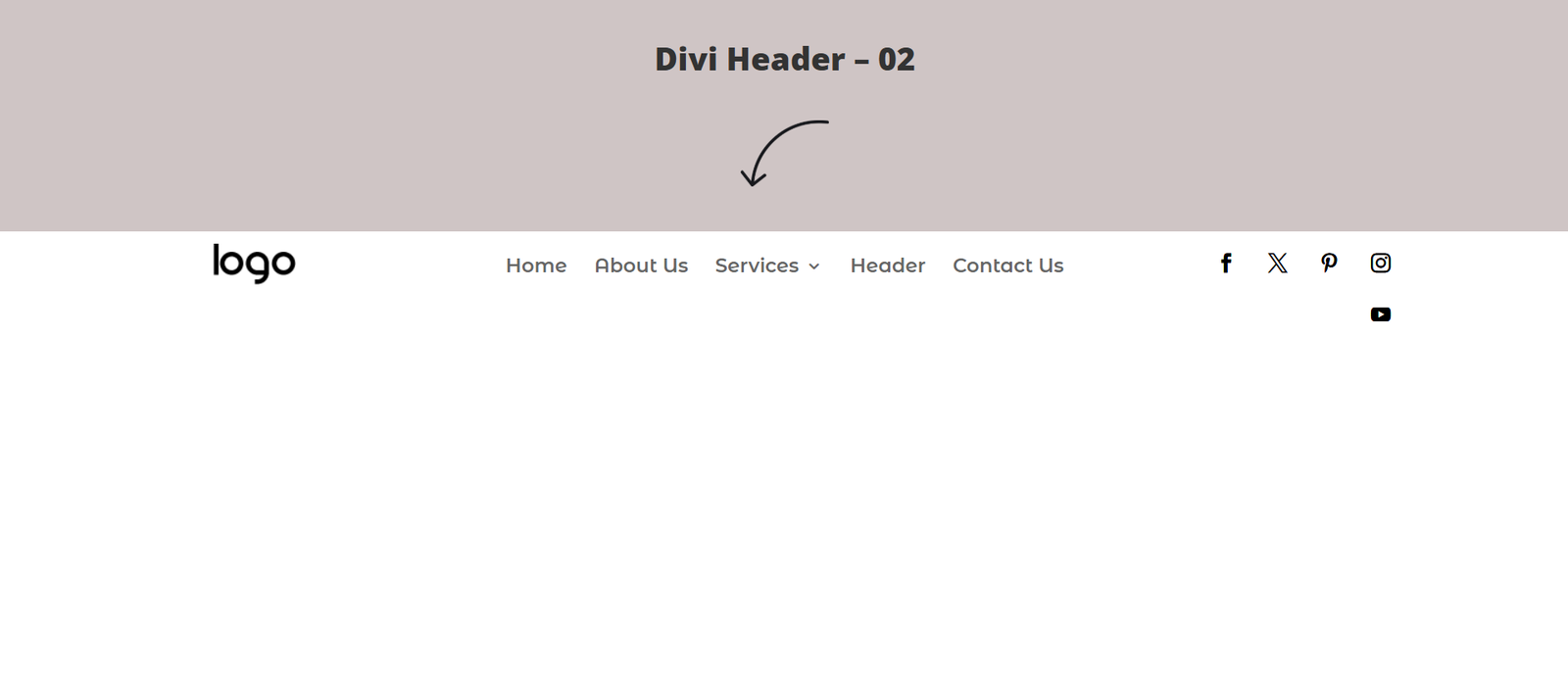
Divi Header Template 02 – The Multi-Link Corporate Core
The Layout
A classic corporate header featuring a left-aligned logo, centered navigation links, and a dedicated area on the right for utility links and search functionality.
Key Features
- Corporate navigation
- Centered menu
- Search toggle
- Utility links
- Balanced spacing
Best Used For
- Law firms
- Accounting firms
- Financial advisors
- Insurance companies
- Enterprise businesses
This template delivers a professional appearance suitable for businesses that prioritize trust and organization.
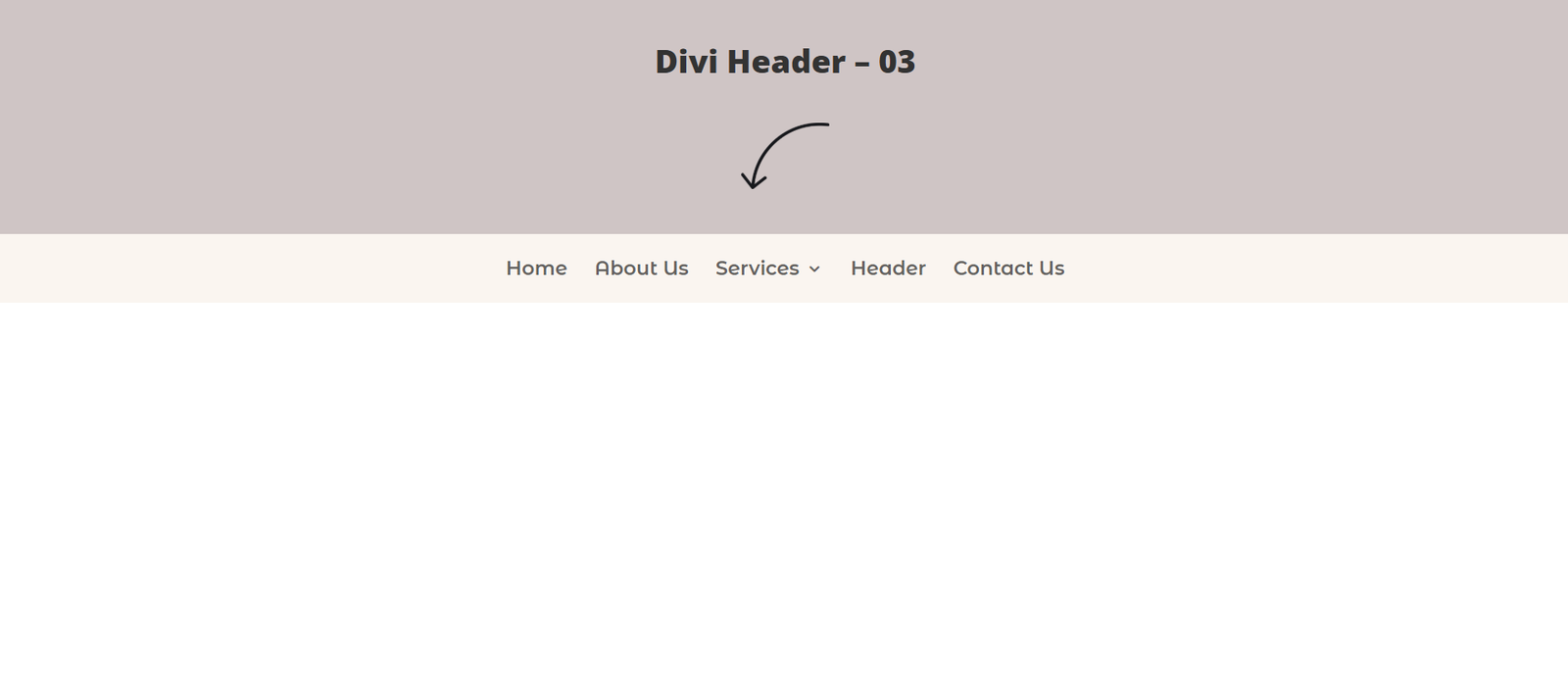
Divi Header Template 03 – The Open Minimalist Grid
The Layout
A spacious single-row header that removes unnecessary borders and background elements, allowing typography and navigation links to become the primary focus.
Key Features
- Minimal layout
- Centered navigation
- Large white space
- Elegant typography
- Clean branding
Best Used For
- Architecture firms
- Creative portfolios
- Interior designers
- Personal brands
- Luxury businesses
Minimalist headers provide a premium browsing experience while keeping attention on your content.
Complete Your Divi Website
Pair your header with professionally designed:
- Divi Footer Templates
- Landing Page Templates
- Service Page Templates
- Popup Templates
- FAQ Templates
- Blog Templates
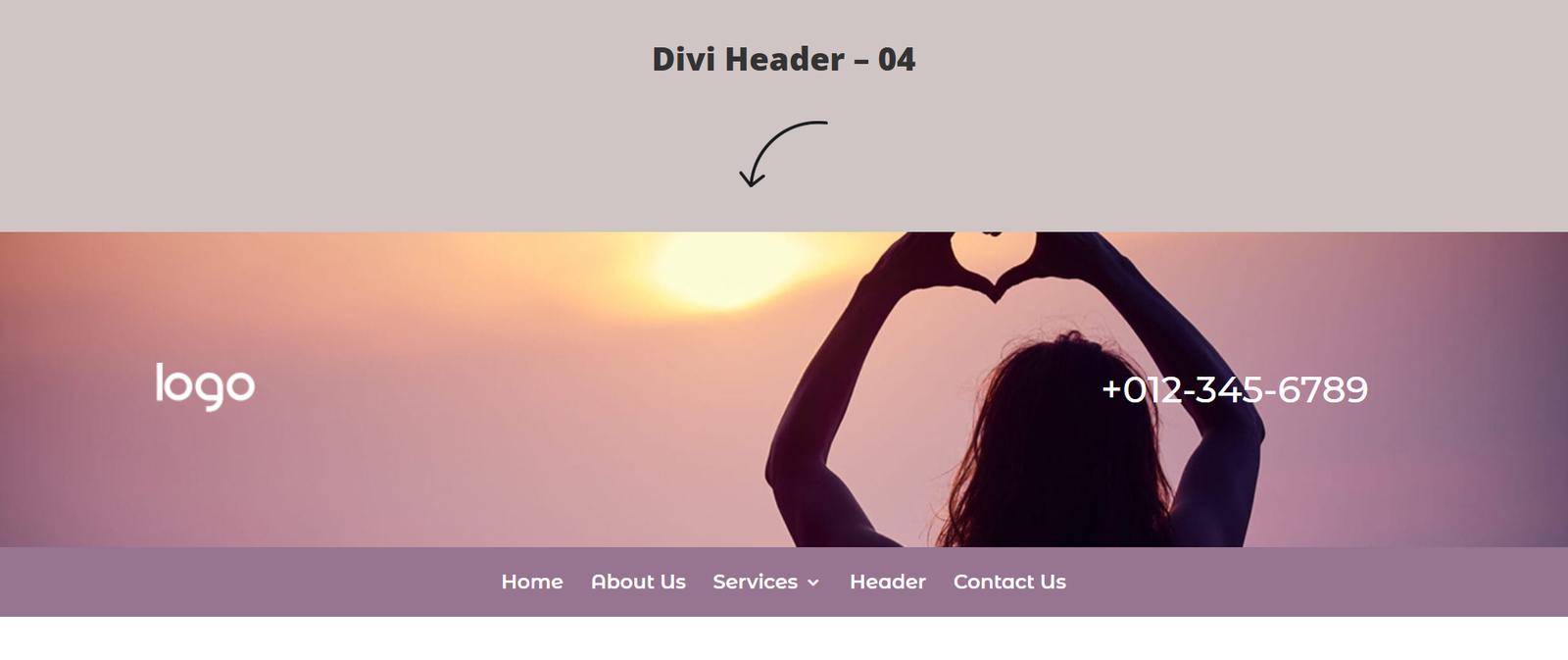
Divi Header Template 04 – The Cinematic Visual Blur
The Layout
A striking transparent navigation overlay positioned on top of a full-width hero image or gradient background, creating a dramatic first impression.
Key Features
- Transparent navigation
- Hero image overlay
- Large contact number
- Premium appearance
- Modern styling
Best Used For
- Wedding photographers
- Lifestyle brands
- Hotels
- Restaurants
- Personal coaches
This template creates an emotional first impression while making contact information immediately visible.
Divi Header Template 05 – The Cobalt Blue Accent Ribbon
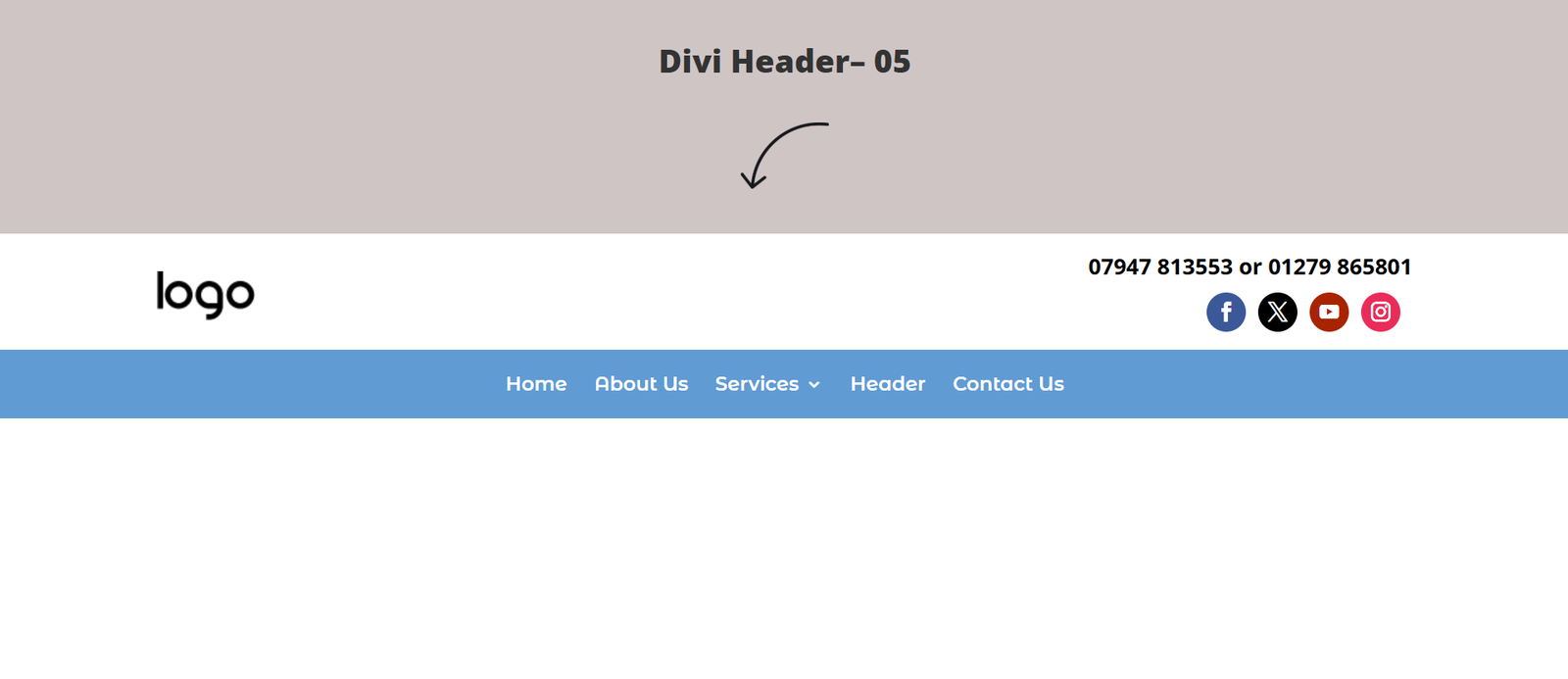
The Layout
A clean dual-tone header featuring a thin blue accent line beneath the primary navigation, adding subtle branding without overwhelming the interface.
Key Features
- Dual-color design
- Blue accent ribbon
- Profile icons
- Modern layout
- Responsive menu
Best Used For
- Schools
- Universities
- Membership websites
- Non-profit organizations
- Community platforms
The combination of clean navigation and branded accents creates a polished, trustworthy appearance.
Divi Header Template 06 – The Right-Aligned Border Action Bar
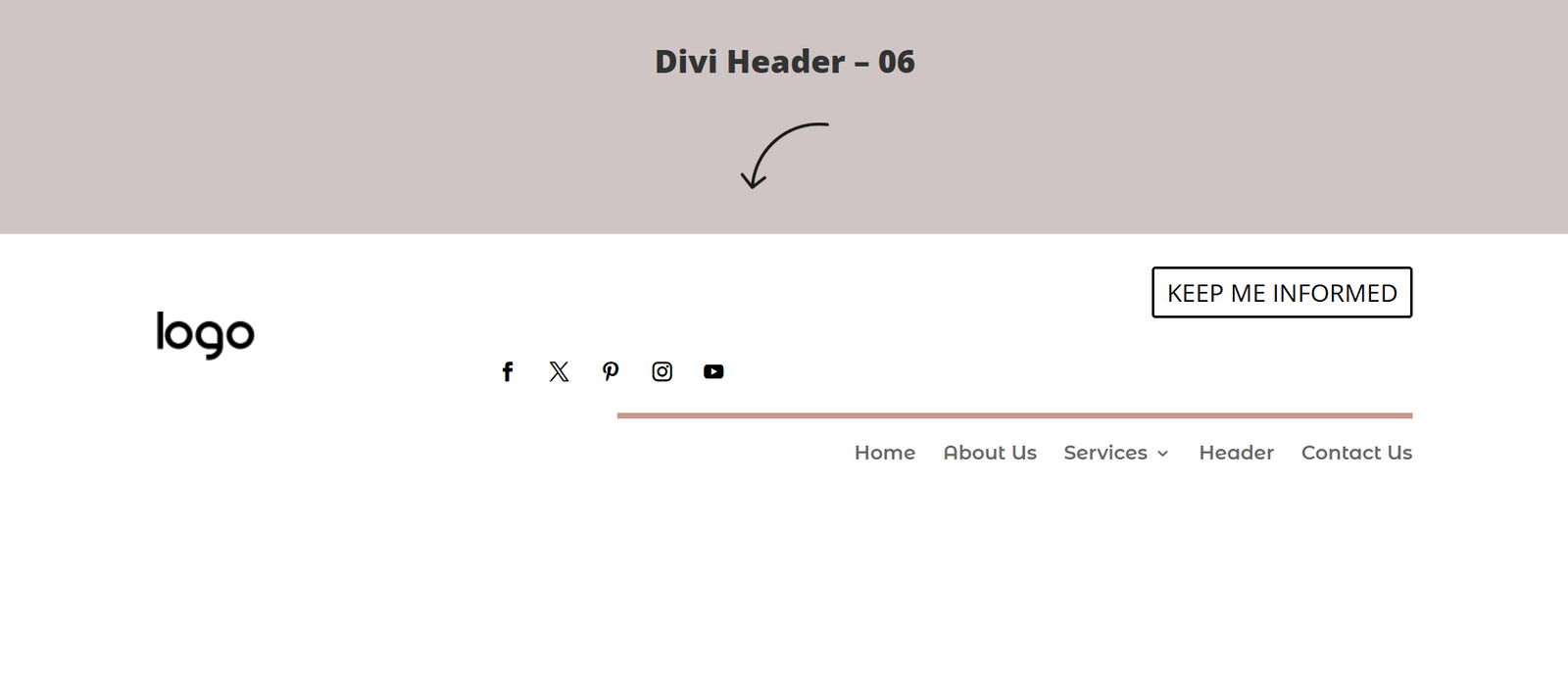
The Layout
A simple navigation layout with a left-aligned logo, centered menu, and a bordered call-to-action button positioned on the far right to encourage visitor interaction.
Key Features
- Single-row layout
- CTA button
- Balanced spacing
- Modern typography
- Clean navigation
Best Used For
- SaaS companies
- Startup websites
- Product launches
- Corporate blogs
- Technology companies
A dedicated call-to-action button makes it easy to direct visitors toward newsletter signups, demos, or contact forms.
Divi Header Template 07 – The Low-Friction Digital Form Bar
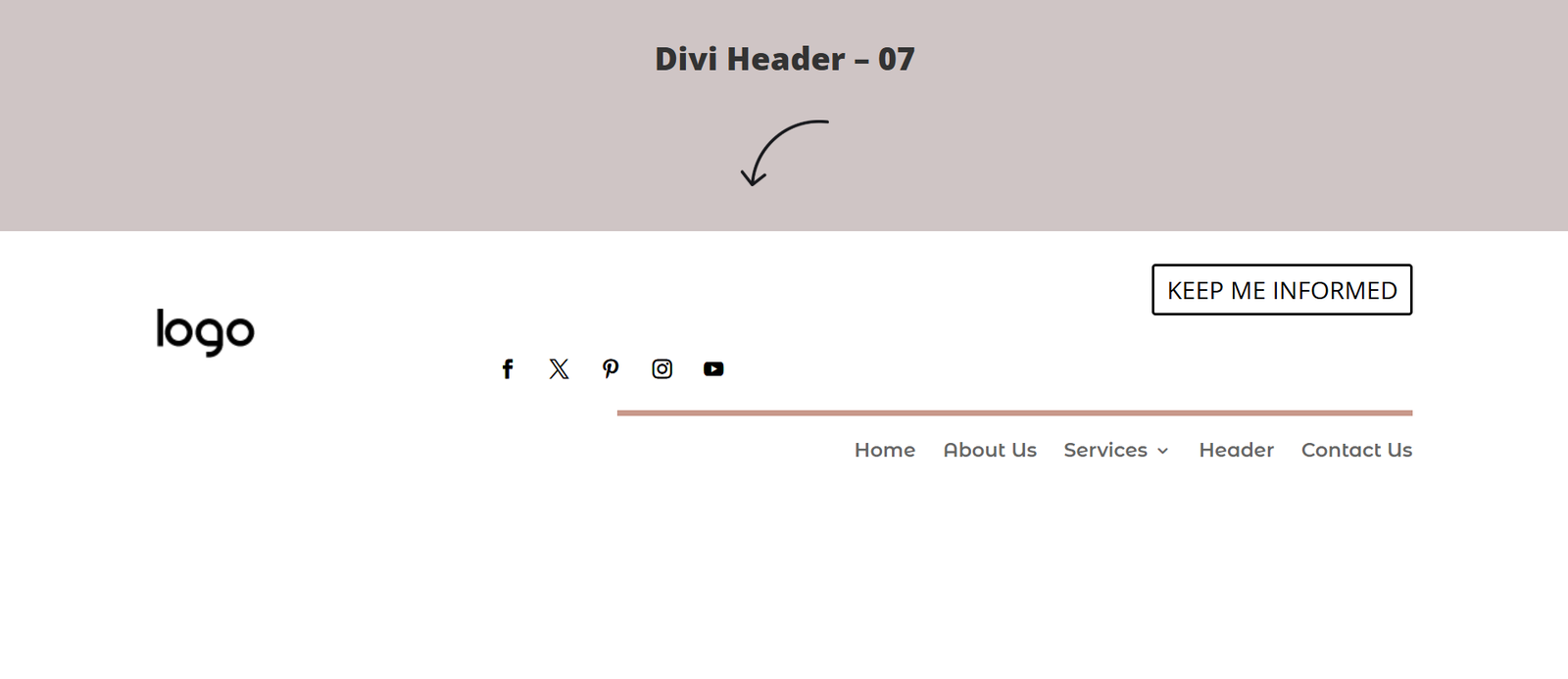
The Layout
A minimalist variation of the previous template that expands the right-side action area, making it ideal for encouraging quick signups or lead generation.
Key Features
- Minimal navigation
- Expanded CTA area
- White background
- Balanced spacing
- Lead-focused design
Best Used For
- Online educators
- Authors
- Consultants
- Freelancers
- Digital marketers
This layout keeps distractions to a minimum while drawing attention to your primary conversion goal.
Divi Header Template 08 – The Dense Communication Directory
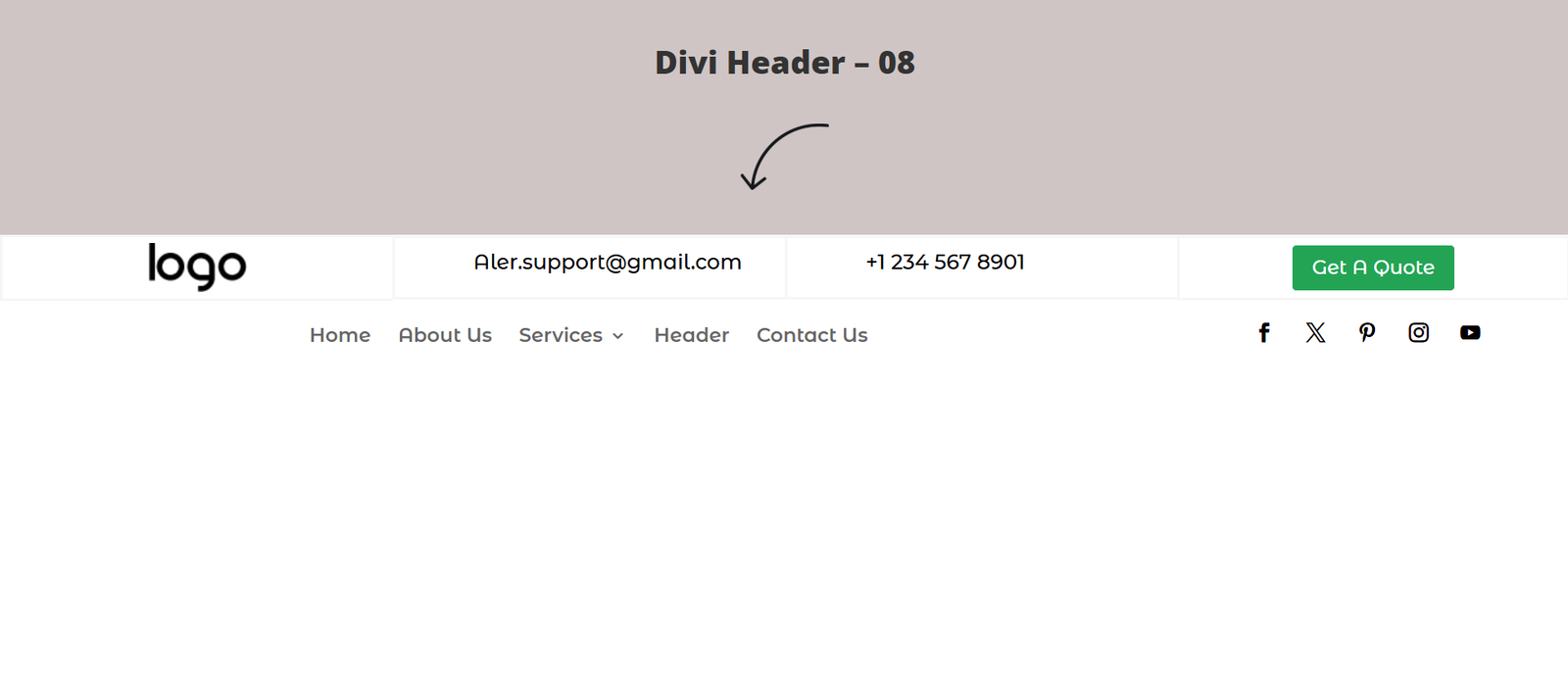
The Layout
A feature-rich corporate header that combines navigation with highly visible contact information, office address details, and a bold action button.
Key Features
- Address section
- Phone number
- CTA button
- Utility information
- Professional layout
Best Used For
- Roofing companies
- HVAC businesses
- Moving companies
- Plumbing services
- Local contractors
Displaying contact information prominently helps local businesses generate more phone calls and inquiries.
Download Divi Header Templates
Create professional navigation layouts using responsive Divi Theme Builder templates.
Divi Header Template 09 – The Classic Low-Profile Single Line
The Layout
A lightweight, single-row navigation layout that keeps the logo and navigation links aligned on one clean horizontal line. The design removes unnecessary widgets and decorative elements to create a distraction-free browsing experience.
Key Features
- Single navigation row
- Lightweight layout
- Clean typography
- Minimal spacing
- Fast-loading design
Best Used For
- Personal blogs
- Affiliate websites
- Review websites
- Portfolio websites
- Small business websites
This header is ideal for websites that prioritize speed, simplicity, and content over decorative design.
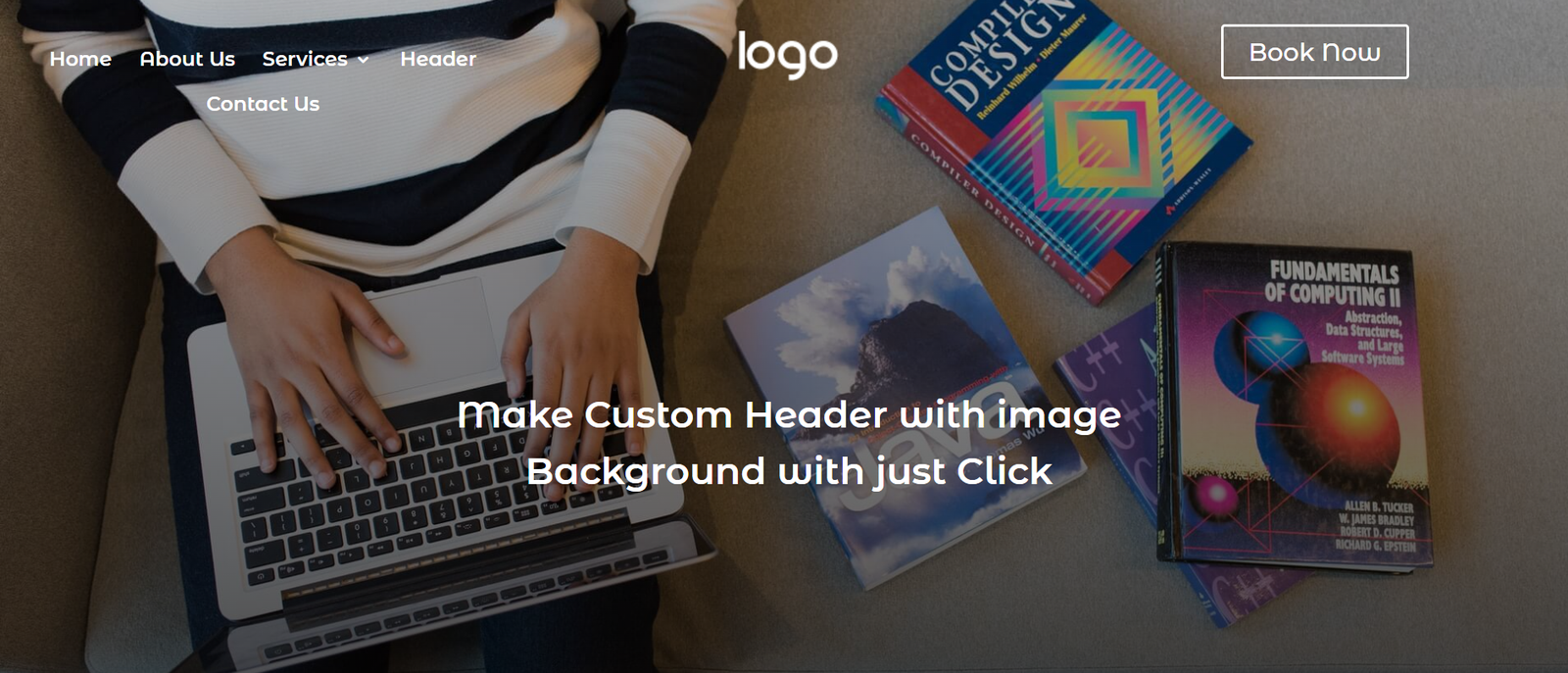
Divi Header Template 10 – The Immersive Workspace Visual Overlay
The Layout
A modern transparent header layered over a full-width workspace image or video hero section. Navigation remains highly readable while blending naturally into the page’s visual design.
Key Features
- Transparent navigation
- Full-width media overlay
- Large hero integration
- Modern typography
- Premium appearance
Best Used For
- Creative agencies
- Software companies
- Digital marketing agencies
- Video production studios
- Web design firms
This design immediately captures attention while maintaining excellent navigation visibility.
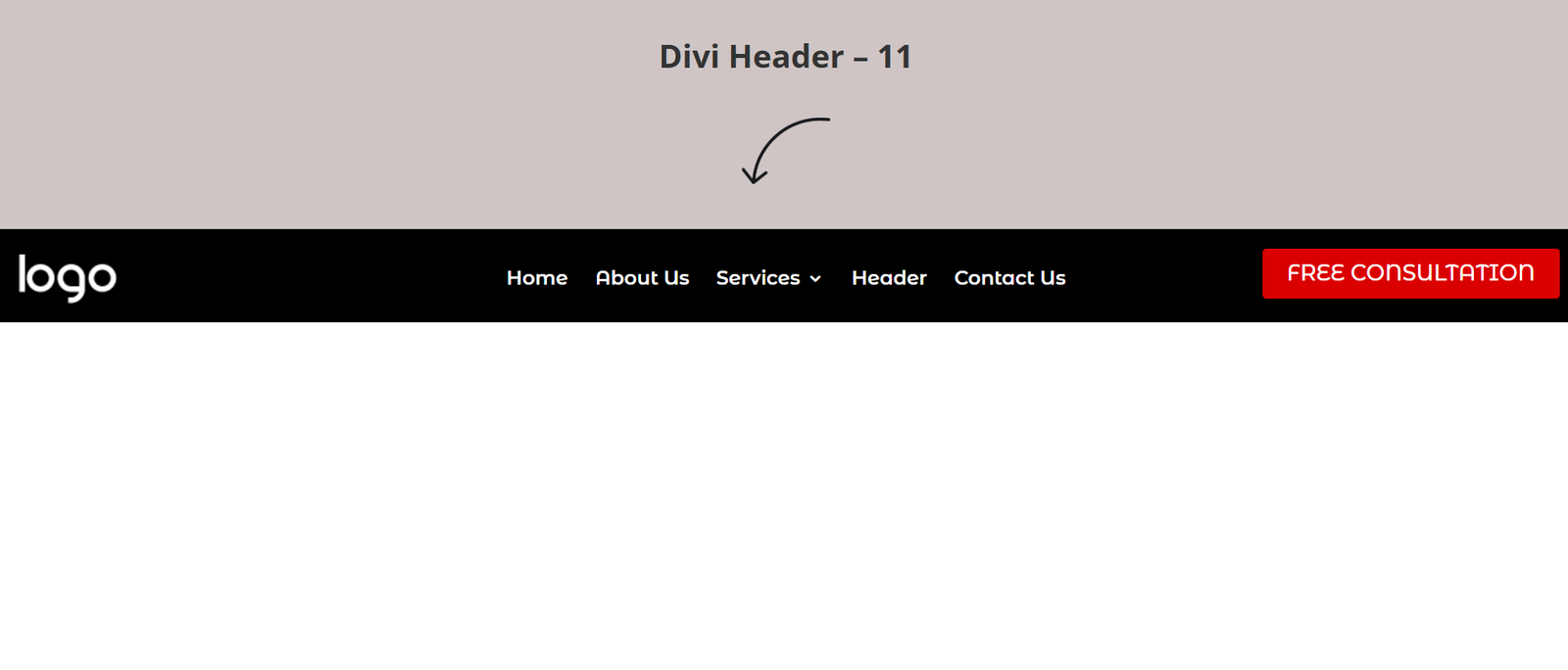
Divi Header Template 11 – The High-Contrast Dark Silhouette
The Layout
A sleek dark-mode navigation featuring a black background, white menu typography, and a vibrant call-to-action button positioned on the far right.
Key Features
- Dark UI
- High-contrast typography
- Bright CTA button
- Premium styling
- Modern navigation
Best Used For
- Tech startups
- Mobile apps
- SaaS platforms
- Developers
- Software tools
Dark headers create a premium visual identity while drawing attention to important conversion buttons.
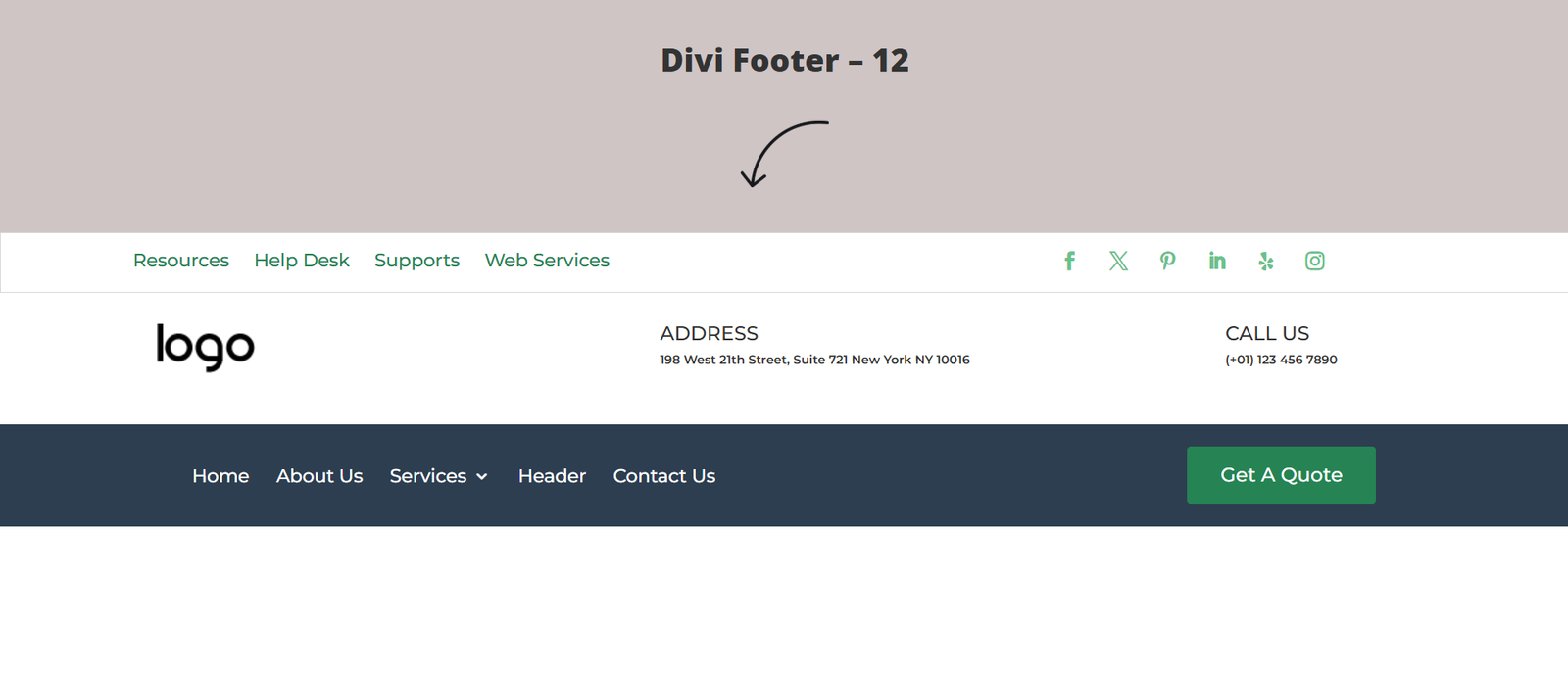
Divi Header Template 12 – The Enterprise Split Blue-Bar
The Layout
A structured dual-row layout featuring a slim utility section above a bold primary navigation bar with a highly visible action button.
Key Features
- Utility bar
- Corporate navigation
- CTA button
- Multi-level structure
- Responsive design
Best Used For
- Medical clinics
- Logistics companies
- Corporate businesses
- Enterprise websites
- Local B2B companies
This layout separates informational content from primary navigation for improved usability.
Build a Complete Divi Website
Combine your header with professionally designed:
- Divi Footer Templates
- Landing Page Templates
- Service Page Templates
- Popup Templates
- FAQ Templates
- Blog Templates
Divi Header Template 13 – The Cobalt Top Utility Bar
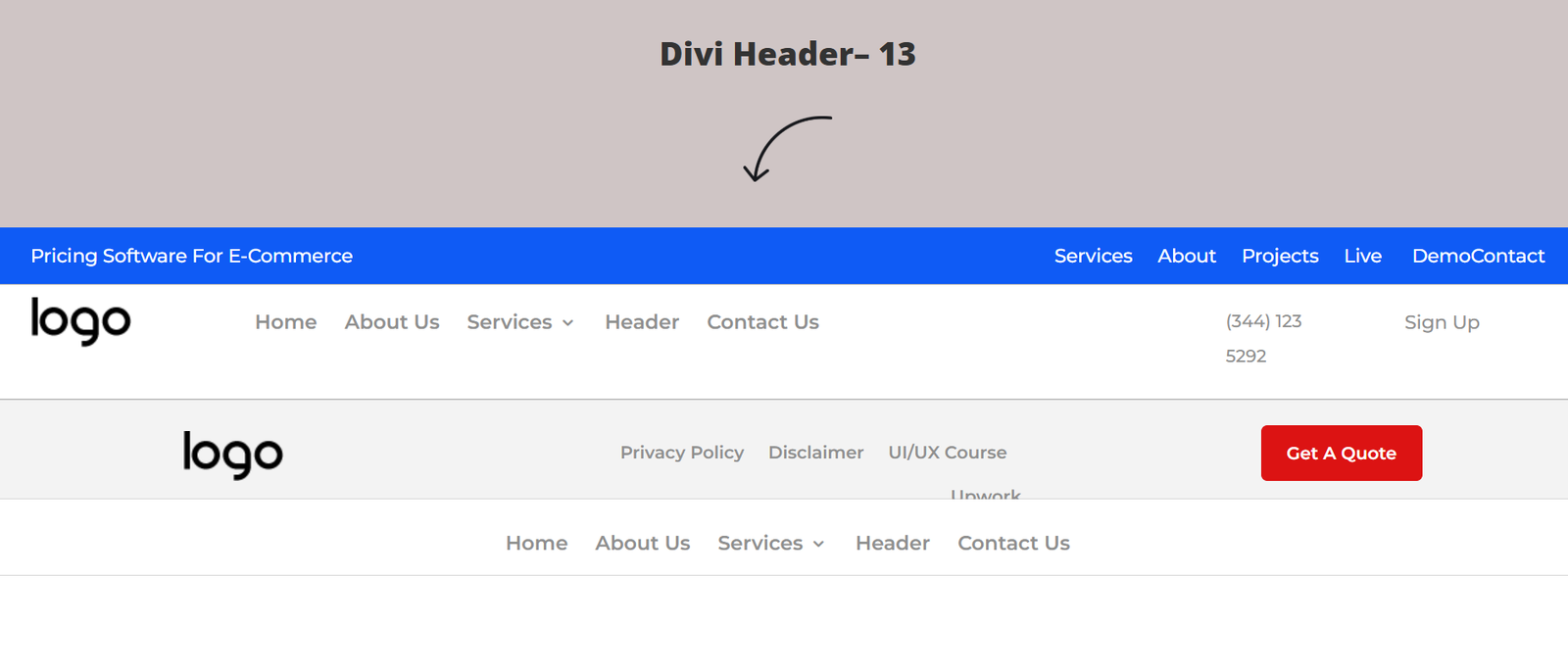
The Layout
A polished dual-row header featuring a cobalt blue utility strip above a spacious white navigation area.
Key Features
- Utility information bar
- CTA button
- Corporate branding
- Balanced layout
- Responsive navigation
Best Used For
- Corporate consultancies
- Law firms
- Asset management companies
- Financial services
Divi Header Template 14 – The Forest Green Brand Blocks
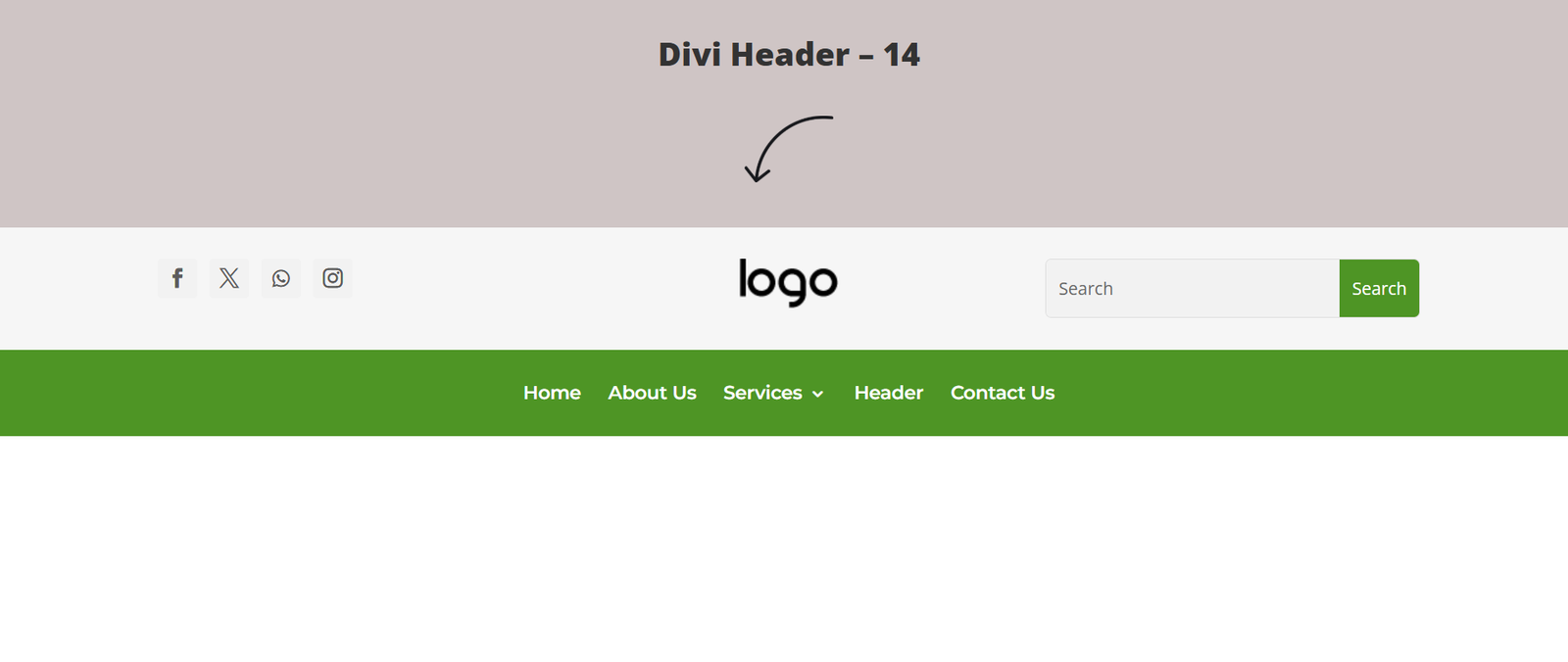
The Layout
A bold navigation layout combining a slim utility row with a deep green primary navigation bar for maximum visual impact.
Key Features
- Green branding
- High-contrast navigation
- Responsive menu
- Strong visual hierarchy
Best Used For
- Environmental companies
- Agriculture businesses
- Organic brands
- Sustainability organizations
Divi Header Template 15 – The Floating Minimalist Canvas
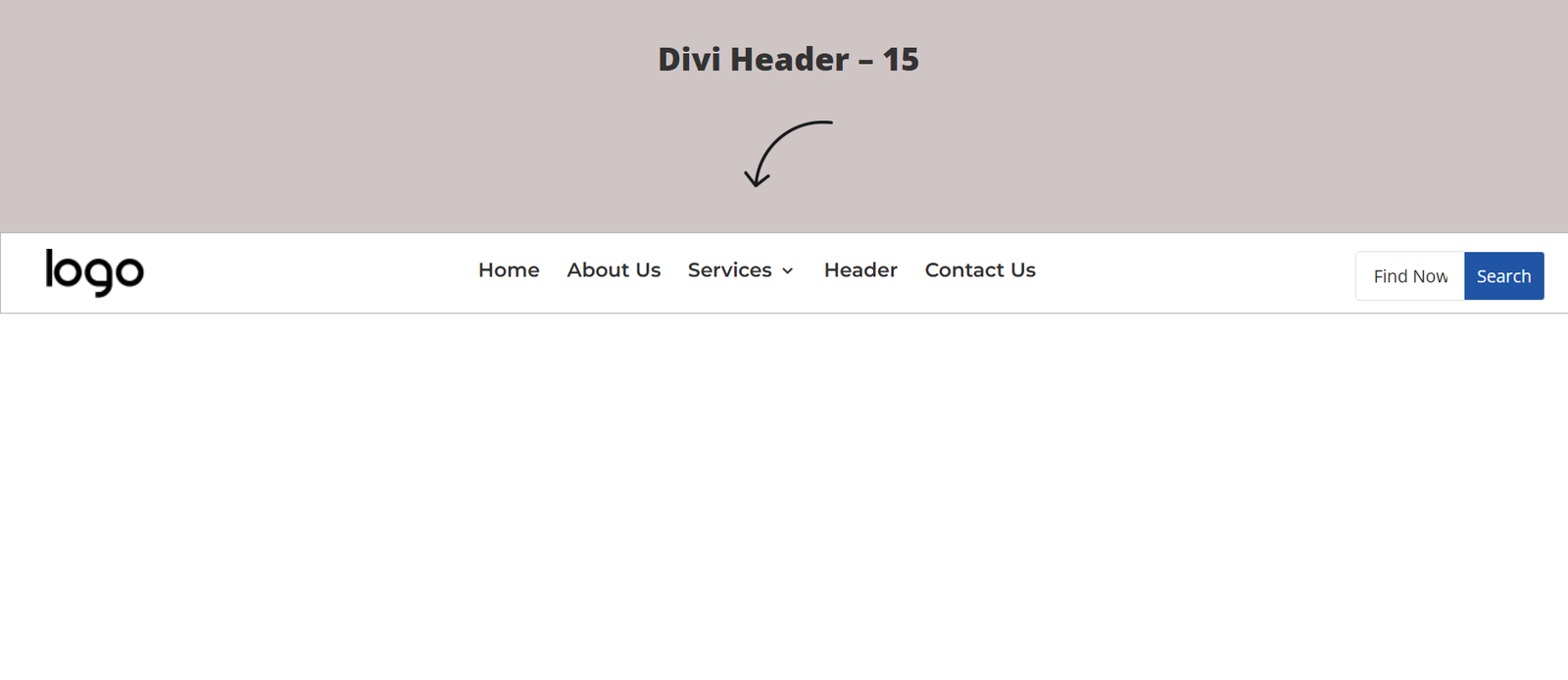
The Layout
A spacious navigation bar built around generous white space, subtle typography, and a clean CTA button.
Key Features
- Minimal layout
- Floating button
- Large white space
- Elegant branding
Best Used For
- Luxury brands
- Photography studios
- Designers
- Boutique agencies
Divi Header Template 16 – The Strategic Local Communications Bar
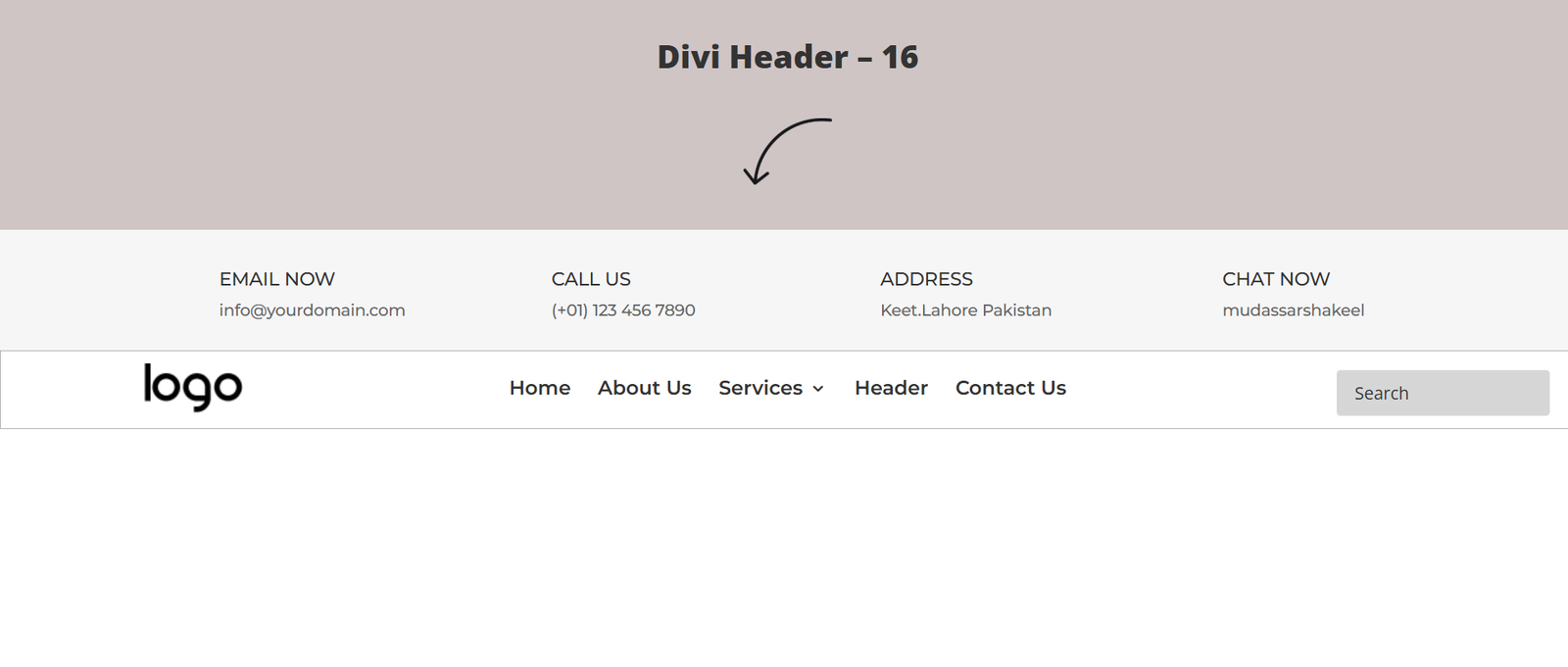
The Layout
A business-focused header that prioritizes offline communication with visible office address and support phone information.
Key Features
- Address display
- Phone number
- Utility information
- Corporate layout
Best Used For
- Contractors
- Auto repair shops
- Plumbing companies
- Local clinics
- Logistics businesses
Divi Header Template 17 – The Bare Dual-Row Directory
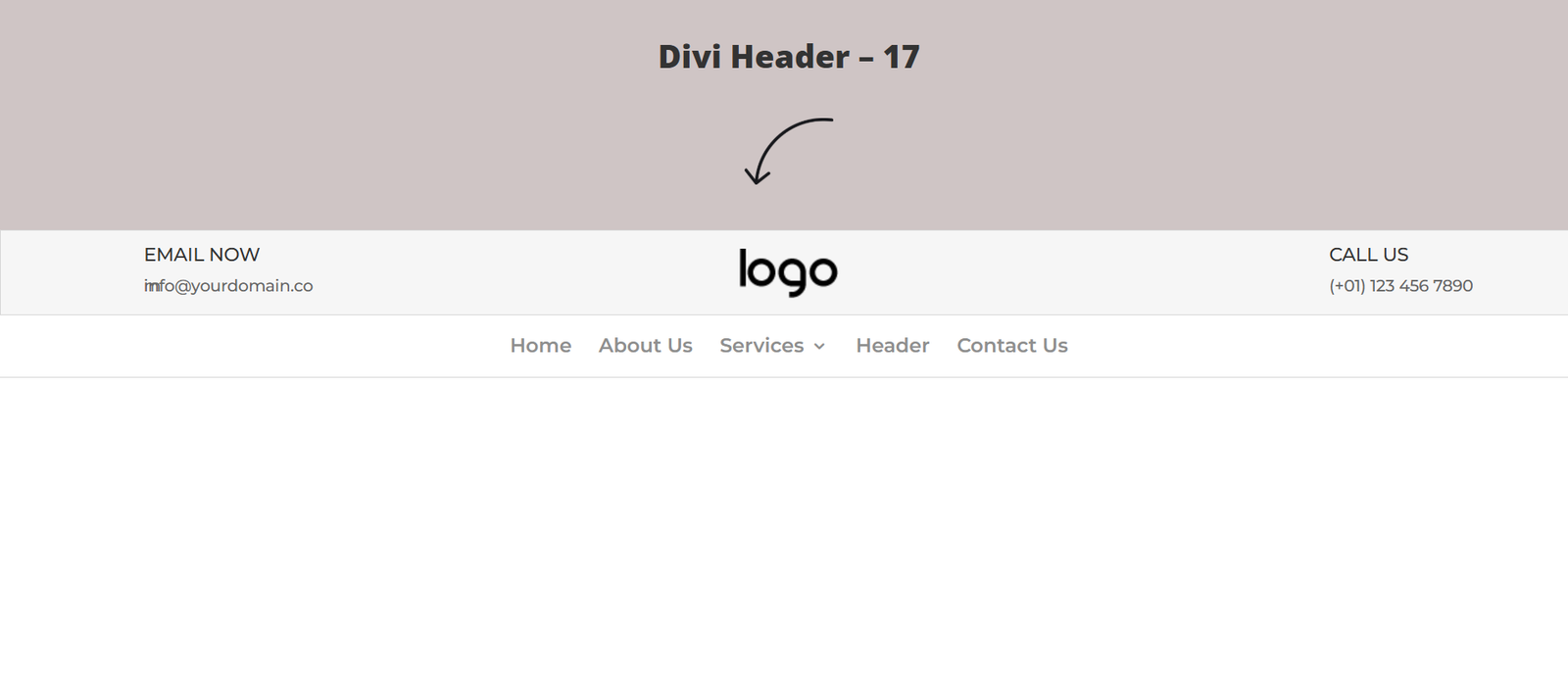
The Layout
A lightweight dual-row navigation using thin separators, integrated search functionality, and profile shortcuts without unnecessary visual clutter.
Key Features
- Dual-row layout
- Search icon
- User profile shortcut
- Clean spacing
Best Used For
- Resource websites
- Educational platforms
- Online directories
- Digital magazines
Divi Header Template 18 – The Asymmetric Crimson Cap
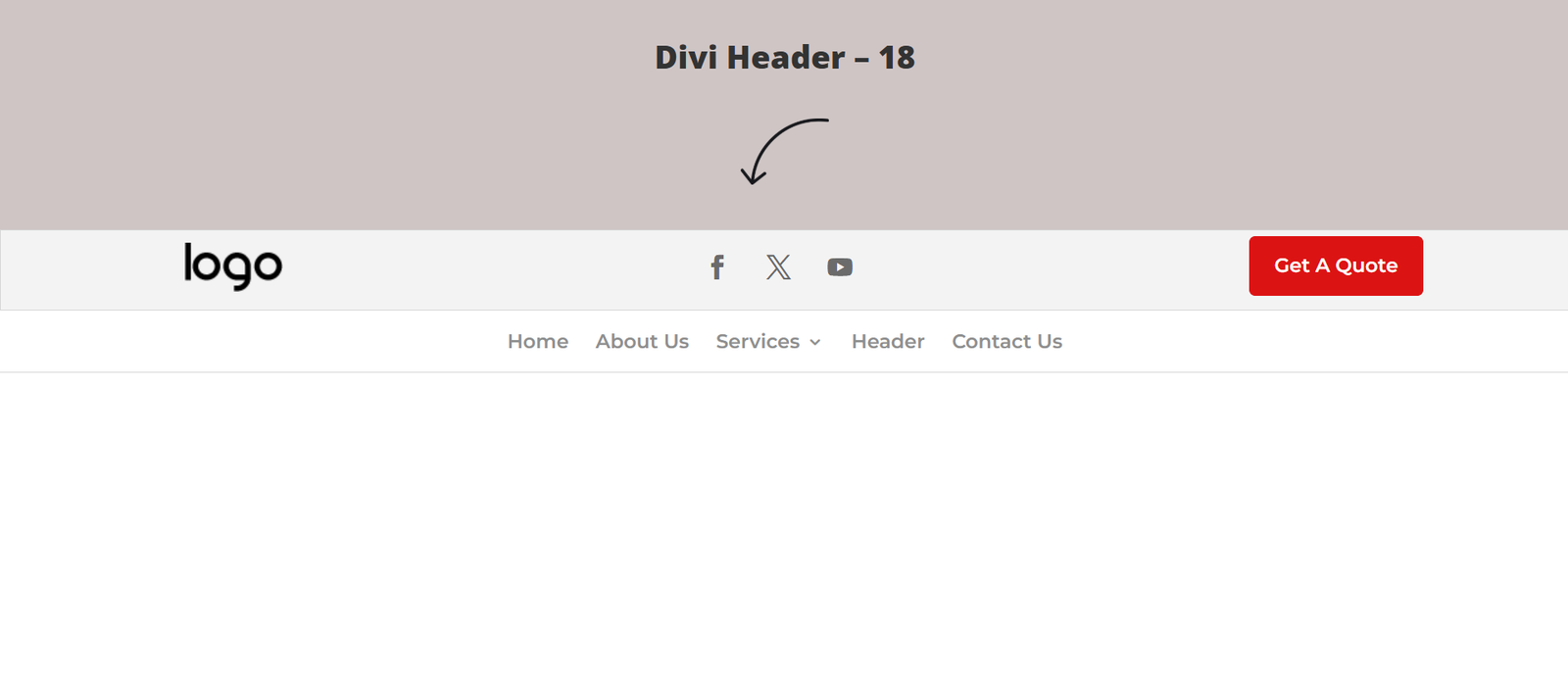
The Layout
A modern white navigation accented with bold red branding blocks that naturally guide attention toward important calls-to-action.
Key Features
- Red branding
- CTA button
- Contemporary layout
- Clean navigation
Best Used For
- Marketing agencies
- SaaS companies
- Creative studios
- Digital businesses
Divi Header Template 19 – The Minimalist Crimson Action Bar
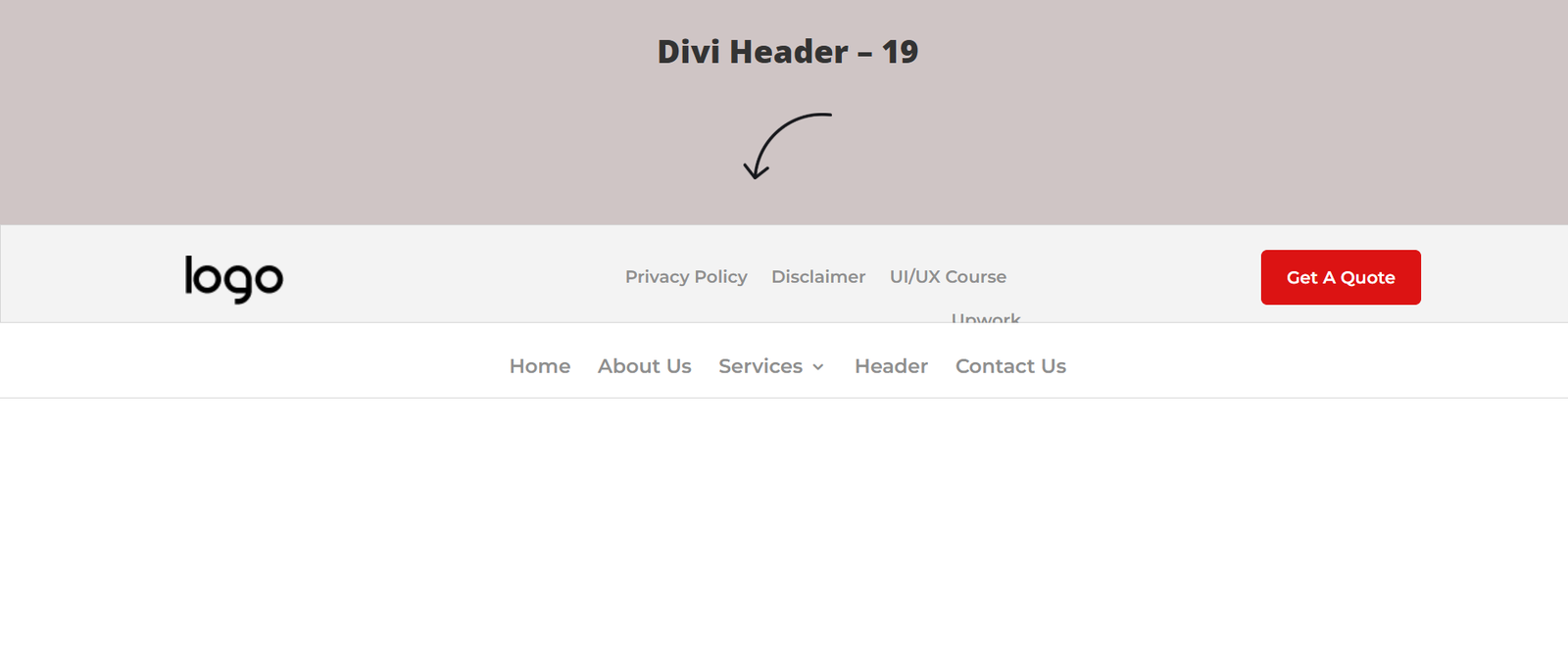
The Layout
A simplified variation of the previous design that combines classic navigation with a strong action button on a single horizontal row.
Key Features
- Minimal design
- CTA button
- Responsive navigation
- Clean interface
Best Used For
- Startup websites
- Product launches
- Corporate blogs
- Technology companies
Divi Header Template 20 – The Full-Width High-Contrast Ribbon
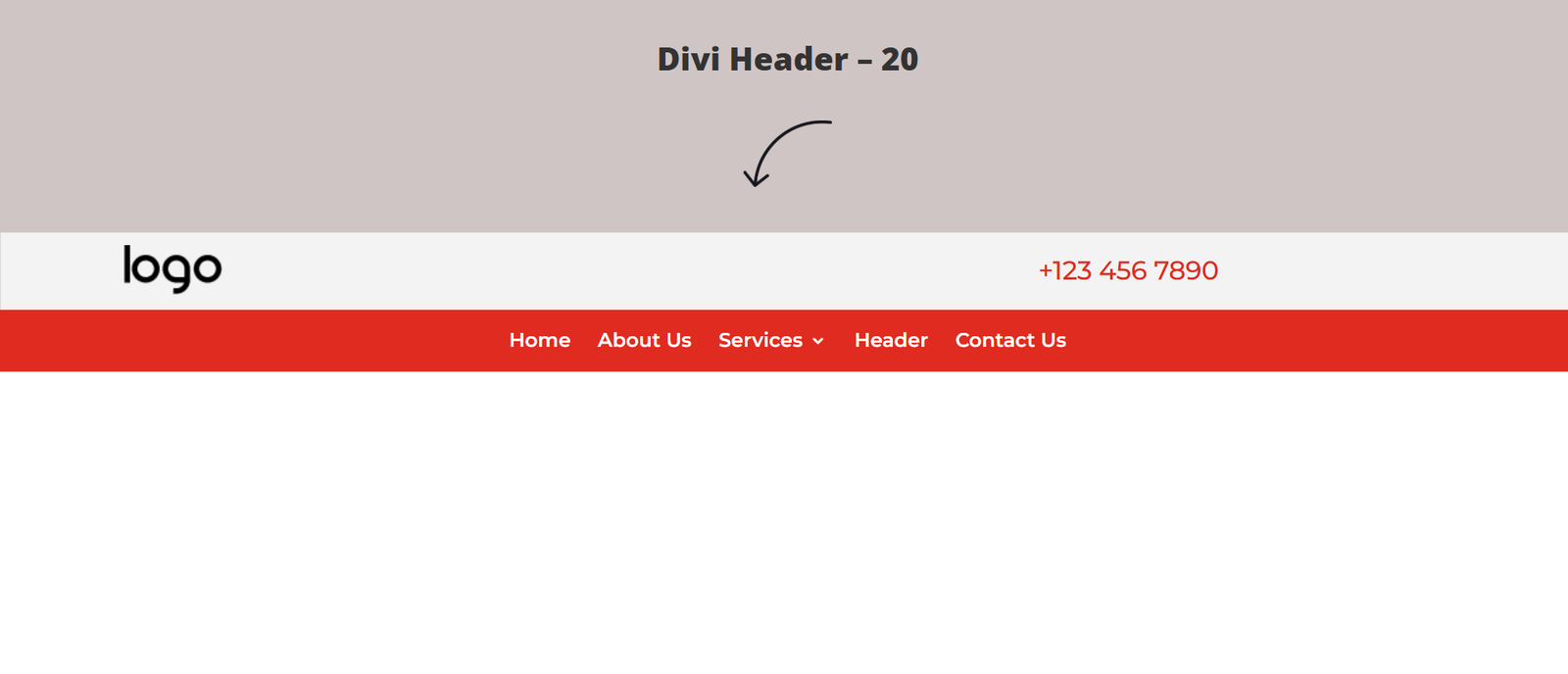
The Layout
A bold full-width red navigation bar with white typography designed to maximize visibility and create a memorable brand identity.
Key Features
- Full-width background
- High contrast
- Bold branding
- Large navigation
Best Used For
- Fitness brands
- Restaurants
- Food delivery
- Events
- Entertainment companies
Download Professional Divi Header Templates
Save hours of design time with professionally built Divi Theme Builder templates.
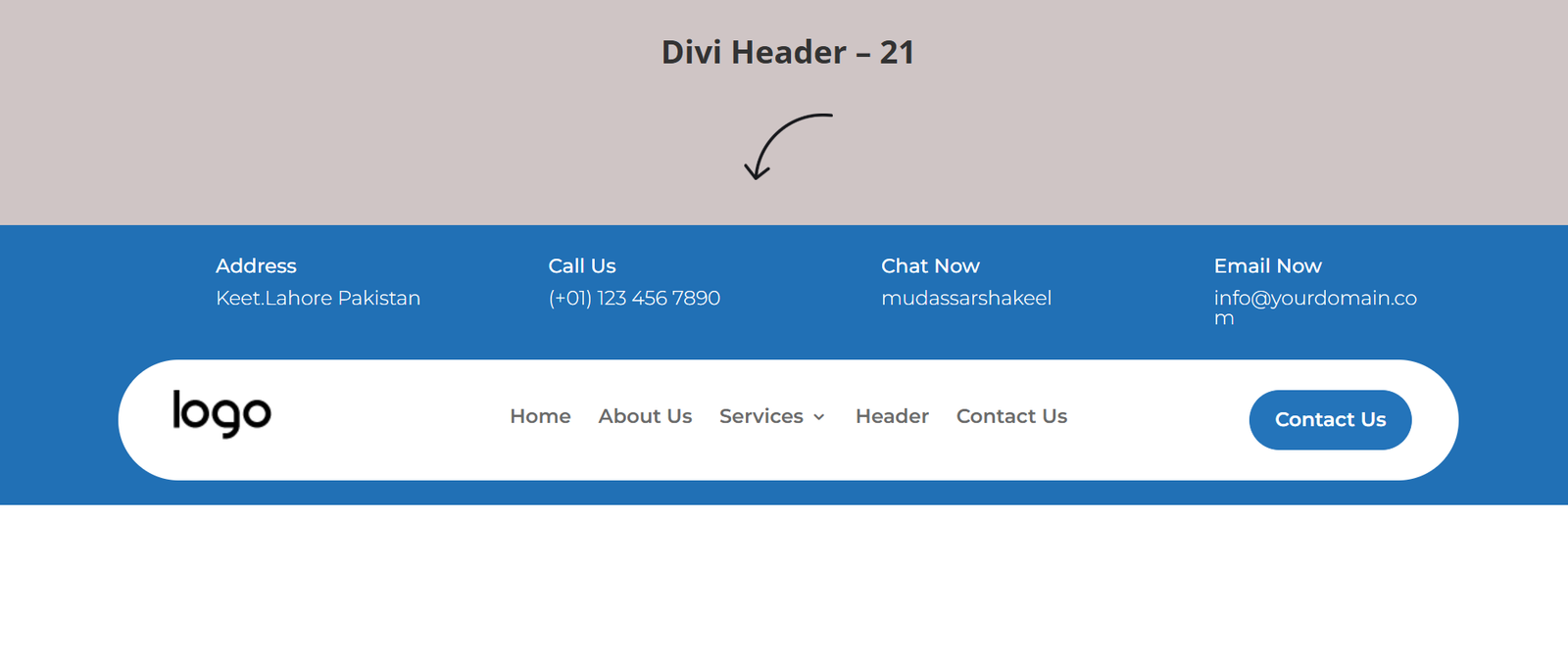
Divi Header Template 21 – The App Infrastructure Wave
The Layout
A modern software-inspired navigation featuring communication details above a curved blue navigation bar that flows naturally into the page content.
Key Features
- Curved layout
- Communication details
- CTA button
- Modern styling
Best Used For
- SaaS products
- Cloud hosting
- Web applications
- Software companies
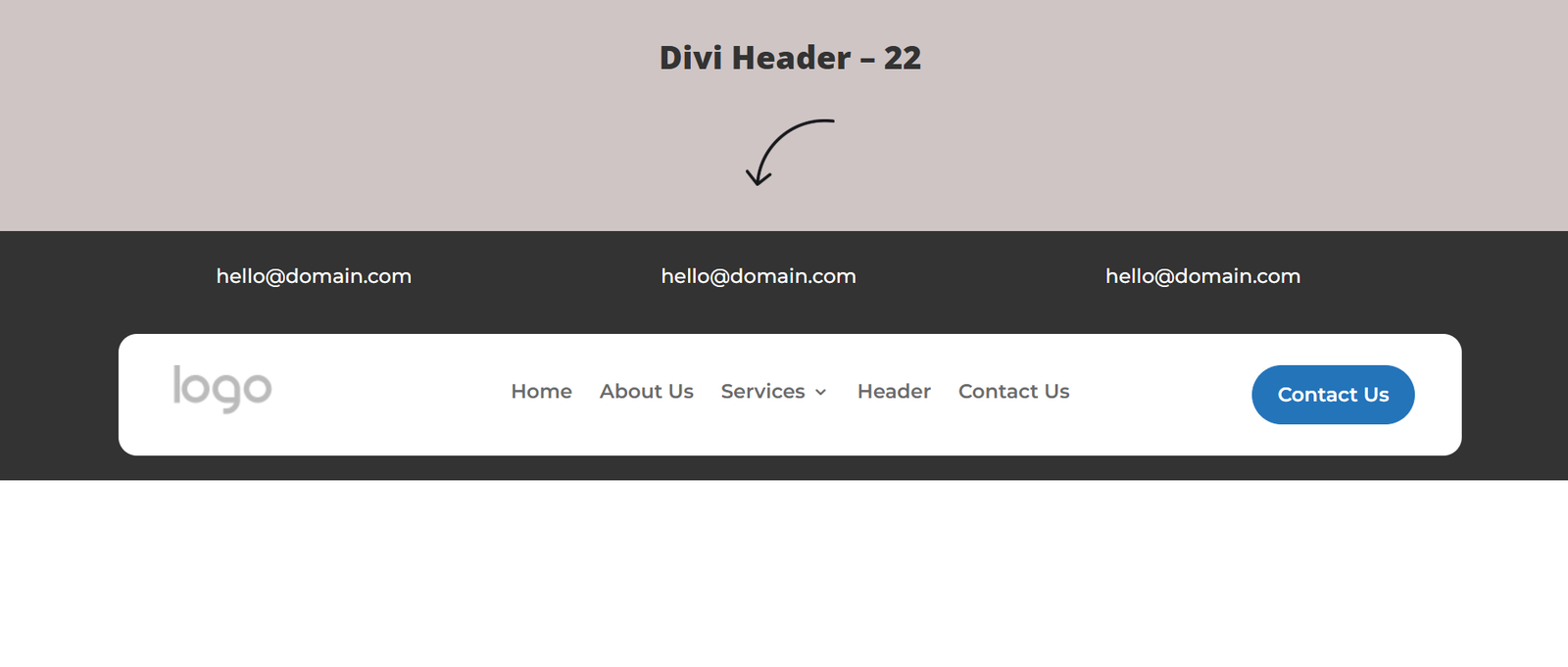
Divi Header Template 22 – The Translucent Dashboard Silhouette
The Layout
A transparent dark navigation overlay designed specifically for hero images, videos, and premium landing pages.
Key Features
- Transparent overlay
- Dark interface
- CTA button
- Premium appearance
Best Used For
- Video portfolios
- Creative agencies
- Premium software
- Modern startups
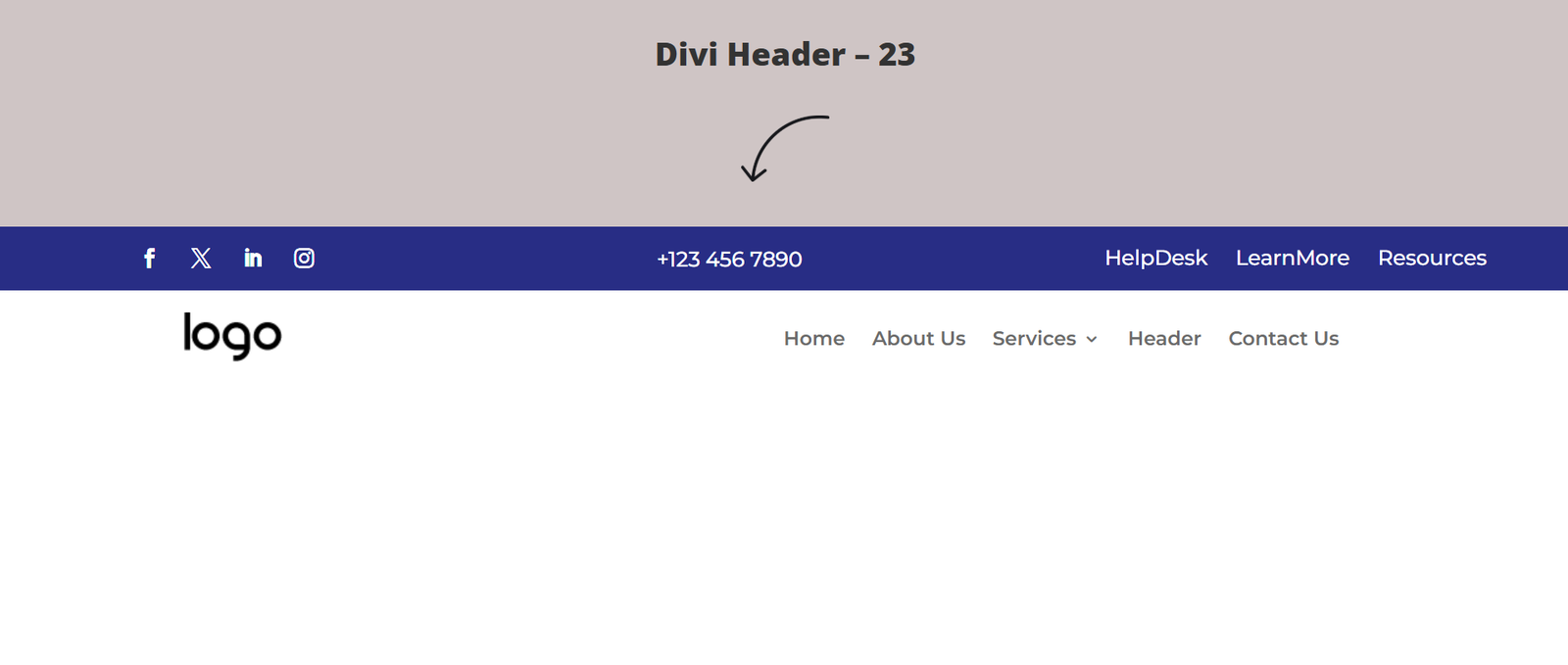
Divi Header Template 23 – The Dual-Tone Contact Strip
The Layout
A professional header combining a navy utility bar with a clean white navigation section beneath it.
Key Features
- Dual-tone colors
- Phone support
- Corporate styling
- Responsive layout
Best Used For
- Insurance agencies
- Accountants
- B2B companies
- Legal firms
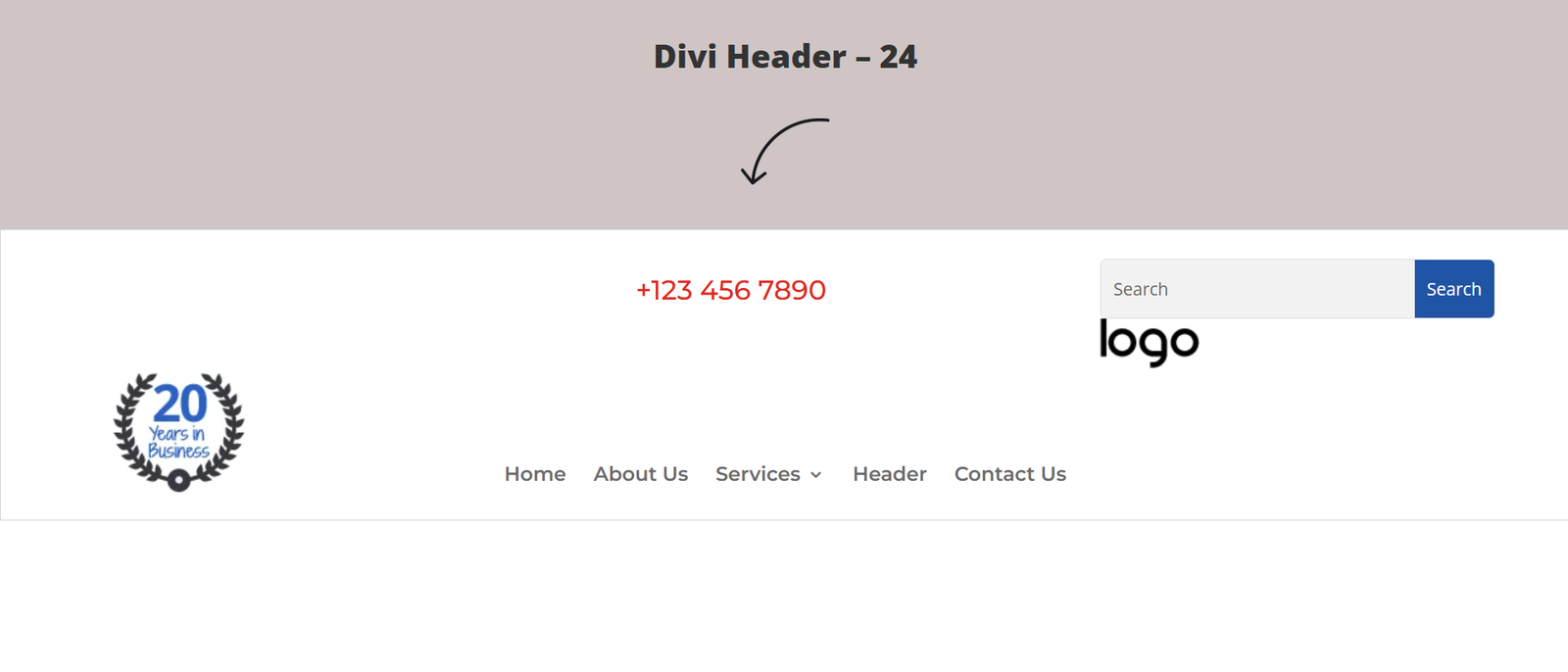
Divi Header Template 24 – The Monetized Authority Grid
The Layout
A conversion-focused header designed to balance trust signals with lead generation, featuring search functionality, trust badges, and a prominent “Get a Quote” button.
Key Features
- Search box
- Trust badges
- Quote button
- Professional layout
Best Used For
- Roofing companies
- Moving companies
- Logistics firms
- Enterprise agencies
- Home service businesses
Best Practices for Building Headers with Divi Theme Builder
A well-designed header should remain consistent across your website while supporting both usability and conversions.
Use Global Headers
Create your header as a Global Header inside the Divi Theme Builder instead of recreating it on individual pages. This centralizes updates and ensures consistent navigation across your entire website.
Enable Sticky Navigation
Use Divi’s Sticky Position settings to keep the header visible as users scroll. Consider reducing padding or changing the background color on scroll to preserve screen space without sacrificing usability.
Design for Mobile First
Large desktop headers often require simplification on smaller devices. Replace complex multi-row layouts with a clean hamburger menu, adjust spacing, and hide non-essential elements to create a better mobile experience.
Save Reusable Modules
Save buttons, contact bars, announcement strips, and navigation components as Global Modules in the Divi Library. This allows you to reuse and update them across multiple templates with minimal effort.
Use Flexible Spacing
Whenever possible, use percentage-based or viewport-relative spacing instead of fixed pixel values. Flexible spacing helps maintain balanced layouts across a wide range of screen sizes.
Explore More Divi Templates
Complete your Divi website with professionally designed templates from Mc Starters.
SEO Tips for Divi Headers
A header influences more than navigation—it also impacts SEO and user experience.
Keep Navigation Simple
Limit the number of primary menu items to avoid overwhelming visitors and help search engines understand your website structure.
Prioritize Important Pages
Place your highest-value pages—such as Services, Pricing, Portfolio, Contact, or Shop—in the main navigation for easy access.
Optimize Mobile Navigation
Google primarily indexes the mobile version of websites, making responsive navigation essential for SEO and usability.
Maintain Brand Consistency
Use consistent colors, typography, and button styles throughout your header to reinforce your brand identity across every page.
Improve Performance
Compress logos, limit unnecessary animations, and avoid heavy scripts within the header to help improve Core Web Vitals and page speed.
Frequently Asked Questions
Do these Divi Header Templates require Divi Theme?
Yes. These templates are designed specifically for the Divi Theme Builder and require an active Divi license.
Can I customize every part of the header?
Absolutely. You can edit logos, menus, colors, typography, buttons, spacing, icons, and responsive settings using Divi’s visual builder.
Are these templates mobile responsive?
Yes. Every Divi Header Template is fully responsive and optimized for desktop, tablet, and mobile devices.
Can I create different headers for different pages?
Yes. The Divi Theme Builder allows you to assign unique headers to specific pages, categories, products, or custom post types using display conditions.
Can I create sticky headers?
Yes. Divi includes built-in sticky options that allow headers to remain visible while visitors scroll through your pages.
Are these templates beginner-friendly?
Yes. Simply import the JSON file into the Divi Theme Builder, customize the design, and publish your global header without writing code.
Final Thoughts
Your website header is the foundation of your navigation and one of the first elements visitors notice. A professionally designed header not only strengthens your branding but also improves usability, encourages engagement, and guides users toward your most important pages.
The Divi Header Templates from Mc Starters provide a wide range of layouts—from clean minimalist designs to feature-rich corporate navigation systems—making it easy to find the perfect style for your website. Whether you’re building a business site, agency portfolio, online store, or SaaS platform, these templates help you create polished, responsive headers in minutes.
For a complete website experience, pair your header with Divi Footer Templates, Landing Page Templates, Service Page Templates, Popup Templates, FAQ Templates, and other professionally designed resources available in the Mc Starters Template Library.
Download Divi Header Templates from Mc Starters
Create modern, responsive, and conversion-focused website navigation with professionally designed Divi Header Templates built for the Divi Theme Builder.