
Looking for professionally designed Elementor Blog Archive Templates? Mc Starters offers a growing collection of responsive, fully customizable Elementor Blog Archive Templates that help you create beautiful blog pages, category archives, tag archives, and author pages without coding.
Every template is built for Elementor Theme Builder and uses dynamic content, making it easy to maintain a consistent blog design across your entire website. Browse and download the latest archive templates from the Mc Starters Template Library:
What Is an Elementor Blog Archive Template?
A blog archive template controls how WordPress displays collections of posts, including:
- Main Blog page
- Category archives
- Tag archives
- Author archives
- Date archives
- Custom taxonomy archives
Instead of using the standard layout provided by your WordPress theme, Elementor Theme Builder lets you design these pages visually using dynamic widgets.
A custom archive page can help you:
- Display posts exactly how you want
- Increase page views
- Improve navigation
- Reduce bounce rate
- Highlight featured content
- Strengthen your branding
- Improve internal linking
- Create a better mobile experience
Download Elementor Blog Archive Templates
6 Best Elementor Blog Archive Templates
Your blog archive page is often the first page visitors see after arriving from Google, social media, or internal links. Instead of reading a single article, they’re exploring your content library and deciding whether your website is worth their time. A well-designed archive page encourages visitors to click more articles, stay longer, and discover the value your website offers.
With Elementor Theme Builder, you can replace your theme’s default archive layout with a custom design that better reflects your brand, improves navigation, and increases user engagement.
In this guide, we’ll explore 6 professional Elementor Blog Archive Templates, explain their ideal use cases, and share expert tips for creating archive pages that are optimized for both SEO and conversions.
Elementor Blog Archive 01 – Hero Header Feed
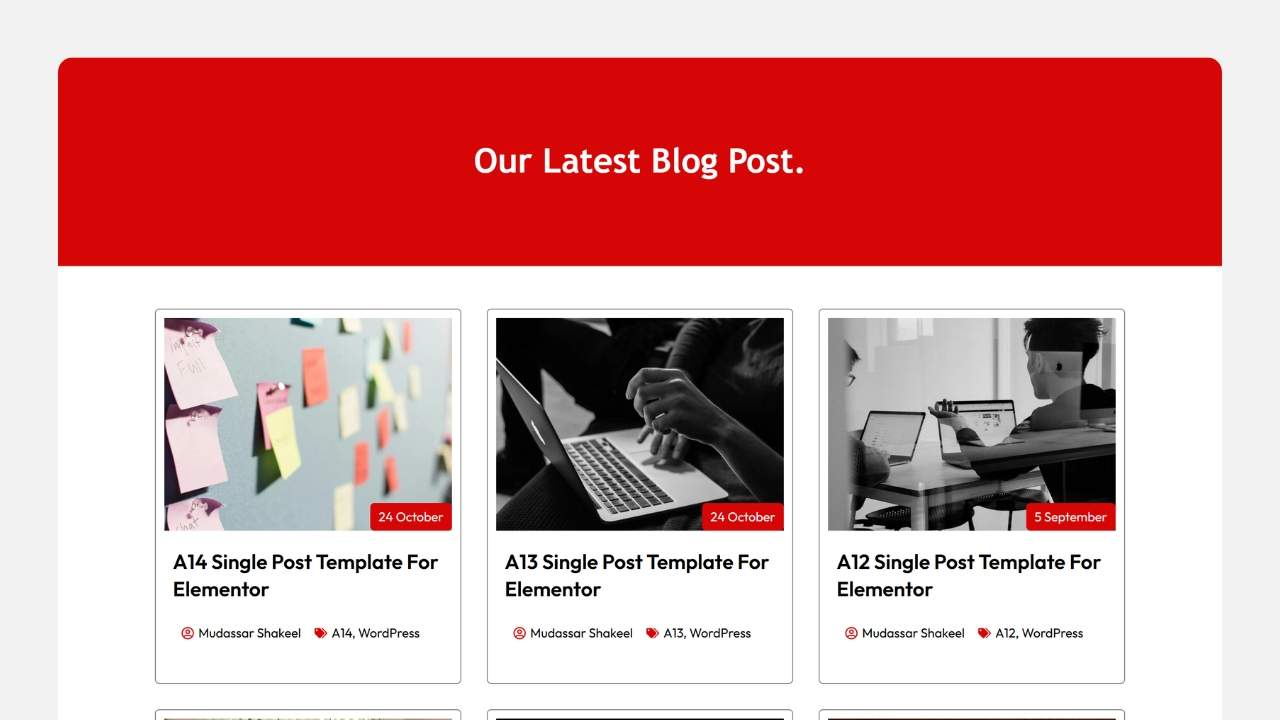
The Layout
A bold full-width hero banner sits at the top of the page, immediately followed by a clean three-column blog grid.
Key Features
- Large hero section
- Eye-catching CTA button
- Three-column responsive grid
- Strong visual hierarchy
- Clean spacing
Best Used For
- Marketing blogs
- Business websites
- News publications
- Content marketing agencies
Elementor Blog Archive 02 – Immersive Banner Grid
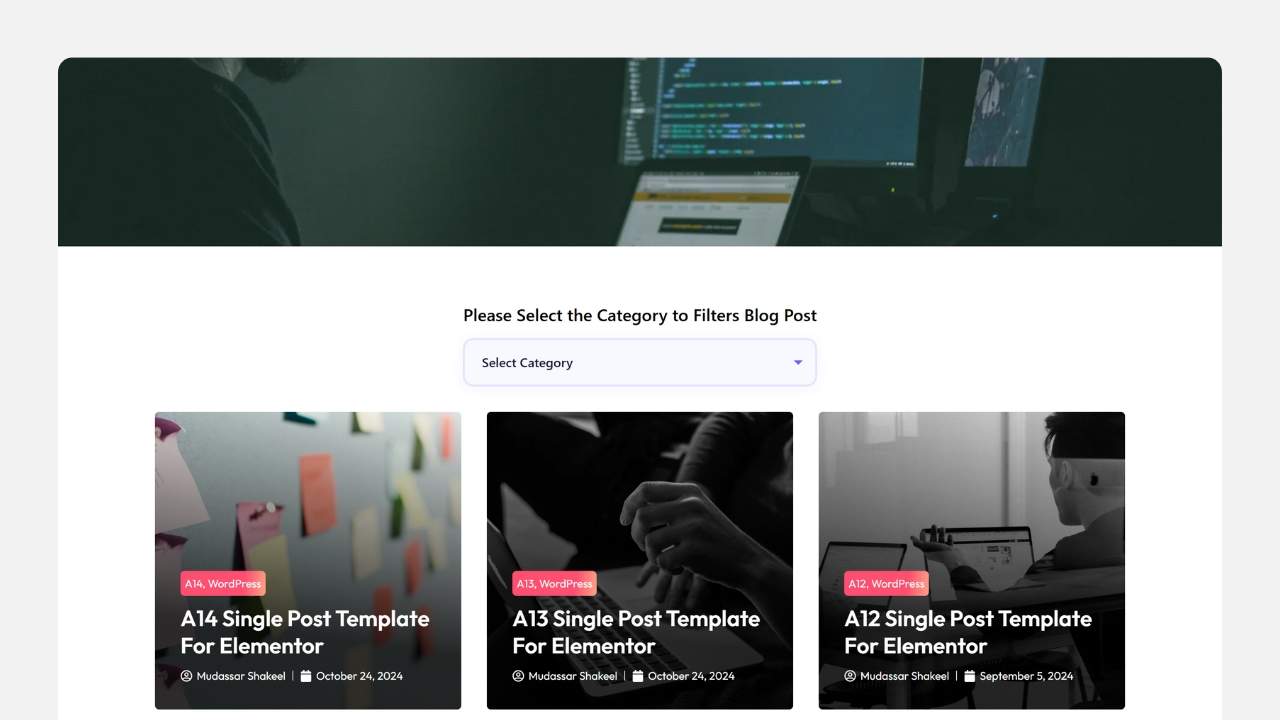
The Layout
A cinematic full-width banner image creates an immersive introduction before visitors reach the article grid.
Key Features
- Dark hero banner
- Category filter
- Minimalist layout
- Dynamic archive feed
- Smooth reading experience
Best Used For
- Technology blogs
- Programming websites
- Gaming portals
- Software companies
Elementor Blog Archive 03 – Deep Shadow Card Grid
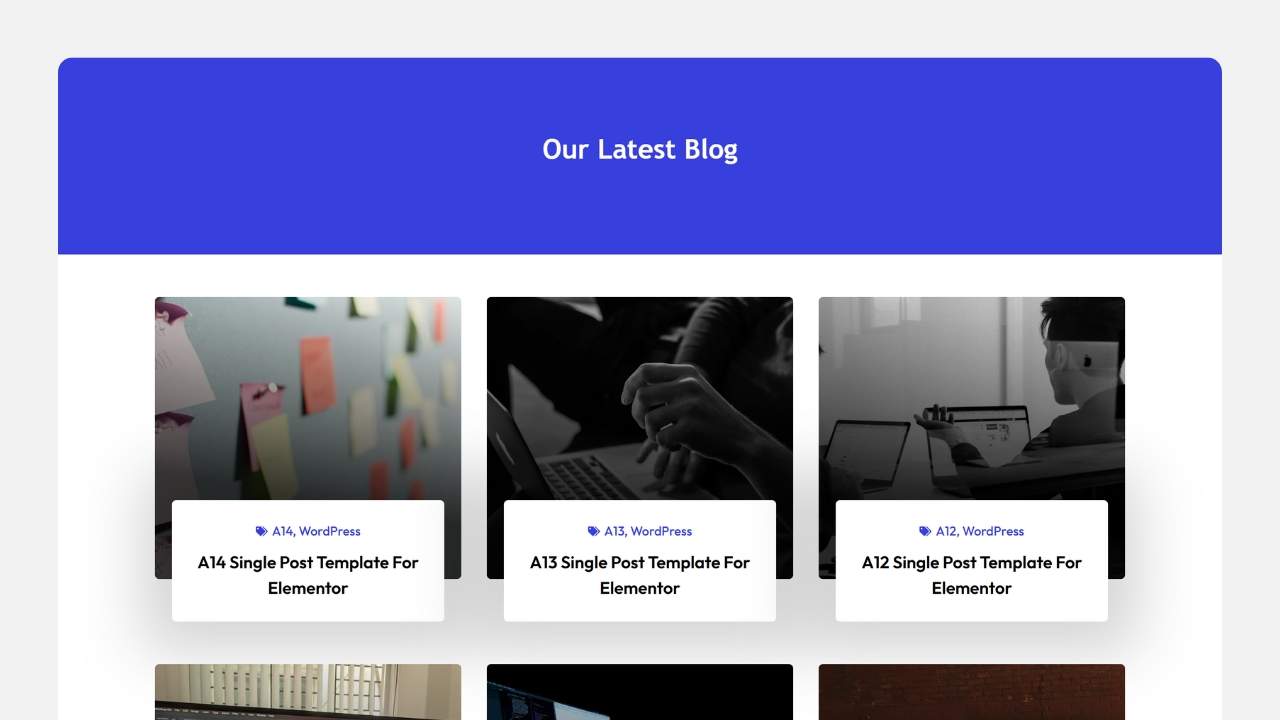
The Layout
Modern floating cards with generous spacing create a premium browsing experience.
Key Features
- Royal blue header
- Card-based design
- Soft drop shadows
- Spacious content layout
- Professional appearance
Best Used For
- SaaS companies
- Digital agencies
- Startup blogs
- Corporate news pages
Build Your Entire Blog with Matching Templates
Mc Starters offers matching:
- Blog Archive Templates
- Single Post Templates
- Loop Grid Templates
- Mega Menu Templates
- Header & Footer Templates
- Popup Templates
Elementor Blog Archive 04 – Multi-Style Editorial Stack
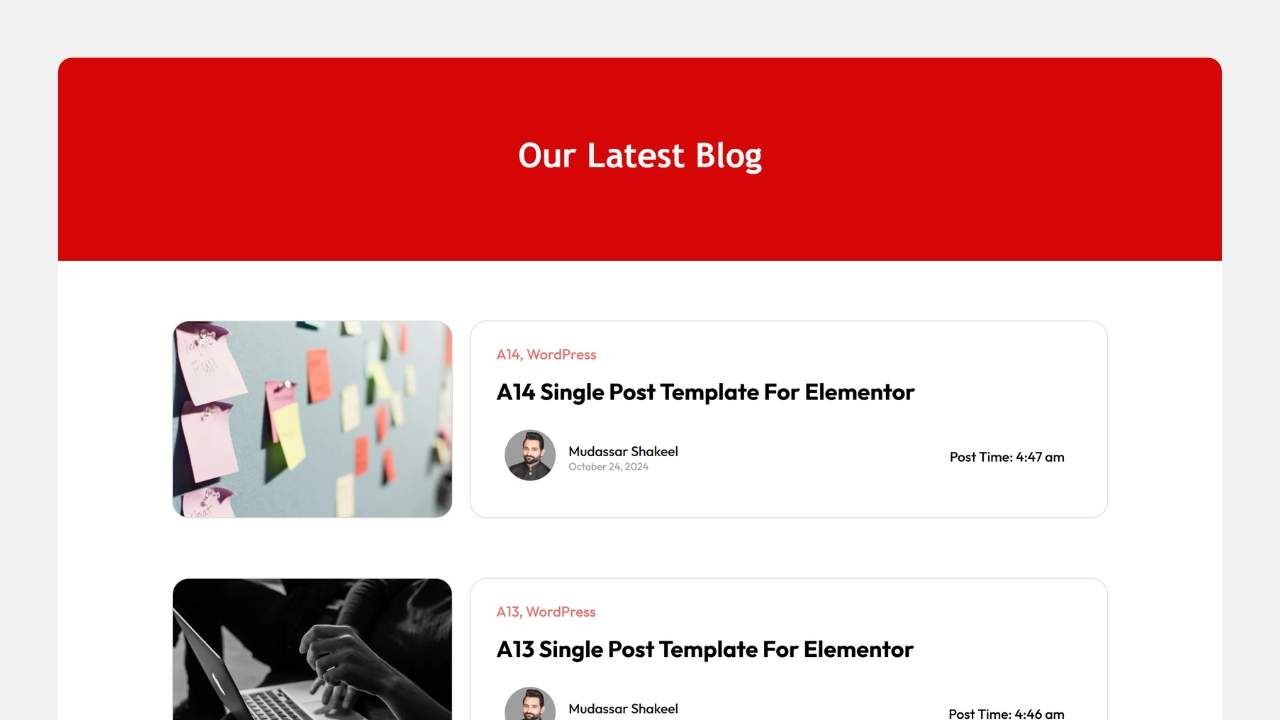
The Layout
A featured article appears at the top of the page, followed by a combination of rows and grid layouts for secondary posts.
Key Features
- Featured hero article
- Mixed grid system
- Editorial-style design
- Flexible layout
- Improved content hierarchy
Best Used For
- Lifestyle blogs
- Fashion websites
- Online magazines
- High-volume publishers
Elementor Blog Archive 05 – Dark Accent Directory
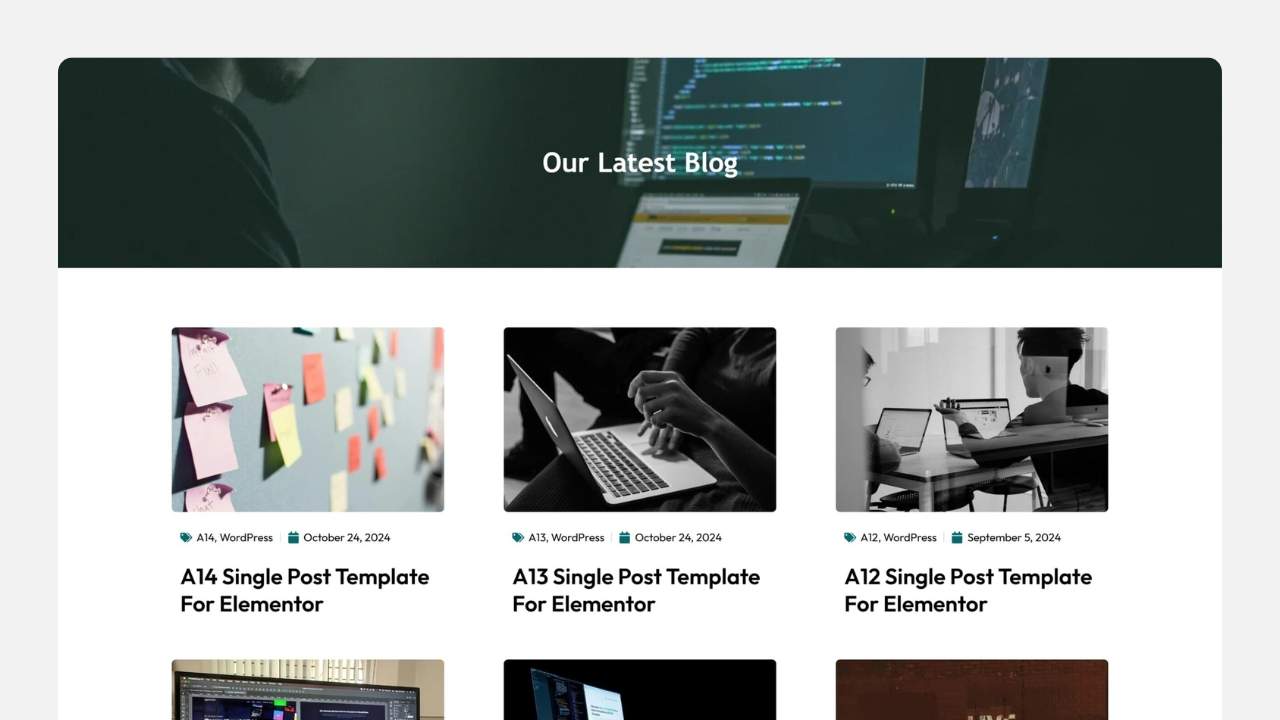
The Layout
A balanced three-column card layout paired with a rich dark hero background.
Key Features
- Modern dark header
- Prominent metadata
- Elegant typography
- Balanced spacing
- Clean card design
Best Used For
- Environmental organizations
- Architecture firms
- Creative agencies
- Design studios
Elementor Blog Archive 06 – Classic High-Contrast Corporate Feed
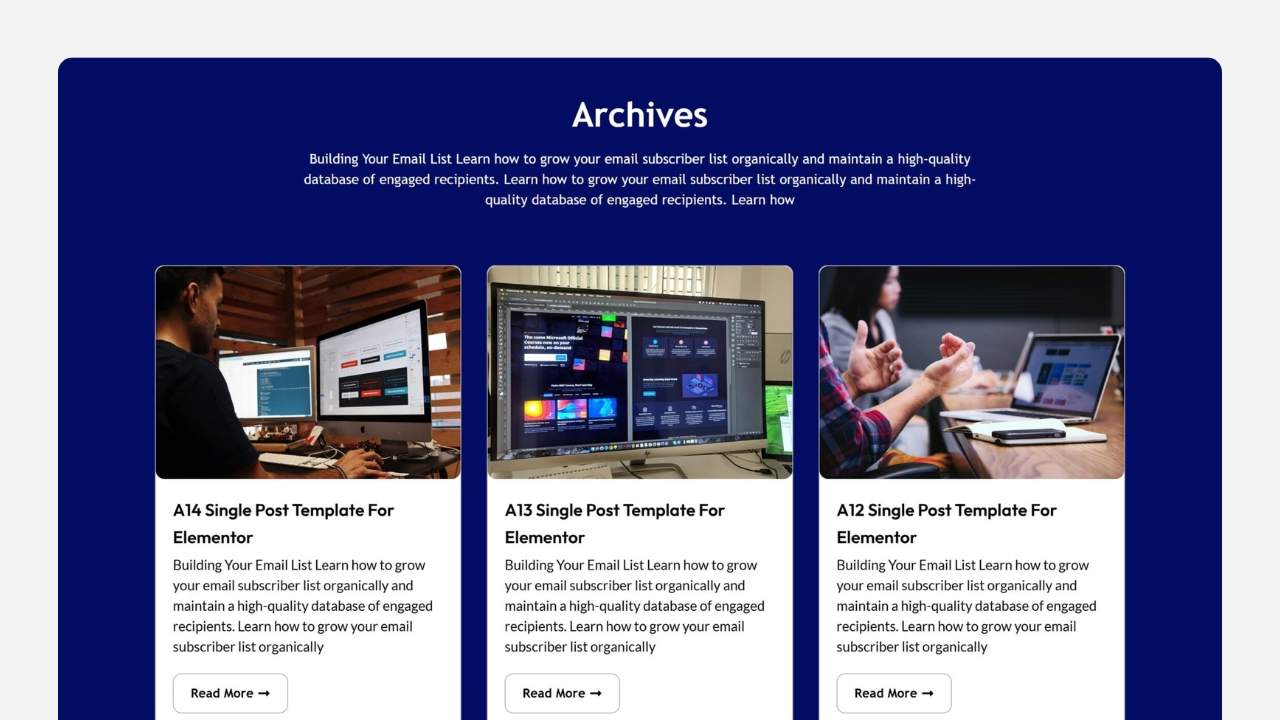
The Layout
A timeless three-column editorial grid complemented by a deep navy banner.
Key Features
- Corporate styling
- Large content excerpts
- Readable typography
- Strong spacing
- Professional layout
Best Used For
- Finance blogs
- Legal firms
- Educational websites
- Consulting companies
Why Custom Archive Pages Improve SEO
Many website owners focus only on designing their homepage and blog posts while ignoring archive pages. However, archive pages often become high-traffic landing pages through search engines.
A professionally designed archive page can:
- Improve click-through rates
- Increase internal page views
- Help visitors discover more content
- Strengthen topical authority
- Improve user engagement signals
- Support your internal linking strategy
Google also rewards websites that provide a positive user experience, making archive optimization an important part of any SEO strategy.
Download Professional Elementor Archive Templates
Save hours of design time with professionally built archive layouts from Mc Starters.
Pro Tips for Configuring Elementor Blog Archive Templates
1. Use Dynamic Archive Titles
Instead of adding a static heading, use Elementor’s Archive Title widget.
This automatically changes based on the archive being viewed.
For example:
- Our Blog
- SEO Articles
- WordPress Tutorials
- Marketing Category
- Author Archives
Everything updates dynamically.
2. Keep Excerpts Consistent
Different excerpt lengths create uneven cards.
Limit excerpts to approximately 15–20 words to maintain perfectly aligned archive grids and improve readability.
3. Filter Posts with Custom Queries
Elementor’s Query controls allow you to:
- Hide outdated posts
- Exclude specific categories
- Display featured posts first
- Show sticky posts
- Create custom archive feeds
This gives you complete control over what visitors see.
4. Optimize Your Grid Layout
For the best user experience:
- Use equal image sizes
- Maintain consistent spacing
- Keep typography uniform
- Limit metadata clutter
- Use responsive columns
A clean grid encourages visitors to browse more articles.
5. Improve Internal Linking
Archive pages naturally introduce readers to additional content.
Include:
- Category filters
- Featured articles
- Popular posts
- Pagination
- Search functionality
The easier it is to discover content, the longer visitors stay on your website.
6. Design for Mobile First
More than half of blog traffic comes from mobile devices.
Make sure your archive templates include:
- Responsive grids
- Touch-friendly buttons
- Optimized image sizes
- Readable typography
- Fast loading performance
Elementor’s responsive controls make it easy to customize layouts for every screen size.
Download Elementor Blog Archive Templates
Frequently Asked Questions
What is an Elementor Blog Archive Template?
An Elementor Blog Archive Template controls how your blog index, category pages, tag archives, and author archives appear using Elementor Theme Builder.
Do I need Elementor Pro?
Yes. Archive Templates are part of Elementor Theme Builder, which requires Elementor Pro.
Can I create different archive layouts for each category?
Yes. Elementor Display Conditions allow you to assign unique archive templates to specific categories, tags, authors, or custom taxonomies.
Will these templates work with any Elementor-compatible theme?
Yes. They work with popular themes including Hello Elementor, Astra, Kadence, Blocksy, GeneratePress, and many others.
Are the templates mobile responsive?
Absolutely. All Mc Starters Archive Templates are designed to adapt perfectly across desktop, tablet, and mobile devices.
Can I customize colors, fonts, and layouts?
Yes. Every section, widget, color, font, image, spacing, and layout element can be customized using Elementor’s visual editor.
Can I use these archive templates for WooCommerce?
These templates are designed for blog archives. WooCommerce archive pages require dedicated WooCommerce Archive Templates, which Elementor Theme Builder also supports.
Final Thoughts
A professionally designed Elementor Blog Archive Template does much more than organize your posts—it shapes how visitors experience your content library. From featured hero sections and card-based layouts to editorial grids and corporate-style archives, the right design can increase engagement, improve navigation, and encourage readers to explore more of your website.
The six archive templates featured in this guide are suitable for a wide range of industries, including blogs, agencies, SaaS companies, magazines, educational platforms, and business websites. Combined with Elementor’s Theme Builder and dynamic content features, they provide a powerful foundation for creating a fast, modern, and visually engaging blog.
Ready to upgrade your blog archive? Visit the Mc Starters Template Library today and download professionally designed Elementor Blog Archive Templates to build a blog your visitors will love.
Complete Your Elementor Website
Mc Starters offers professionally designed Elementor templates for every part of your website:
- Blog Archive Templates
- Single Post Templates
- Loop Grid Templates
- Popups
- Mega Menus
- Headers
- Footers
- Landing Pages
- WooCommerce Templates