
Looking for professionally designed Elementor FAQ Templates to improve your website’s user experience? Mc Starters offers a growing collection of free and premium Elementor FAQ Templates that help you create beautiful, responsive, and easy-to-manage Frequently Asked Questions sections without writing a single line of code.
Whether you’re building a business website, WooCommerce store, SaaS platform, service company, online course, or agency, you’ll find professionally crafted FAQ layouts that match your website perfectly.
A Frequently Asked Questions section does much more than answer common customer questions. It helps reduce support requests, builds trust, improves user experience, increases conversions, and even provides additional opportunities for search engines to understand your content. A well-designed FAQ section can often be the deciding factor that convinces visitors to contact your business, purchase a product, or sign up for your service.
While Elementor makes it easy to create accordion widgets, designing a professional FAQ section that aligns with your website’s branding takes time. That’s where professionally designed Elementor FAQ Templates become valuable. Instead of starting with a blank page, you can import a professionally designed layout and customize it within minutes.
Download Free Elementor FAQ Templates
Professionally designed FAQ layouts for Elementor Pro.
Why Use Elementor FAQ Templates?
Visitors naturally have questions before making a purchase or contacting your business. If they can’t find answers quickly, they often leave your website.
An effective FAQ section helps visitors find information instantly while reducing unnecessary support requests.
Professional Elementor FAQ Templates help you:
- Improve user experience
- Increase customer trust
- Reduce customer support workload
- Improve website organization
- Increase conversions
- Keep visitors on your website longer
- Support SEO strategies
- Create professional page layouts
Rather than displaying plain accordion widgets, professionally designed FAQ layouts integrate seamlessly with your website’s overall design.
Why Choose Mc Starters FAQ Templates?
Every FAQ template available on Mc Starters is designed with both usability and visual consistency in mind.
Benefits include:
- Fully responsive layouts
- Easy customization
- Modern UI design
- Elementor Pro compatibility
- Fast loading layouts
- Professional typography
- Flexible spacing
- Suitable for every industry
Whether you’re building a business website, an online store, or a service page, these templates save hours of design work.
Elementor FAQ Templates
In this guide, we’ll explore 10 modern Elementor FAQ Templates, explain the layout of each design, discuss where each template works best, and share professional tips for creating FAQ sections that improve both user experience and SEO.
Elementor FAQ Template 01 – The Classic Accordion Layout
The Layout
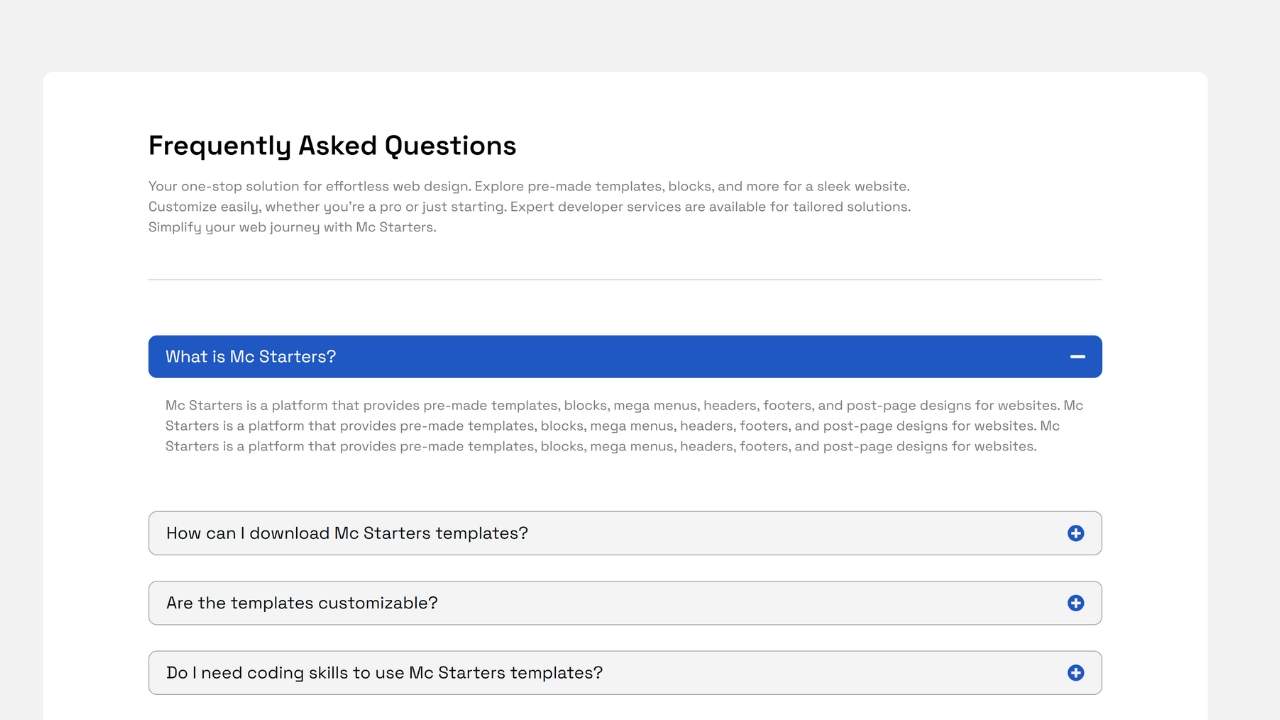
A clean, minimal accordion layout where each question expands smoothly to reveal its answer. The design keeps everything organized while minimizing visual clutter, making it ideal for websites with multiple customer questions.
Key Features
- Clean accordion design
- Smooth expand/collapse animation
- Modern typography
- Responsive spacing
- Lightweight layout
Best Used For
- Business websites
- Service companies
- Software products
- Corporate websites
- Local businesses
The classic accordion remains one of the most user-friendly FAQ formats because visitors only expand the questions they need.
Elementor FAQ Template 02 – The Two-Column Knowledge Center
The Layout
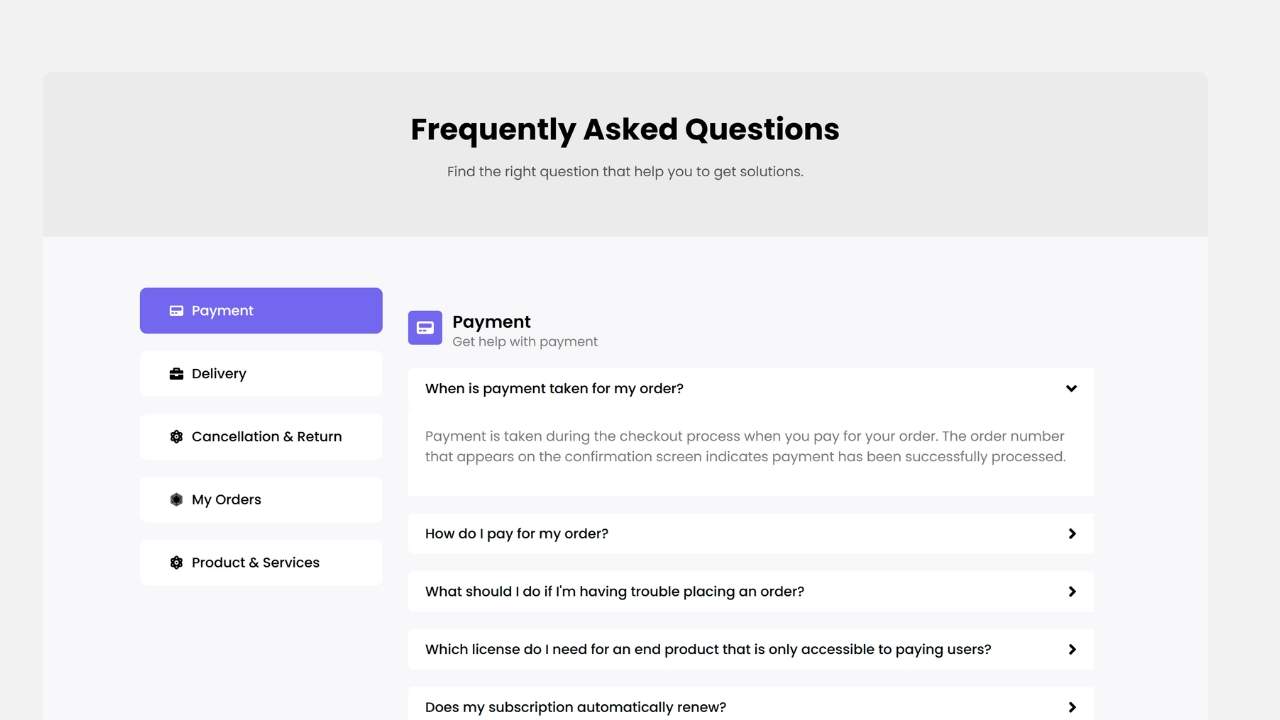
This template divides frequently asked questions into two balanced columns, allowing visitors to browse more information without excessive scrolling. Categories remain easy to scan while maintaining a clean appearance.
Key Features
- Two-column layout
- Organized categories
- Balanced spacing
- Responsive grid
- Modern styling
Best Used For
- SaaS companies
- Online courses
- Membership websites
- Help centers
- Documentation pages
Displaying multiple questions at once helps users locate answers faster.
Elementor FAQ Template 03 – The Card-Based FAQ Section
The Layout
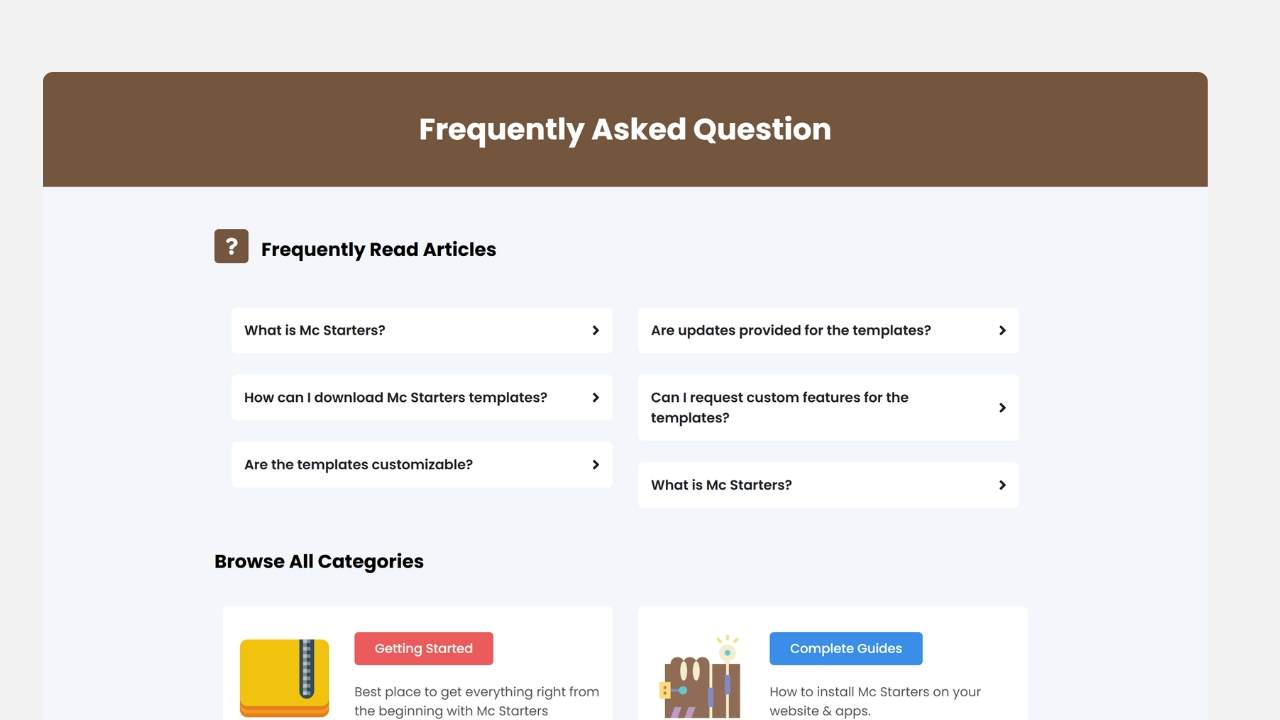
Instead of a traditional accordion, this design organizes each FAQ into individual cards with soft shadows, rounded corners, and generous spacing. Each card creates a visual separation that improves readability.
Key Features
- Card design
- Rounded corners
- Soft shadows
- Modern appearance
- Flexible layout
Best Used For
- Creative agencies
- Marketing companies
- Startup websites
- Portfolios
- Technology businesses
The card-based structure gives FAQ sections a premium appearance while improving readability.
Complete Your Elementor Website
- Elementor Header Templates
- Elementor Footer Templates
- Mega Menu Templates
- Popup Templates
- Landing Pages
- Service Pages
Elementor FAQ Template 04 – The Sidebar Navigation FAQ
The Layout
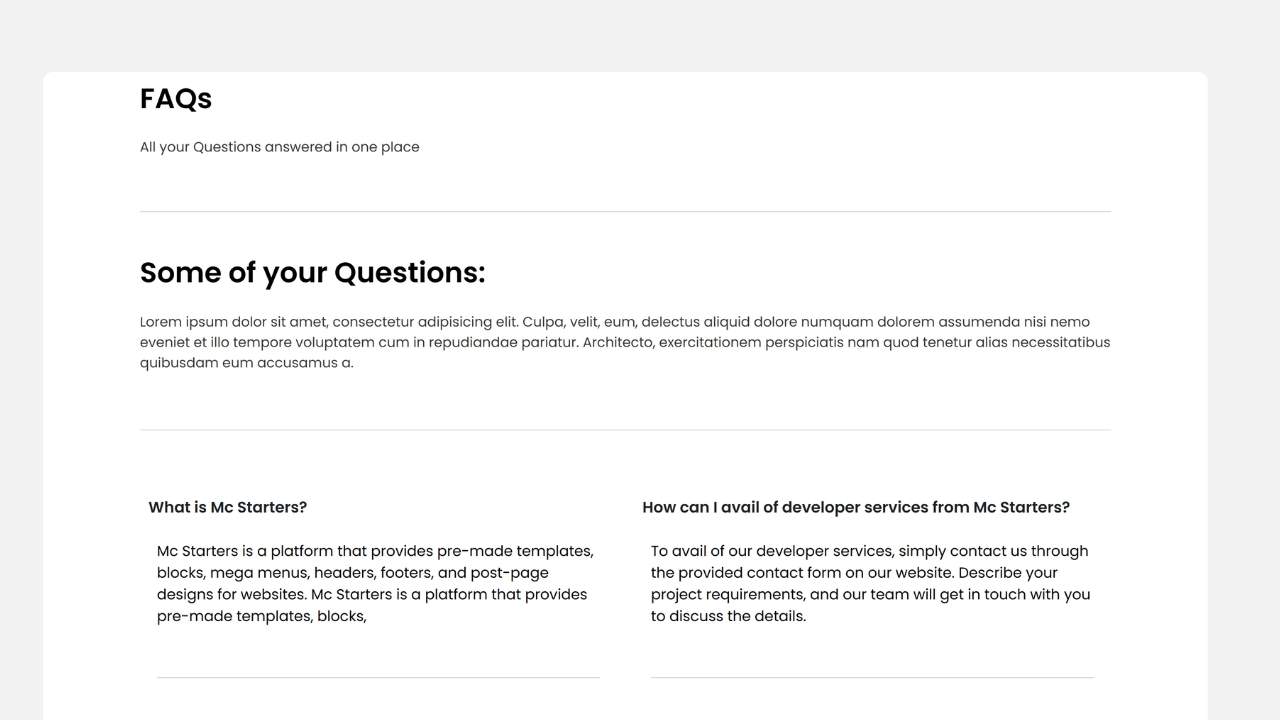
A structured FAQ section featuring question categories in a left sidebar while answers appear in the larger content area. This layout is especially useful when organizing a large number of frequently asked questions.
Key Features
- Sidebar navigation
- Category grouping
- Organized layout
- Easy navigation
- Responsive structure
Best Used For
- Documentation websites
- Knowledge bases
- Software companies
- Online learning platforms
- Enterprise businesses
The categorized layout allows visitors to jump directly to the topic they’re interested in.
Elementor FAQ Template 05 – The Modern Split Content Layout
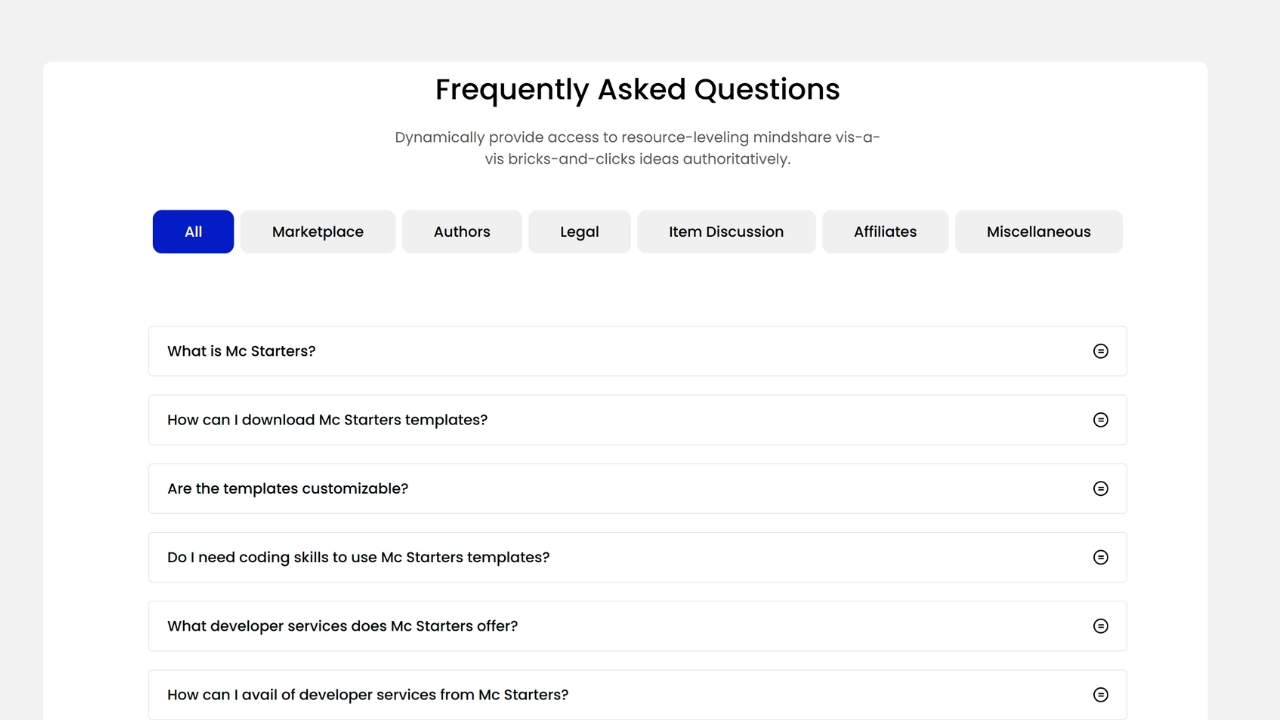
The Layout
A stylish split-screen design combining a promotional content section with an accordion FAQ block. This layout allows businesses to educate visitors while encouraging conversions through strategically placed calls-to-action.
Key Features
- Split layout
- Promotional content
- FAQ accordion
- CTA integration
- Modern design
Best Used For
- Service pages
- Sales pages
- Landing pages
- Consultants
- Marketing agencies
Combining educational content with FAQs helps answer objections while guiding visitors toward your primary conversion goal.
Ready to Build Better FAQ Sections?
Download professionally designed Elementor FAQ Templates and create beautiful, user-friendly FAQ pages in minutes.
Elementor FAQ Template 06 – The Dark Modern Accordion
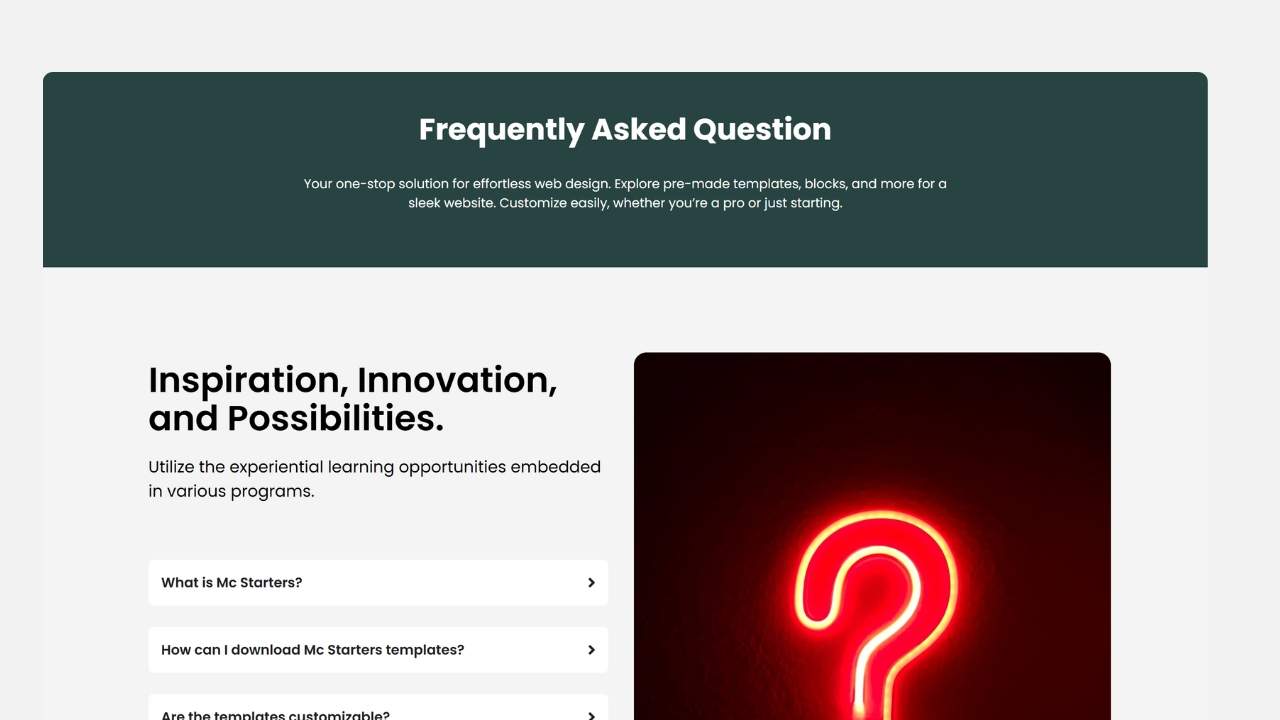
The Layout
This template features a sleek dark background paired with bright typography and subtle accent colors to create a modern FAQ experience. The accordion panels stand out clearly against the darker interface, making questions easy to scan while maintaining excellent readability.
Key Features
- Dark mode interface
- Modern accordion animation
- High-contrast typography
- Clean spacing
- Responsive design
Best Used For
- Technology companies
- SaaS platforms
- Software products
- Gaming websites
- Creative agencies
Dark-themed FAQ sections blend naturally with modern websites while creating a premium visual experience.
Elementor FAQ Template 07 – The Icon-Based FAQ Cards
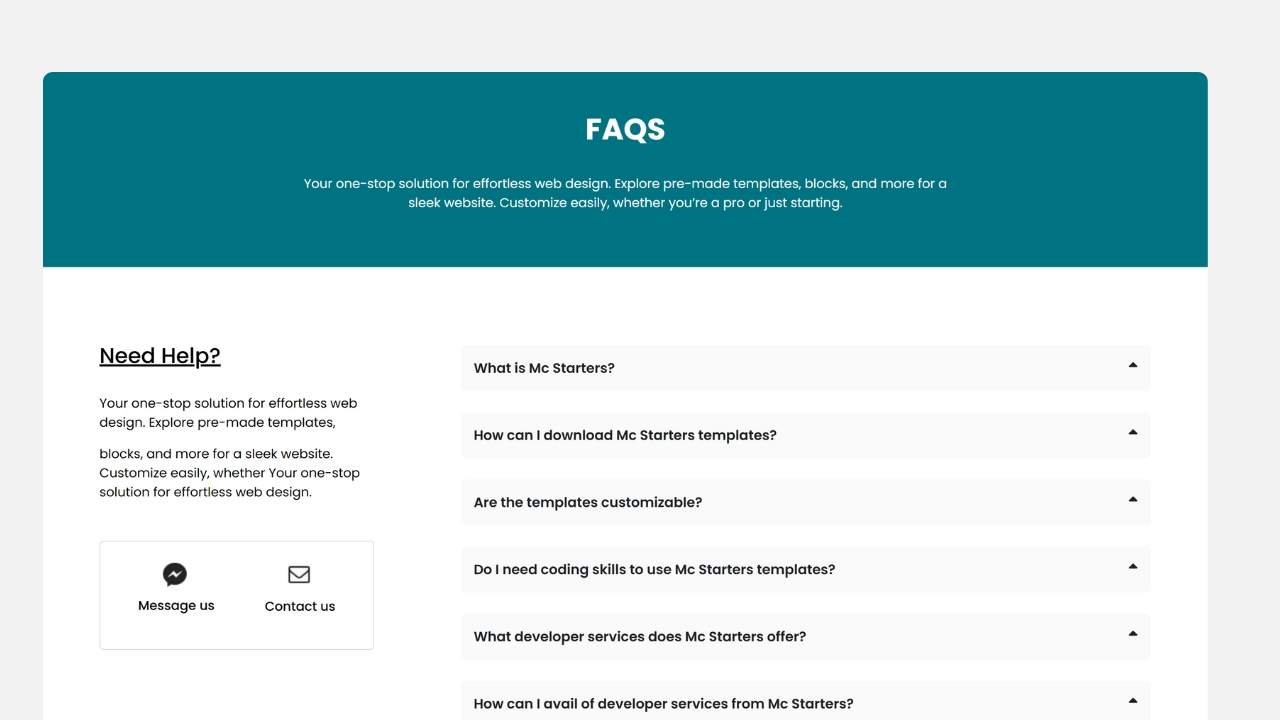
The Layout
Instead of relying solely on expandable accordions, this layout introduces visual icons alongside each question. The icons help visitors quickly recognize different categories, improving navigation and reducing the time needed to locate specific information.
Key Features
- Category icons
- Card layout
- Modern spacing
- Visual hierarchy
- Responsive structure
Best Used For
- Healthcare providers
- Educational websites
- Service businesses
- Online platforms
- Membership sites
The use of icons creates a more engaging FAQ experience while improving overall readability.
Elementor FAQ Template 08 – The Corporate Knowledge Base
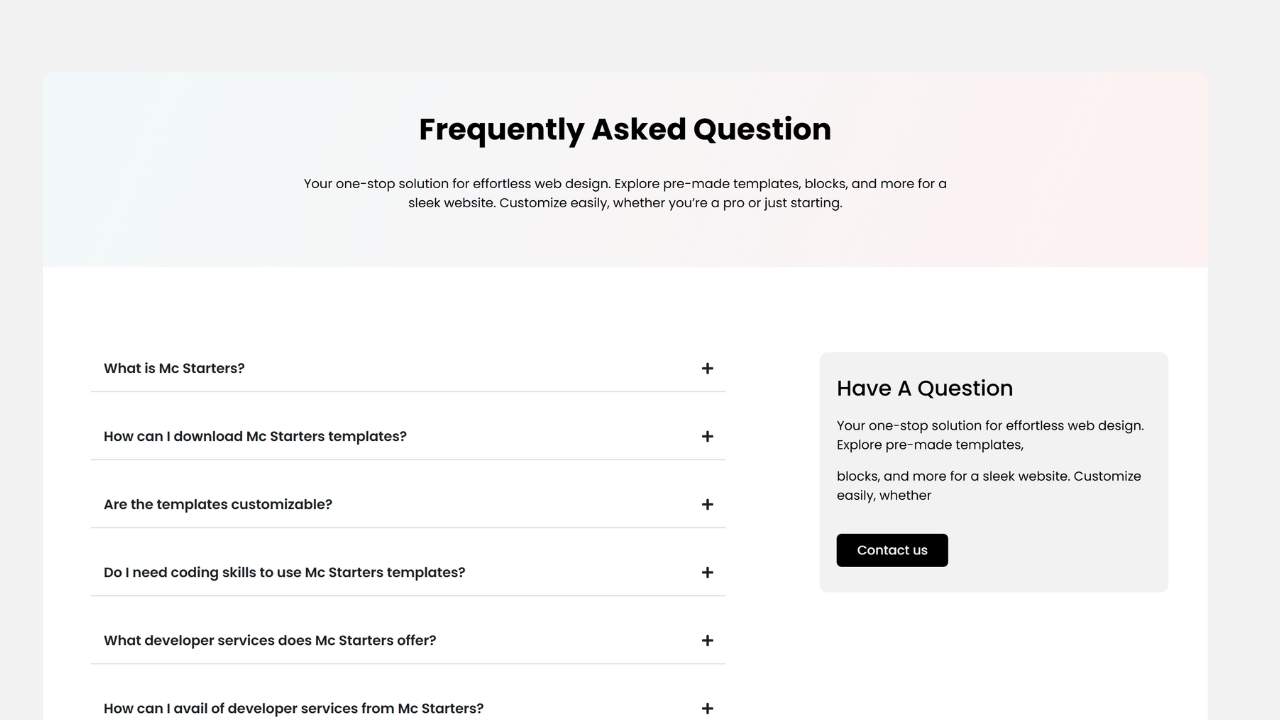
The Layout
A structured FAQ section inspired by enterprise knowledge bases. Questions are grouped into clearly defined categories with organized spacing, making it ideal for websites with extensive support documentation.
Key Features
- Category organization
- Enterprise layout
- Structured navigation
- Professional styling
- Responsive design
Best Used For
- Enterprise software
- Corporate websites
- Customer support centers
- Technical documentation
- SaaS businesses
This layout allows businesses to organize dozens of questions without overwhelming visitors.
Build a Complete Elementor Website
- Elementor Header Templates
- Elementor Footer Templates
- Mega Menu Templates
- Popup Templates
- Slider Templates
- Landing Page Templates
- Service Page Templates
Elementor FAQ Template 09 – The Image & FAQ Split Section
The Layout
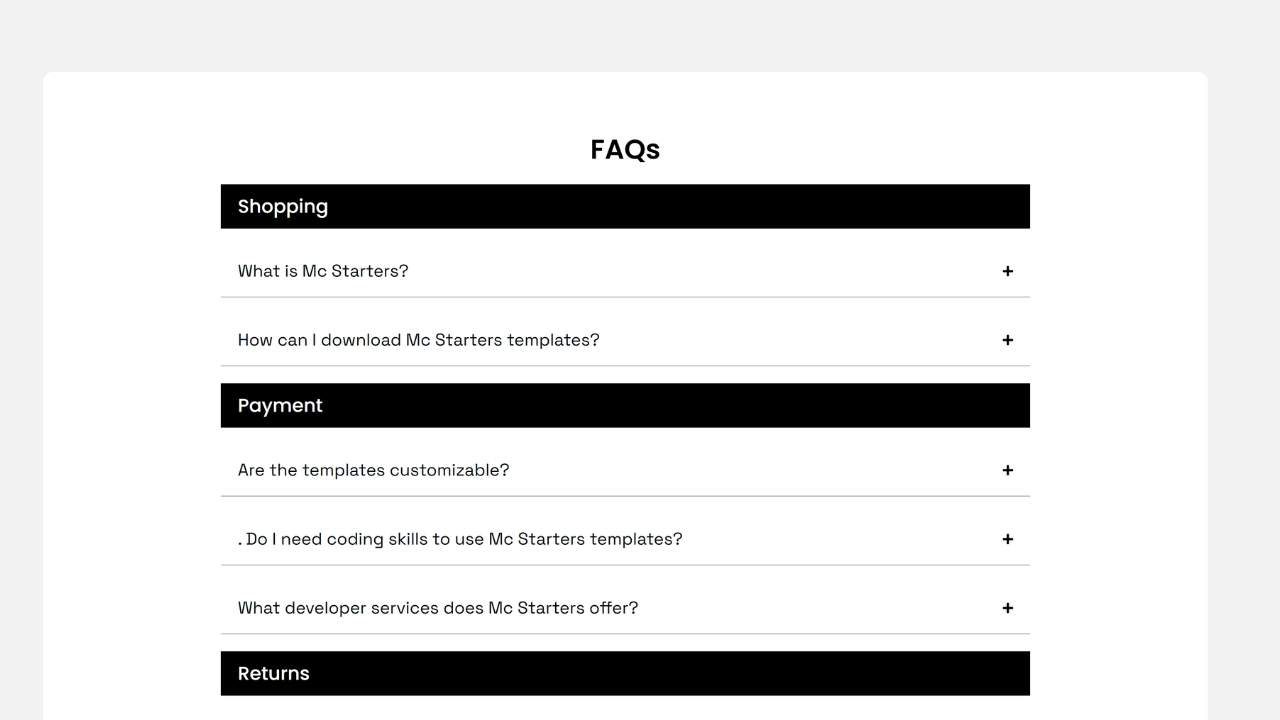
This modern design combines a visual content area with an accordion FAQ section. One side features an engaging image or promotional content, while the opposite side displays expandable questions and answers, creating an attractive and balanced layout.
Key Features
- Split-screen layout
- Image integration
- Accordion widget
- Promotional content
- Responsive structure
Best Used For
- Landing pages
- Service pages
- Marketing campaigns
- Product launches
- Business websites
The combination of visuals and FAQs helps educate visitors while reinforcing your marketing message.
Elementor FAQ Template 10 – The Universal Professional FAQ
The Layout
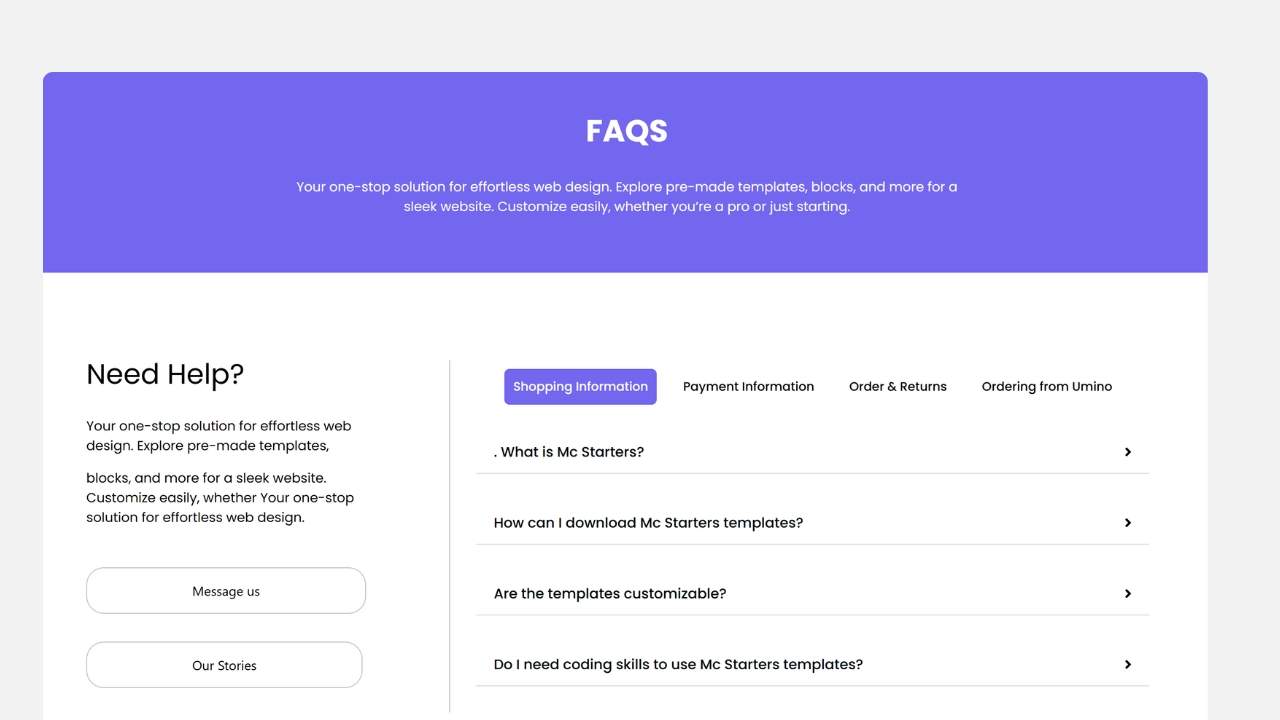
The final template offers a clean, versatile FAQ section suitable for virtually any industry. It combines elegant typography, organized accordion panels, and generous spacing into a timeless design that integrates easily with existing Elementor websites.
Key Features
- Universal design
- Responsive layout
- Modern accordion
- Clean typography
- Flexible customization
Best Used For
- Business websites
- WooCommerce stores
- Agencies
- Blogs
- Service companies
- Online courses
- Portfolio websites
- Corporate portals
If you’re looking for a dependable all-purpose FAQ layout, this template provides an excellent starting point.
Best Practices for Creating Effective FAQ Sections
Choosing a professional template is only the beginning. Following these best practices will help your FAQ section improve usability, build trust, and support your website goals.
Place FAQs Near Conversion Points
Instead of creating a standalone FAQ page only, consider placing relevant FAQs directly on service pages, landing pages, pricing pages, or product pages. Addressing common objections before visitors make a decision can improve conversion rates.
Organize Questions by Topic
If your website includes many questions, group them into categories such as:
- General Information
- Pricing
- Services
- Shipping & Delivery
- Returns & Refunds
- Technical Support
- Account Management
Categorized FAQs reduce scrolling and make information easier to find.
Keep Answers Simple
Visitors typically want quick answers. Start with a concise response, then provide additional details only if necessary. Short, well-structured answers are easier to read and improve the overall user experience.
Maintain Consistent Styling
Use consistent typography, spacing, icons, and colors throughout your FAQ section so it blends seamlessly with the rest of your Elementor website.
Update Your FAQs Regularly
Customer questions evolve over time. Review your FAQ content periodically and add new questions based on customer emails, support tickets, chat conversations, and sales inquiries.
SEO Tips for Elementor FAQ Sections
A professionally designed FAQ section also supports your SEO strategy.
Answer Real Customer Questions
Write questions exactly as your audience asks them. This helps align your content with search intent and improves the usefulness of your FAQ page.
Avoid Duplicate Questions
Keep each question unique. Multiple questions with nearly identical answers can make your content repetitive and harder for visitors to navigate.
Link to Relevant Pages
When appropriate, include links from FAQ answers to related service pages, pricing pages, blog posts, or contact forms to help visitors continue exploring your website.
Keep Content Updated
Outdated information can reduce user trust. Refresh answers whenever your services, pricing, or policies change.
Download Professional Elementor FAQ Templates
Create beautiful FAQ sections that build trust and improve user experience without starting from scratch.
Frequently Asked Questions
Do I need Elementor Pro to use these FAQ Templates?
Yes. These templates are designed to work with Elementor Pro, giving you full control over layout, styling, spacing, typography, and responsive behavior.
Can I customize the FAQ layouts?
Absolutely. You can edit colors, icons, typography, spacing, backgrounds, animations, and accordion settings using Elementor’s visual editor.
Are the templates responsive?
Yes. Every FAQ template is optimized for desktop, tablet, and mobile devices to ensure a consistent user experience across different screen sizes.
Can I add unlimited questions?
Yes. You can duplicate accordion items or sections to include as many questions and answers as your website requires.
Which websites benefit most from FAQ sections?
Almost every website can benefit from an FAQ section, including:
- Business websites
- WooCommerce stores
- SaaS platforms
- Agencies
- Service companies
- Educational websites
- Membership sites
- Portfolio websites
Can I use different FAQ layouts on different pages?
Yes. Elementor allows you to use different FAQ templates throughout your website. For example, your homepage can feature a compact FAQ section, while service pages can include more detailed, category-specific FAQs.
Final Thoughts
A well-designed FAQ section does far more than answer common questions—it helps build trust, reduce customer uncertainty, improve user experience, and support higher conversion rates. Whether you’re creating a business website, an online store, a SaaS platform, or a service-based website, providing clear answers at the right time can make the difference between a visitor leaving your site and becoming a customer.
The 10 Elementor FAQ Templates featured in this guide offer a variety of layouts, from classic accordions and card-based designs to enterprise knowledge bases and image-enhanced FAQ sections. Each template is built to save time, maintain a professional appearance, and integrate seamlessly with Elementor Pro.
If you’re building a complete Elementor website, pair your FAQ section with matching Header Templates, Footer Templates, Mega Menu Templates, Slider Templates, Popup Templates, Landing Page Templates, Service Page Templates, Blog Archive Templates, and Single Post Templates for a consistent design across your entire website.
Download Elementor FAQ Templates from Mc Starters
Explore professionally designed Elementor FAQ Templates that are responsive, easy to customize, and built to help you create attractive FAQ sections in minutes.