
A ready-made collection of 15 premium Elementor mega menu templates, built exclusively for Elementor Pro, so you can import a professional layout, restyle it to match your brand, and publish a modern navigation experience in minutes instead of hours.
Why Choose Mc Starters Templates?
- Built exclusively with Elementor Pro
- No additional mega menu plugin required for these templates
- Professional, agency-quality UI
- Responsive layouts for desktop, tablet, and mobile
- WooCommerce-ready designs
- Easy customization with Elementor
- Clean structure for long-term maintenance
- Saves hours of design time
Download the complete premium collection
Why Build with Elementor Pro Instead of Extra Plugins?
Many websites can build an attractive and functional mega menu using Elementor Pro’s native capabilities. Dedicated plugins such as Max Mega Menu, JetMenu, QuadMenu, and UberMenu provide advanced features for specialized requirements, but they also introduce another plugin to maintain.
If your project already uses Elementor Pro and does not require advanced plugin-specific functionality, staying within Elementor keeps your editing workflow consistent and reduces complexity. For a deeper look at when a dedicated plugin is actually worth adding, this comparison of the best WordPress mega menu plugins breaks down the trade-offs.
| Feature | Mc Starters + Elementor Pro | Extra Plugin |
|---|---|---|
| Extra plugin | No | Yes |
| Visual editing | Native Elementor | Separate interface |
| Responsive | Yes | Yes |
| Maintenance | Simpler | Additional updates |
| Learning curve | Lower | Depends |
Ready to upgrade your website navigation?
Why Use Elementor Mega Menu Templates?
A mega menu is much more than a large dropdown. It serves as a visual navigation hub that allows visitors to access important pages without repeatedly clicking through multiple menus. If you are still weighing a mega menu against a standard dropdown for your site, this mega menu vs. dropdown comparison lays out exactly when each one makes sense.
Benefits include:
- Better user experience (UX)
- Faster navigation
- Higher engagement
- Lower bounce rates
- Better product discovery
- Improved conversion rates
- Cleaner organization for large websites
- More opportunities to showcase promotions
Instead of displaying only text links, Elementor mega menus can include images, icons, product categories, featured services, contact information, CTA buttons, promotional banners, videos, testimonials, ratings, and social proof. This makes navigation both functional and visually attractive.
15 Premium Elementor Mega Menu Templates
Looking for professional Elementor mega menu templates without relying on extra WordPress plugins? Mc Starters offers a premium collection of 15 professionally designed layouts built exclusively for Elementor Pro. Instead of starting from a blank canvas, you import a professionally crafted layout, customize it to match your brand, and publish a modern navigation experience in minutes.
If you would rather understand the underlying mechanics first, this guide on how to create a mega menu in WordPress with Elementor Pro covers the manual build process step by step. These templates are designed for agencies, freelancers, WooCommerce stores, SaaS companies, and business websites that want polished navigation while keeping their Elementor workflow simple.
Mega Menu Template 01 – The Trust-Builder Layout
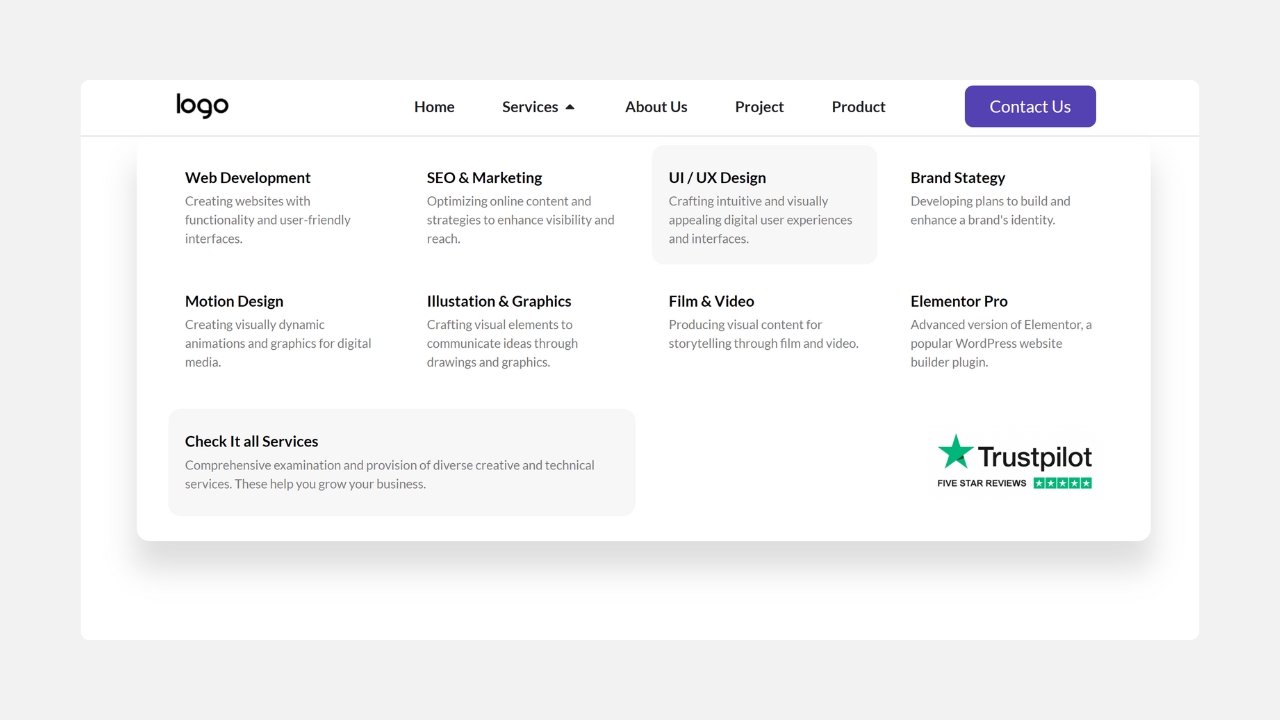
Designed to immediately establish credibility while helping visitors browse your website. Instead of using every inch of space for navigation links, this template dedicates one side of the mega menu to customer trust signals.
Layout: Multiple organized text-link columns on the left with a promotional sidebar positioned on the right.
Key Features: Integrated Trustpilot rating widget, dedicated promotional panel, multi-column navigation, spacious layout, professional appearance.
Best For: Online stores, service businesses, marketing agencies, SaaS companies, healthcare websites.
If visitors hesitate before purchasing or contacting you, this layout helps build confidence from the very first interaction.
Mega Menu Template 02 – The Visual Promo Grid
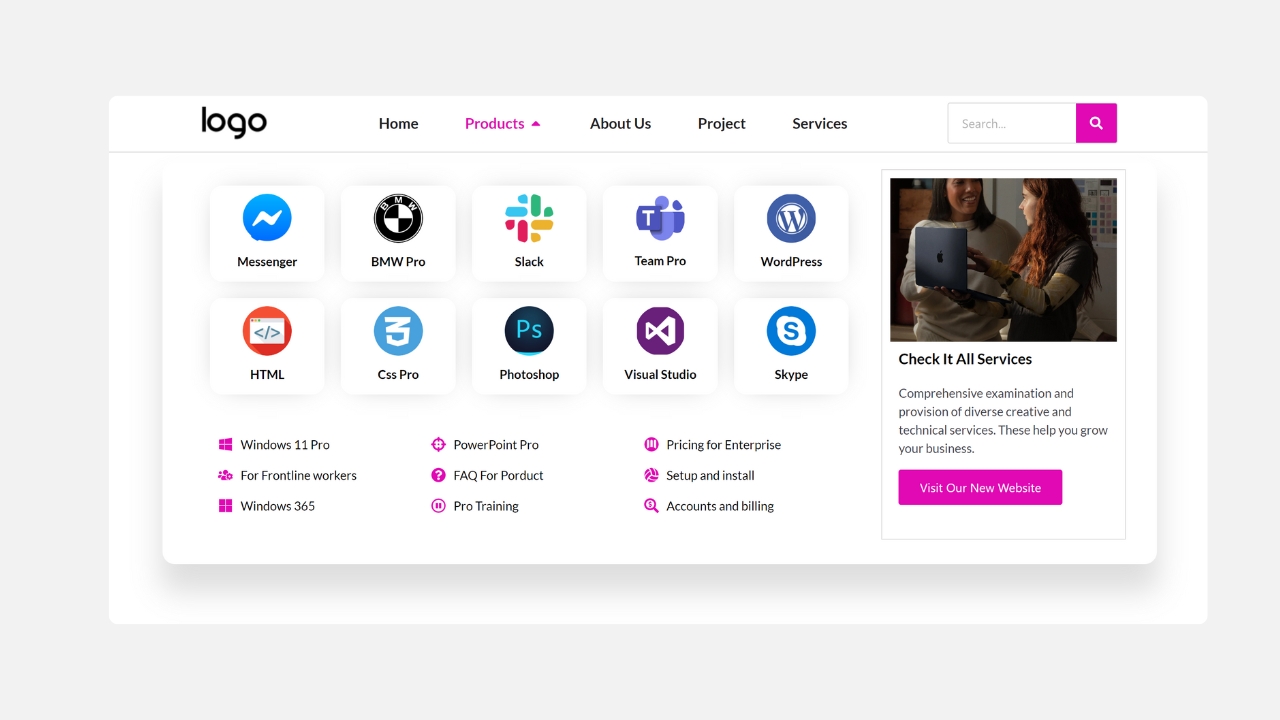
Layout: A balanced grid of categories sits alongside a large promotional banner.
Key Features: High-quality icon blocks, promotional image, CTA banner, organized categories, large visual elements.
Best For: Fashion stores, electronics shops, digital marketplaces, seasonal campaigns, magazine websites.
This layout is ideal for businesses running regular promotions.
Focuses on combining navigation with marketing. Rather than simply listing pages, it actively promotes your latest offers.
Mega Menu Template 03 – The Asymmetric Split Panel
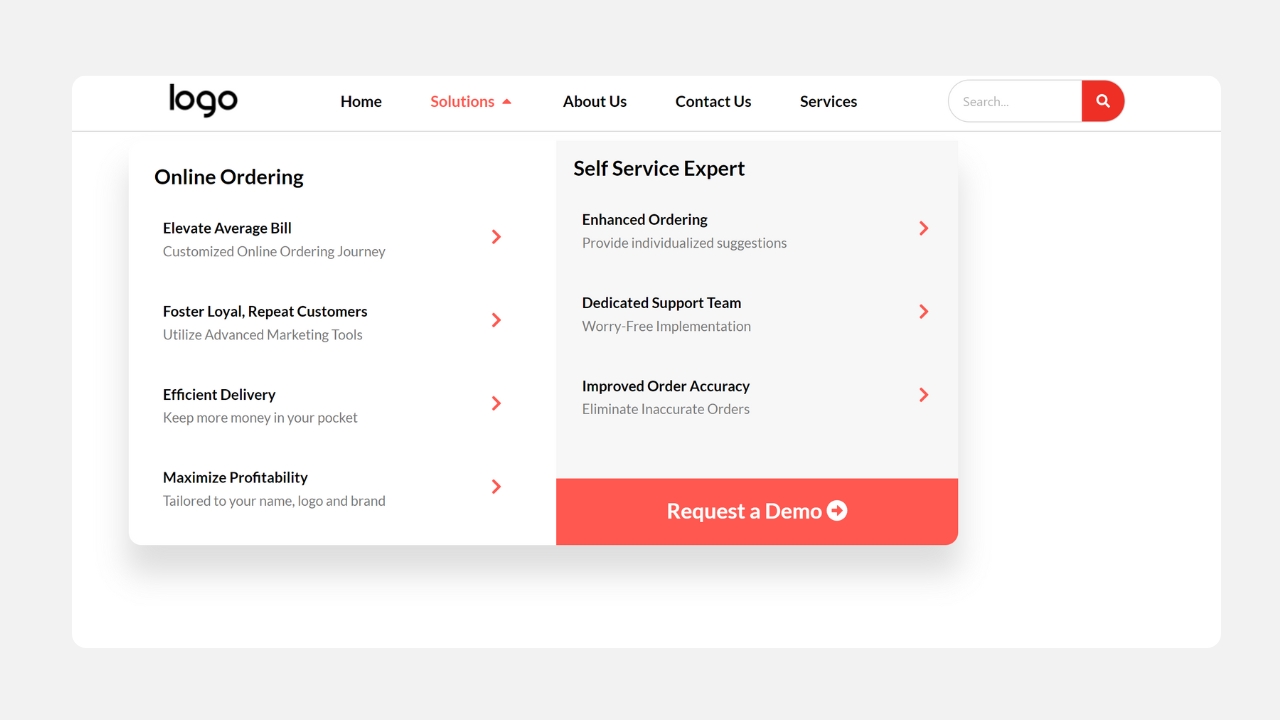
Not every menu needs to be perfectly symmetrical. This modern design intentionally creates visual contrast.
Layout: Multiple navigation columns appear beside a larger promotional section with a strong call-to-action.
Key Features: Uneven column distribution, bold CTA button, modern layout, excellent visual hierarchy.
Best For: Food delivery websites, restaurant ordering, appointment booking, fitness memberships, local services.
The layout naturally directs visitors toward conversion-focused actions.
Mega Menu Template 04 – The Minimalist Directory
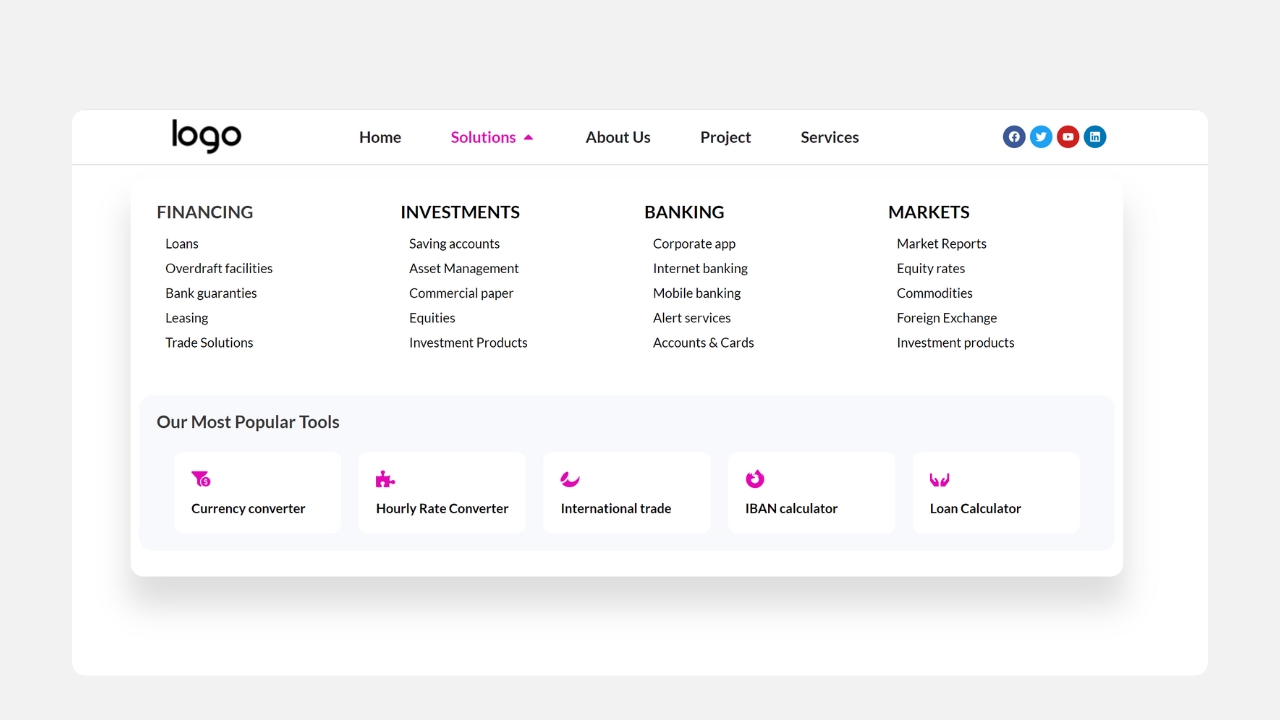
Sometimes simplicity wins. This template removes distractions and focuses entirely on helping users find information quickly.
Layout: A clean four-column text-only directory.
Key Features: No icons, no banners, clean typography, plenty of white space, fast scanning.
Best For: Universities, government websites, corporate companies, large blogs, documentation websites.
It is ideal for content-heavy websites where organization matters more than visuals.
Mega Menu Template 05 – The Clean Centered Grid
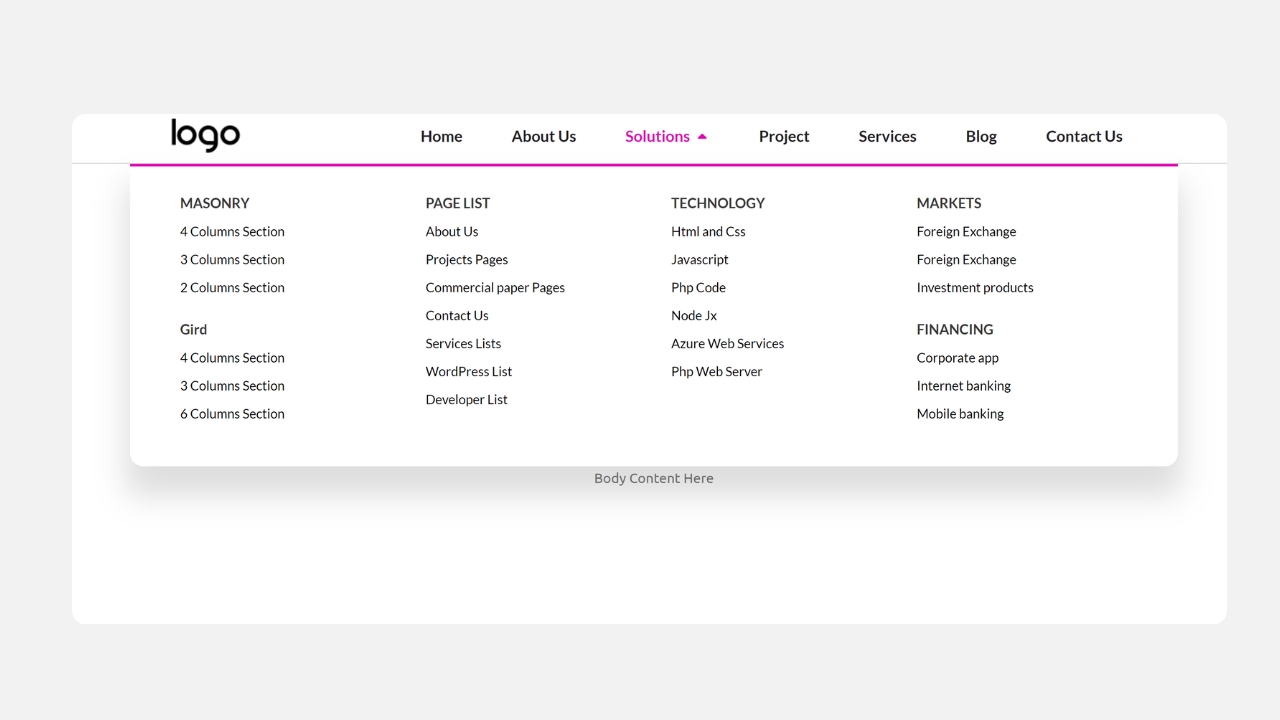
This layout creates a balanced and professional appearance.
Layout: A perfectly centered four-column structure.
Key Features: Horizontal divider, symmetrical design, consistent spacing, elegant appearance.
Best For: Law firms, financial companies, consulting firms, medical clinics, business websites.
The result is a highly polished navigation experience.
Mega Menu Template 06 – The Categorized Accent Menu
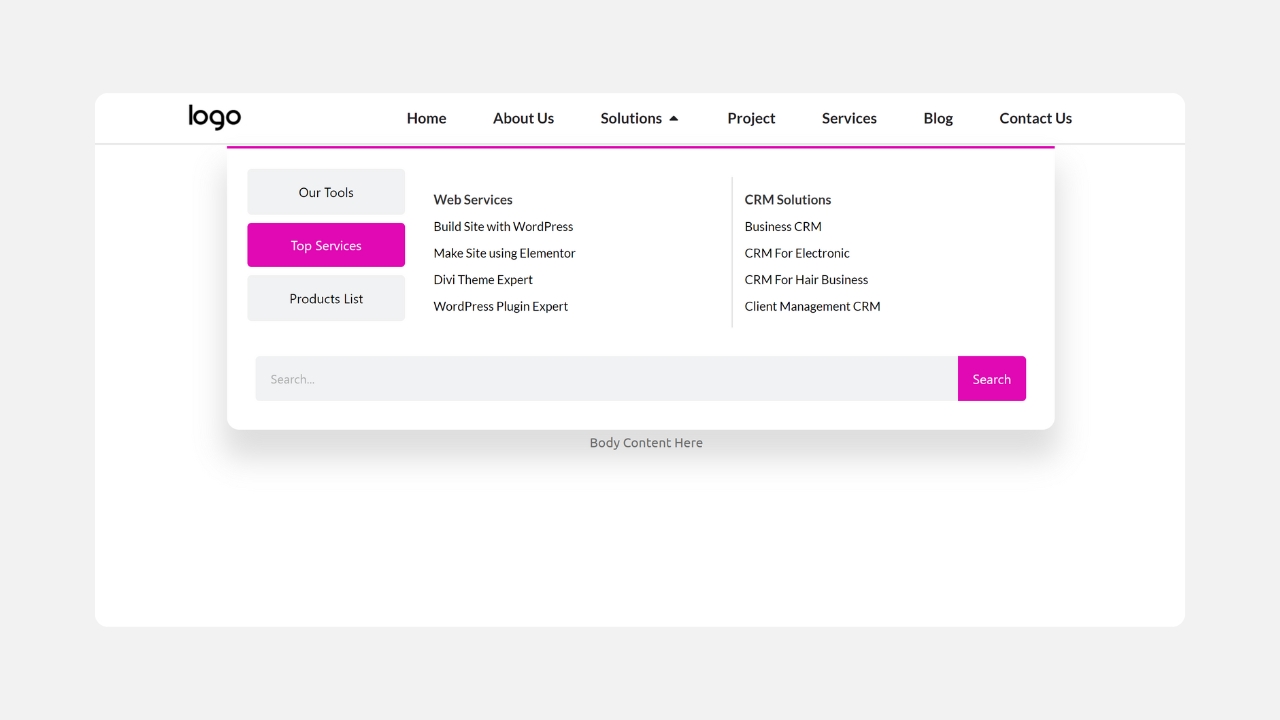
Large websites often need to separate different content groups visually. This template solves that problem.
Layout: Three columns divided into colorful category sections.
Key Features: Colored category labels, organized content blocks, easy scanning, modern styling.
Best For: News websites, documentation portals, learning platforms, resource libraries, tech blogs.
The colored accents help users locate sections much faster.
Mega Menu Template 07 – The Explanatory SaaS Canvas
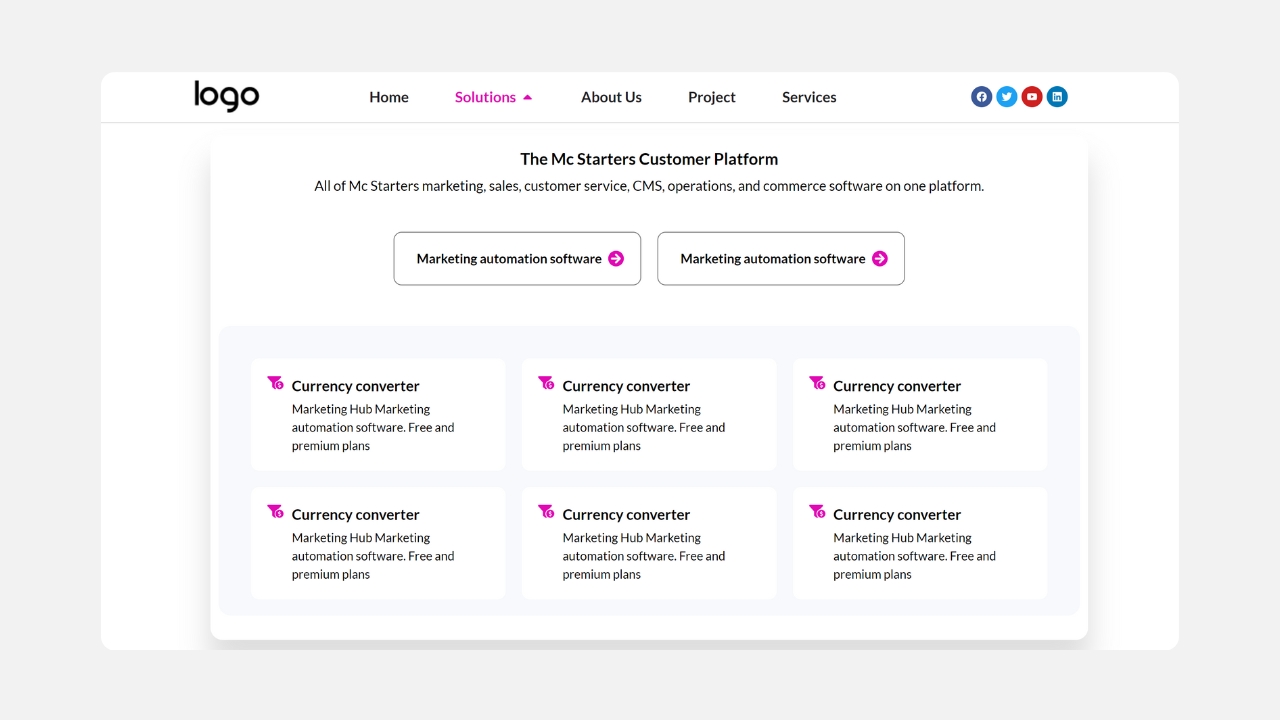
Complex software often requires more than simple navigation labels. Visitors need context.
Layout: Three wide content panels with descriptions beneath each heading.
Key Features: Feature descriptions, informational layout, large content areas, professional spacing.
Best For: SaaS companies, CRM platforms, AI tools, enterprise software, productivity apps.
This menu educates users while helping them navigate.
Mega Menu Template 08 – The E-Commerce Avatar Grid
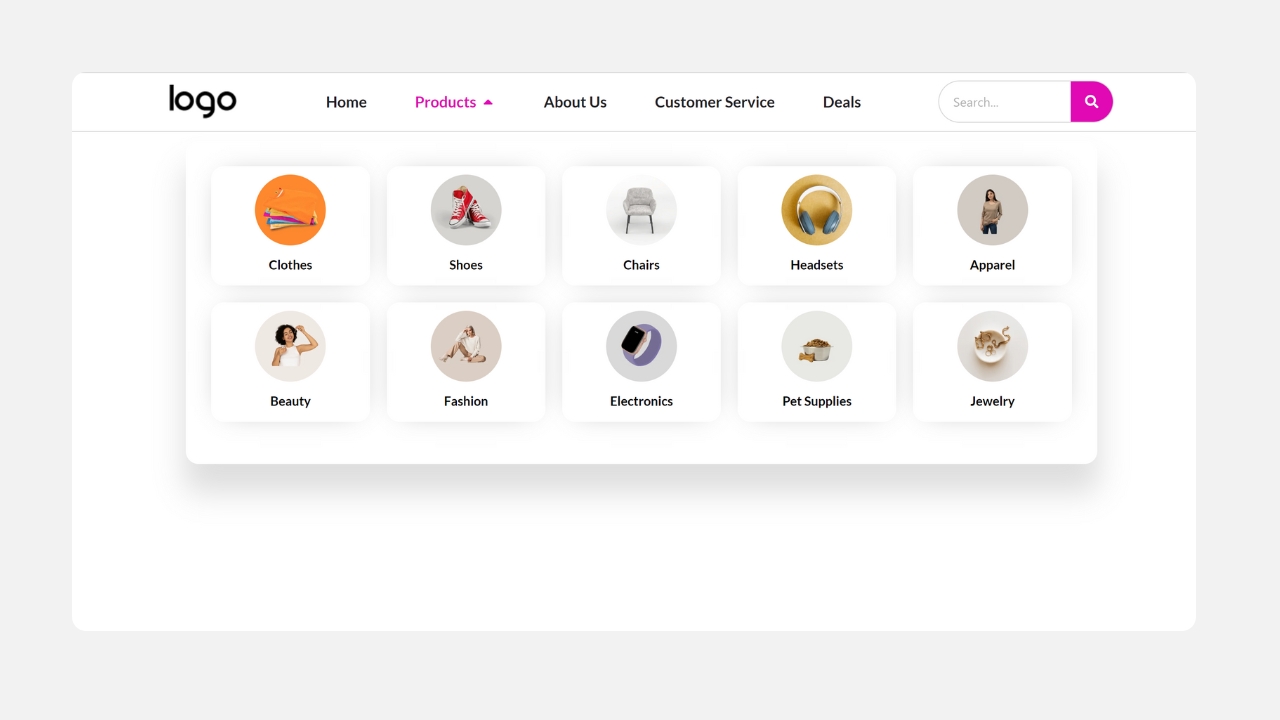
Visual recognition is powerful. This template places images at the center of navigation.
Layout: Five-column product grid with circular image avatars.
Key Features: Product thumbnails, category images, clean typography, modern product showcase.
Best For: Clothing stores, grocery websites, beauty brands, pet stores, team directories.
Customers often recognize products faster through images than text.
Mega Menu Template 09 – The Illustrated Showcase
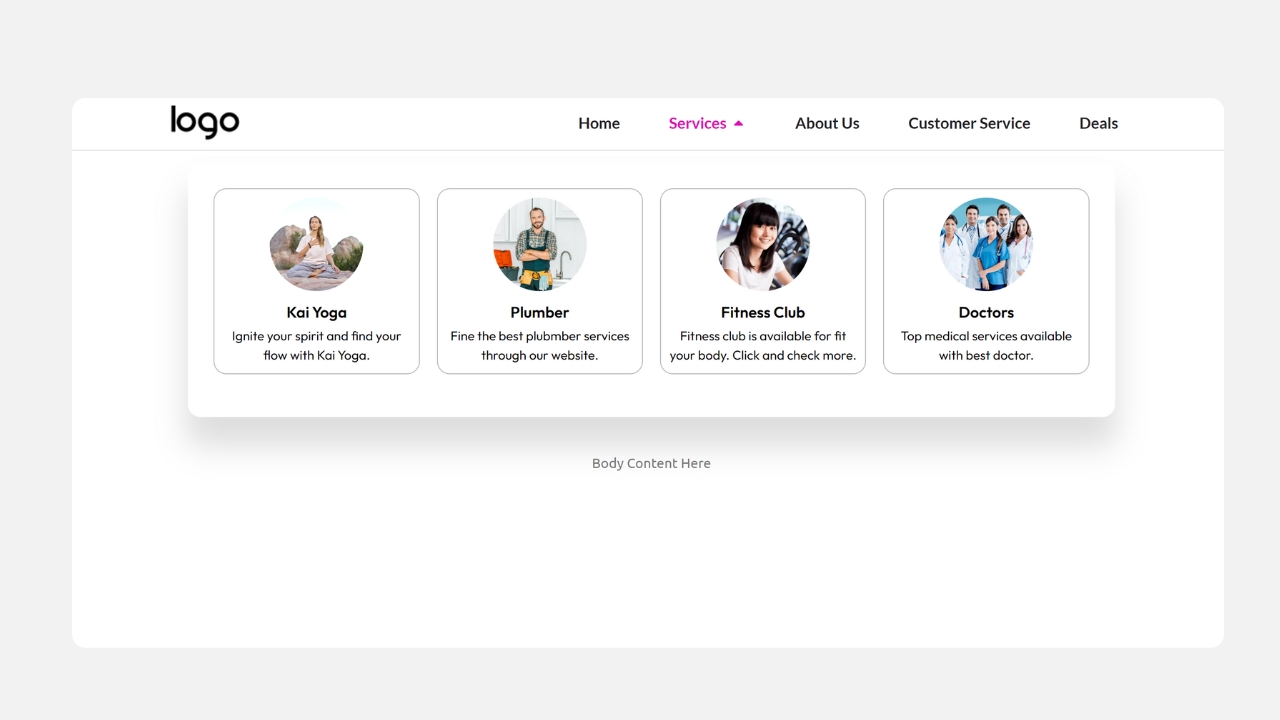
This design focuses heavily on branding.
Layout: Four visually rich columns featuring illustrations.
Key Features: Large illustrations, bold headings, modern typography, strong visual identity.
Best For: Creative agencies, startups, design studios, technology companies, branding agencies.
It creates an engaging first impression.
Mega Menu Template 10 – The Branded Directory
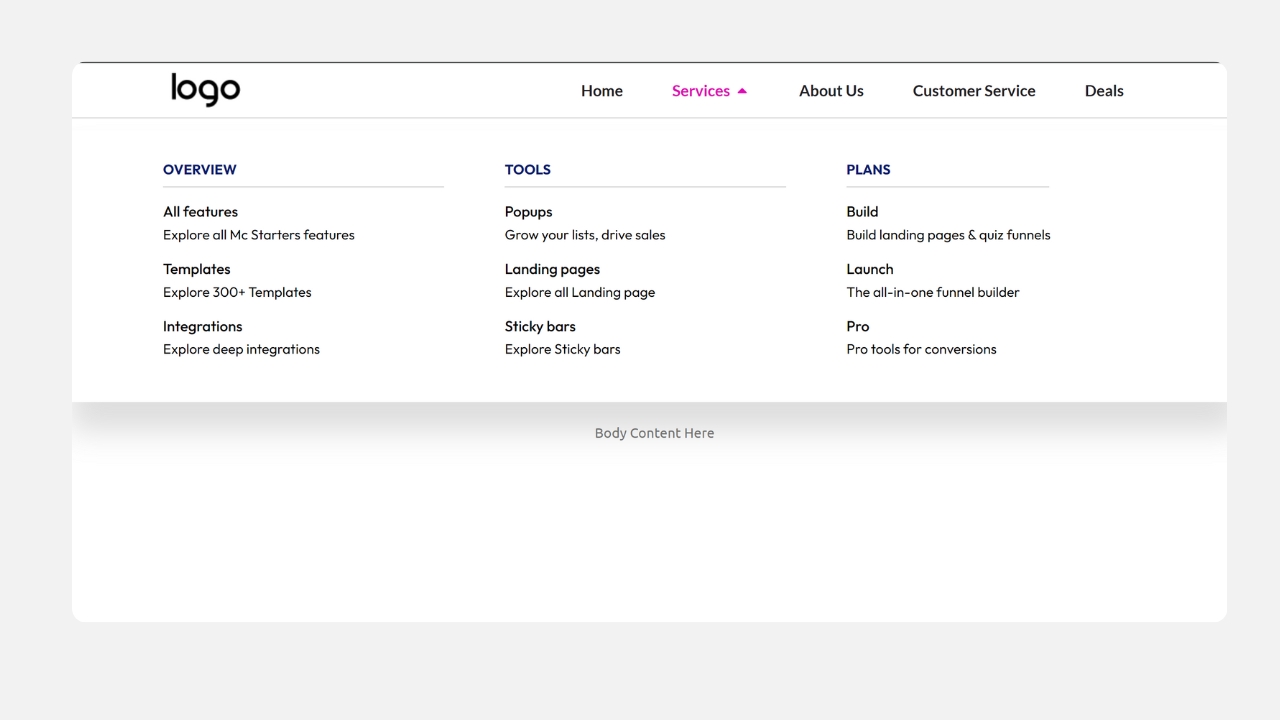
Consistency builds trust. This layout reinforces your branding throughout the navigation.
Layout: Three wide navigation columns with a branded header.
Key Features: Thick colored top border, wide navigation area, clean organization, consistent branding.
Best For: Enterprise companies, large organizations, universities, corporate websites, media companies.
It keeps navigation aligned with your overall brand identity.
Mega Menu Template 11 – The High-Contrast Utility Bar
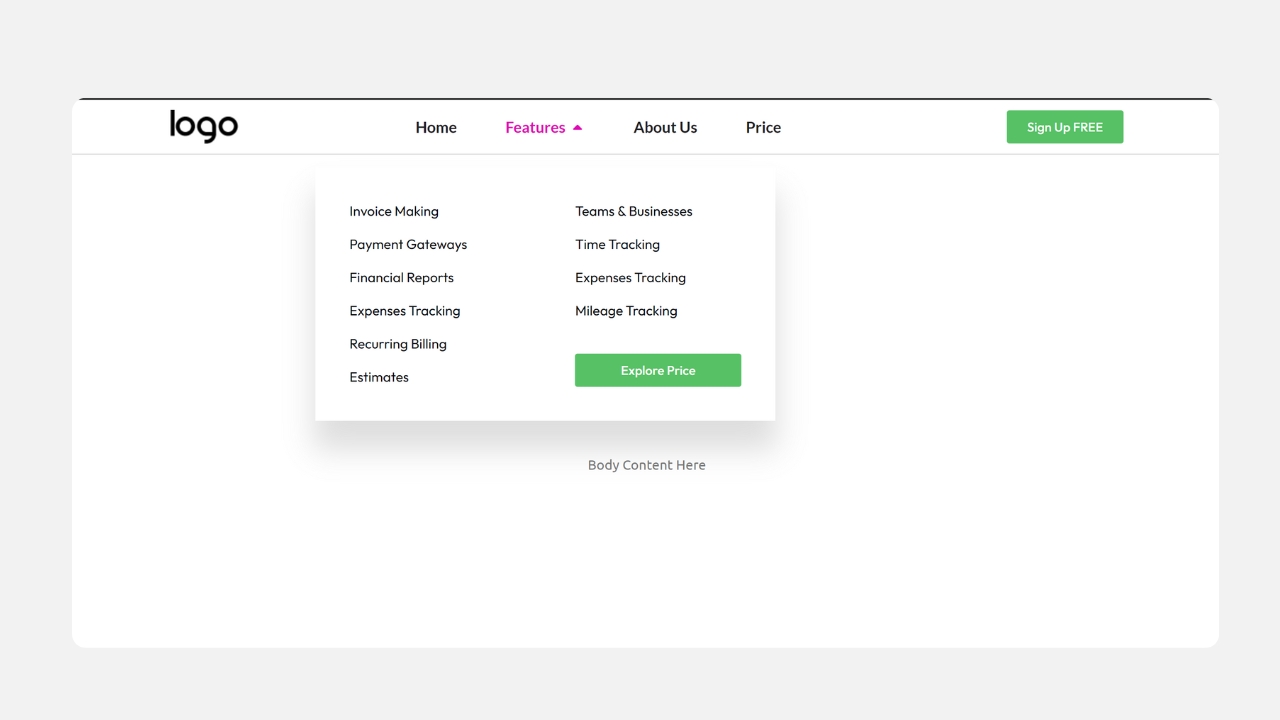
Sometimes less is more. This menu keeps navigation extremely simple while emphasizing user actions.
Layout: A low-density two-column layout.
Key Features: Minimal design, bright CTA button, excellent spacing, easy navigation.
Best For: Membership websites, web applications, online communities, subscription services, SaaS platforms.
The strong CTA encourages signups without cluttering the menu.
Mega Menu Template 12 – The Dashboard Style Menu
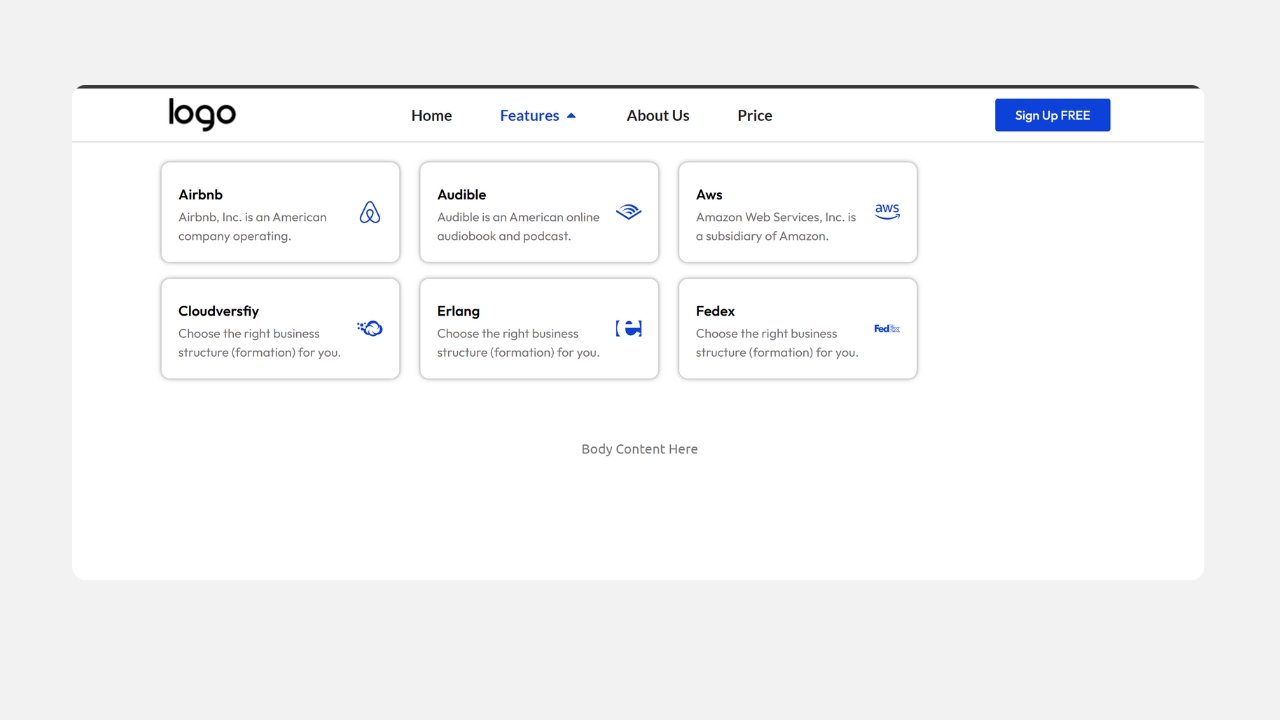
Inspired by modern software dashboards.
Layout: Two-column navigation with dark and light contrast.
Key Features: Dark header section, light dropdown panel, premium appearance, dashboard-inspired interface.
Best For: Fintech companies, banking platforms, analytics software, business dashboards, premium SaaS.
The modern contrast gives users a polished experience.
Mega Menu Template 13 – The Dual-Action Grid
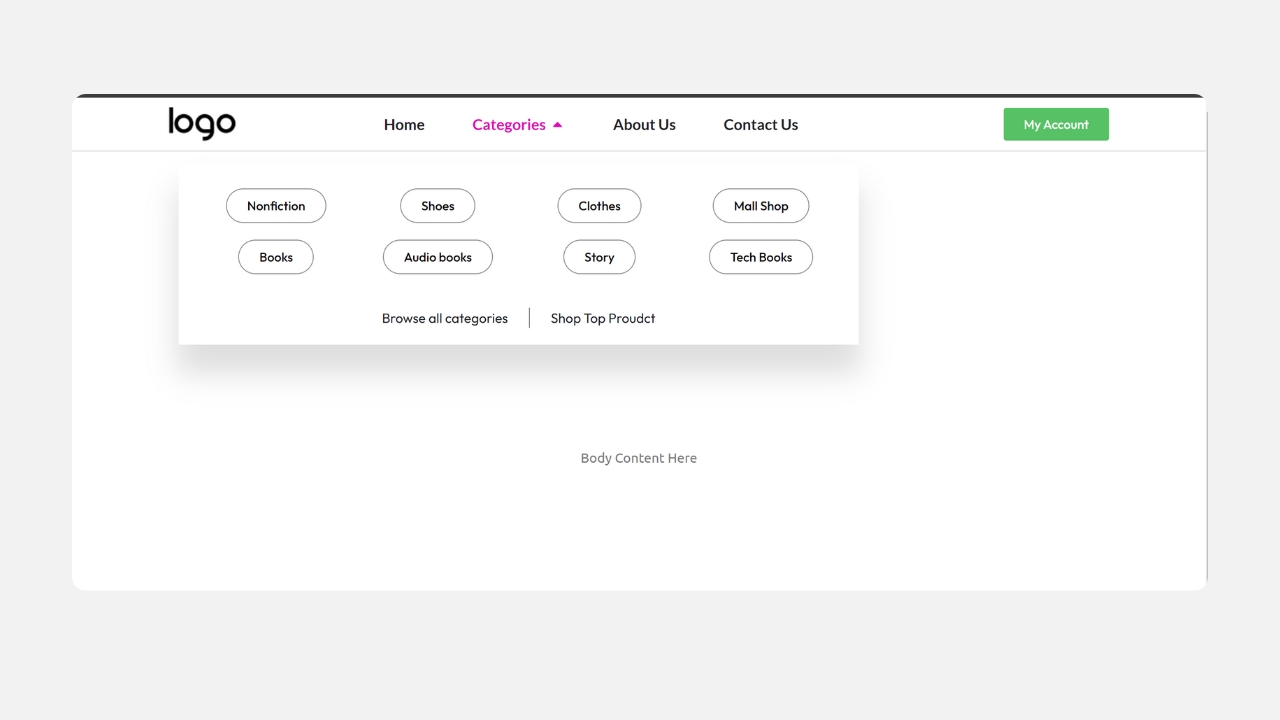
This template is designed around conversion optimization.
Layout: Compact multi-row grid with multiple CTA placements.
Key Features: Dual CTA buttons, grid organization, consistent branding, conversion-focused layout.
Best For: Real estate websites, marketplaces, home services, lead generation, professional services.
Providing multiple opportunities to click can increase conversions.
Mega Menu Template 14 – The Urgency Column Layout
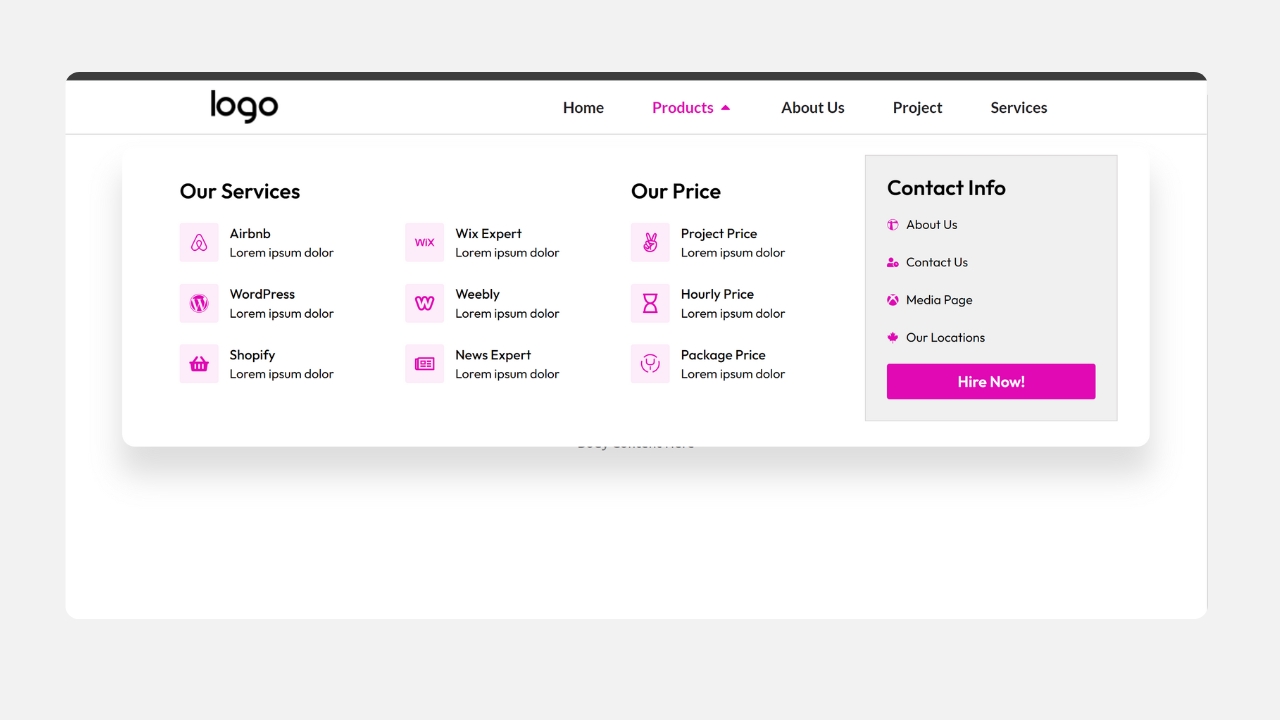
Need to capture attention immediately? This layout does exactly that.
Layout: Four-column structure with one brightly highlighted column.
Key Features: Vibrant promotional column, contact information highlight, limited-time offers, strong visual emphasis.
Best For: Emergency services, plumbers, electricians, HVAC companies, flash sale campaigns.
Visitors naturally notice the highlighted section first.
Mega Menu Template 15 – The Editorial Dark Mode
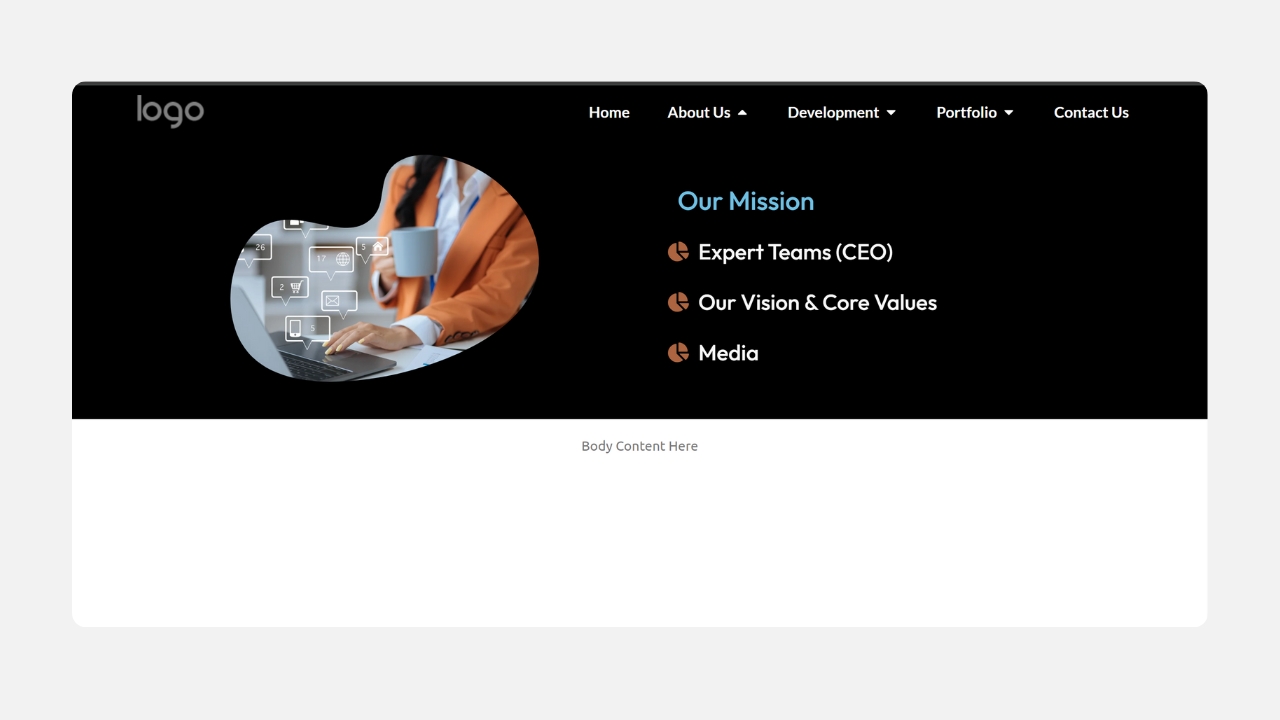
Dark interfaces continue to grow in popularity. This template combines elegance with modern design.
Layout: Dark-themed navigation with bold typography and circular imagery.
Key Features: Dark mode styling, premium appearance, circular image masks, high contrast typography.
Best For: Luxury brands, photography portfolios, interior designers, architecture firms, premium product websites.
The result is a sophisticated and memorable navigation experience.
How to Choose the Right Elementor Mega Menu Template
Every website has different navigation requirements. Before selecting a template, consider the following factors.
1. Number of Navigation Links
If your website has dozens of categories, choose layouts with four or five columns. Smaller websites often benefit from cleaner two-column designs.
2. Content Type
Ask yourself whether you need images, icons, product thumbnails, service descriptions, or promotional banners, and select a template that supports your content style.
3. Conversion Goals
If your goal is lead generation or sales, choose templates with built-in CTA buttons or promotional sections.
4. Brand Style
Corporate websites often benefit from minimalist layouts. Creative businesses usually perform better with visual menus.
5. Mobile Experience
Don’t skip this checkAlways ensure your mega menu adapts well to tablets and smartphones. Elementor makes responsive customization straightforward, but it still needs to be tested on a real device, not just previewed in the editor. For general structuring tips across breakpoints, this piece on multilevel menu design best practices is worth a look.
Frequently Asked Questions
Are these Elementor Mega Menu Templates included with Elementor Pro?
No. These are premium templates created by Mc Starters. You need Elementor Pro to use them, but the templates themselves are purchased separately from Mc Starters.
Do I need another mega menu plugin?
No. These templates are designed to work with Elementor Pro’s native capabilities, so most users won’t need an additional mega menu plugin.
Can I customize every template?
Yes. You can edit colors, typography, icons, spacing, images, columns, buttons, backgrounds, and links directly in Elementor Pro.
Do these templates work with WooCommerce?
Yes. They are suitable for WooCommerce stores and can showcase product categories, featured products, promotions, and CTAs.
Are they mobile responsive?
Yes. Every template is designed to adapt to desktop, tablet, and mobile devices.
Can I use them on client websites?
Usage depends on the license purchased from Mc Starters. Check the product page for licensing details.
Do I need coding knowledge?
No. Everything is edited visually in Elementor Pro.
Can I change the layout completely?
Absolutely. Every section can be modified or extended to suit your project.
Will I receive updates?
Refer to the Mc Starters product page for the update policy and support information.
How do I download the templates?
Purchase the collection from Mc Starters, download the files, import them into Elementor, and customize them for your website.
Final Thoughts
Navigation plays a major role in user experience, engagement, and conversions. The premium Elementor mega menu templates from Mc Starters help you create modern, responsive, and professional navigation without starting from scratch. Whether you are building an agency website, an online store, a SaaS platform, or a corporate website, these templates provide a polished foundation that can be customized entirely within Elementor Pro, and pair naturally with the workflow covered in our guide to building an Elementor mega menu without a plugin.
Skip hours of designing mega menus from scratch
- 15 Premium Elementor Mega Menu Templates
- Built for Elementor Pro
- Fully Responsive
- Professional Agency Quality
- Easy Customization
- WooCommerce Ready