
Looking for professionally designed Elementor Popup Templates? Mc Starters offers a growing collection of modern, responsive popup templates that help you capture leads, promote products, grow your email list, reduce cart abandonment, and increase conversions without writing a single line of code.
Every popup template is fully customizable inside Elementor Popup Builder and works seamlessly with Elementor Pro. Browse and download the latest Elementor Popup Templates from the Mc Starters Template Library:
Why Use Elementor Popup Templates?
Instead of building every popup from scratch, Elementor Popup Templates give you professionally designed layouts that are ready to customize.
These templates help you:
- Capture more email subscribers
- Increase sales and conversions
- Reduce shopping cart abandonment
- Promote limited-time offers
- Display lead magnets
- Announce new products
- Grow social media followers
- Collect customer inquiries
- Improve user engagement
- Personalize marketing campaigns
Because Elementor uses dynamic conditions and triggers, your popups appear only when they matter most, creating a better experience for visitors.
Download Elementor Popup Templates
Explore professionally designed popup templates for blogs, WooCommerce stores, agencies, SaaS websites, restaurants, and online businesses.
10 Best Elementor Popup Templates
Popups have earned a reputation for being intrusive, but when designed correctly, they become one of the highest-converting marketing tools available. A well-timed popup can encourage visitors to subscribe to your newsletter, download a free resource, claim a discount, schedule a consultation, or complete a purchase—all while maintaining an excellent user experience.
With Elementor Popup Builder, you can create professional popups visually using drag-and-drop widgets, advanced display conditions, and powerful targeting rules.
In this guide, we’ll explore 10 high-converting Elementor Popup Templates, explain their layouts and key features, discuss the ideal use cases for each, and share expert optimization tips to maximize conversions.
Elementor Popup Template 01 – Visual Newsletter Opt-In
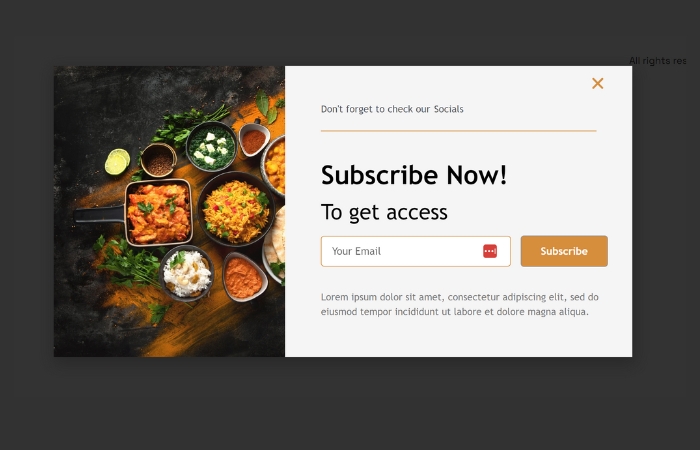
The Layout
A classic split-screen popup that combines a beautiful lifestyle or food image on the left with a clean newsletter subscription form on the right. The visual immediately grabs attention while keeping the signup process simple.
Key Features
- Split-screen layout
- Large featured image
- Minimal subscription form
- High-contrast CTA button
- Clean typography
- Mobile responsive
Best Used For
- Food blogs
- Recipe websites
- Lifestyle magazines
- Restaurants
- Personal blogs
This design creates a welcoming first impression and encourages visitors to join your mailing list without feeling overwhelming.
Elementor Popup Template 02 – B2B Lead Generator
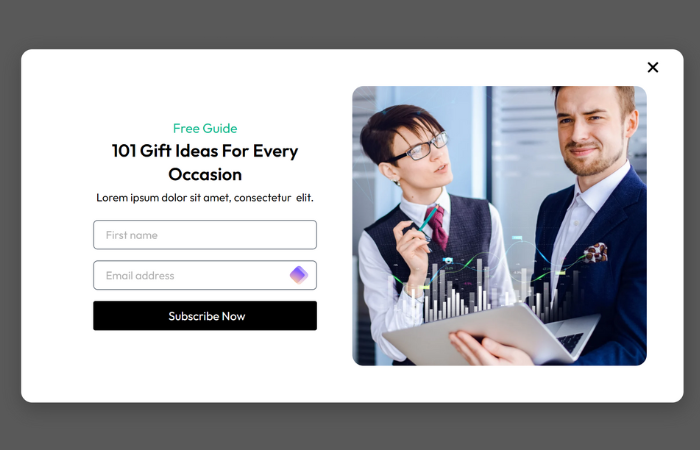
The Layout
A professional two-column popup featuring a business-focused image paired with a structured lead generation form.
Key Features
- Corporate styling
- Bold headline
- Email signup form
- Professional imagery
- Trust-building layout
Best Used For
- Marketing agencies
- SaaS companies
- Business consultants
- Service providers
- Corporate websites
This popup focuses on communicating value quickly, making it ideal for offering free consultations, audits, or downloadable resources.
Elementor Popup Template 03 – E-Book & Lead Magnet Offer
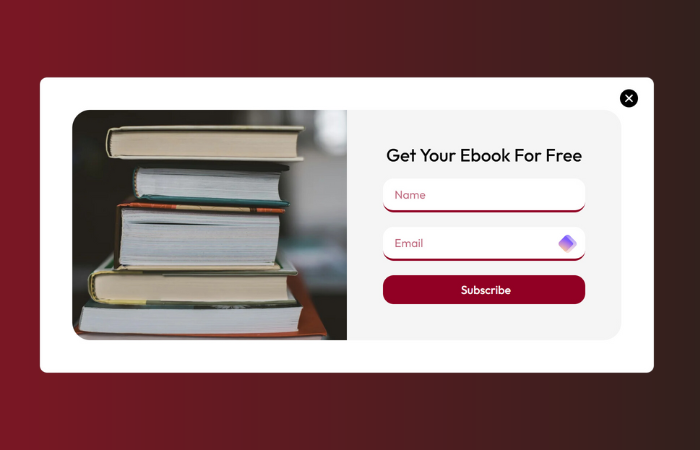
The Layout
A clean promotional popup centered around an eBook, checklist, guide, or downloadable PDF.
Key Features
- eBook mockup
- High-converting CTA
- Modern layout
- Download-focused design
- Attention-grabbing headline
Best Used For
- Digital marketers
- Coaches
- Bloggers
- Online educators
- Course creators
Offering valuable downloadable content is one of the most effective ways to grow an email list while building trust with potential customers.
Elementor Popup Template 04 – E-Commerce Product Spotlight
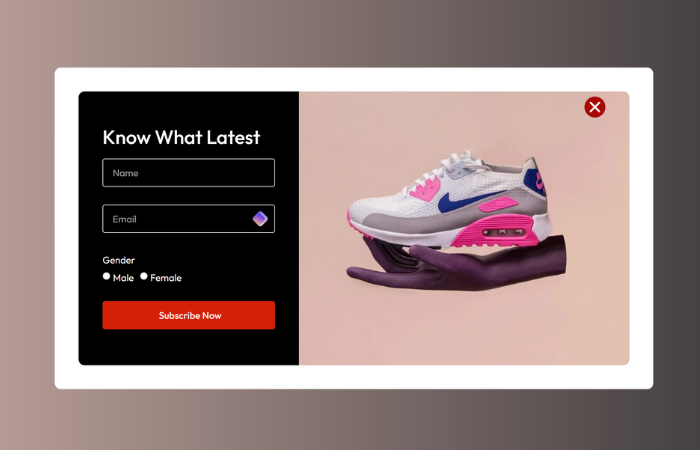
The Layout
A premium dark-themed popup highlighting a single product alongside a signup or promotional form.
Key Features
- Dark mode styling
- Large product image
- Premium appearance
- Promotional messaging
- Strong purchase CTA
Best Used For
- Fashion brands
- Electronics stores
- Sneaker shops
- Luxury products
- WooCommerce websites
This layout keeps all attention on a featured product, making it perfect for product launches and exclusive releases.
Download Professional Elementor Popup Templates
Build beautiful, high-converting popups for Elementor in minutes.
Elementor Popup Template 05 – Editorial Content Gate

The Layout
A full-screen background image paired with a subtle dark overlay that keeps the text highly readable while maintaining an immersive appearance.
Key Features
- Full-width background
- Inline subscription form
- Minimal interface
- Editorial design
- High readability
Best Used For
- Travel blogs
- Photography websites
- Online magazines
- Publishers
- Creative blogs
This design works exceptionally well for converting casual readers into long-term subscribers.
Elementor Popup Template 06 – E-Commerce Discount Trigger
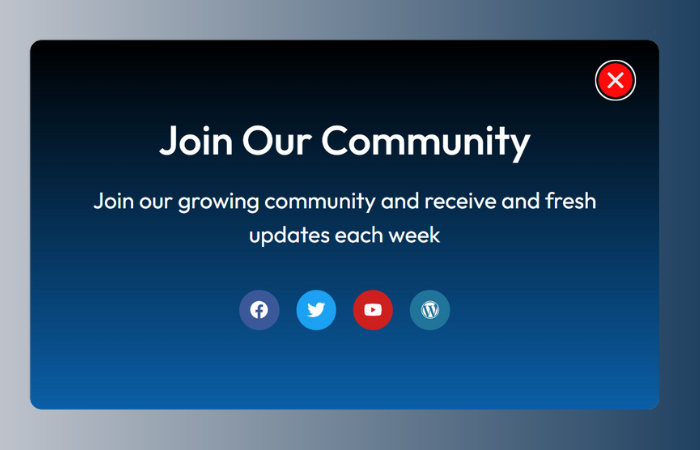
The Layout
A light, modern promotional popup displaying discount information alongside product graphics.
Key Features
- Coupon promotion
- Shipping graphics
- Clean layout
- Promotional banner
- Easy-to-read typography
Best Used For
- WooCommerce stores
- Fashion retailers
- Online shops
- Beauty brands
- First-time visitor campaigns
Offering a discount through this popup encourages hesitant shoppers to complete their purchase.
Elementor Popup Template 07 – Social Minimalist Modal
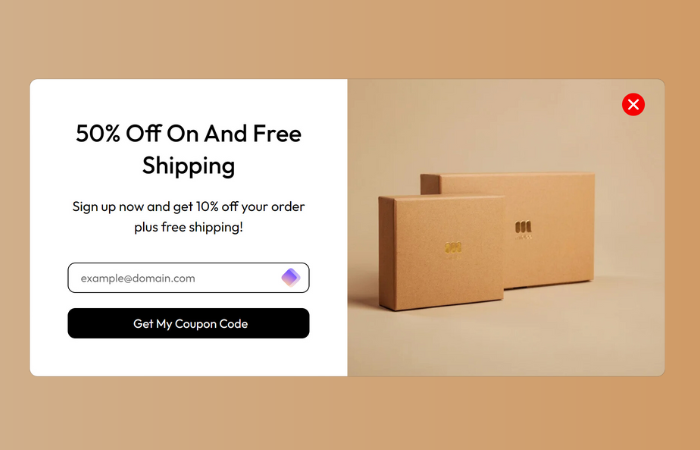
The Layout
A compact floating popup designed to promote social media channels without interrupting the browsing experience.
Key Features
- Small centered modal
- Social media icons
- Gradient background
- Compact design
- Fast loading
Best Used For
- Online communities
- Podcasts
- Content creators
- Personal brands
- Forums
Rather than collecting emails, this template helps grow your audience across platforms like LinkedIn, X (Twitter), Instagram, Facebook, and Discord.
Elementor Popup Template 08 – Dark Mode Newsletter Bar

The Layout
A sleek dark popup with colorful accent lines and a compact newsletter signup form.
Key Features
- Dark UI
- Minimal layout
- Decorative illustration
- Newsletter signup
- Modern styling
Best Used For
- Technology blogs
- Design agencies
- Startups
- SaaS businesses
- Portfolio websites
Its clean appearance makes it ideal for brands that prefer a modern, minimalist aesthetic.
Elementor Popup Template 09 – Interactive Quiz & Recommendation Guide
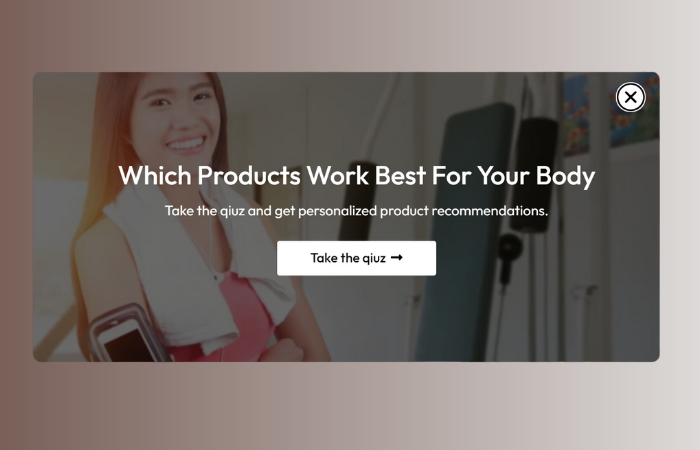
The Layout
A wide popup built around an interactive question or product recommendation flow designed to increase engagement.
Key Features
- Interactive headline
- Background imagery
- Quiz funnel design
- Personalized recommendations
- Lead generation
Best Used For
- Skincare brands
- Health businesses
- Fitness coaches
- Wellness websites
- Product recommendation quizzes
Interactive popups often outperform traditional forms because they encourage visitors to participate before requesting their information.
Elementor Popup Template 10 – Mobile-Friendly App Promotion
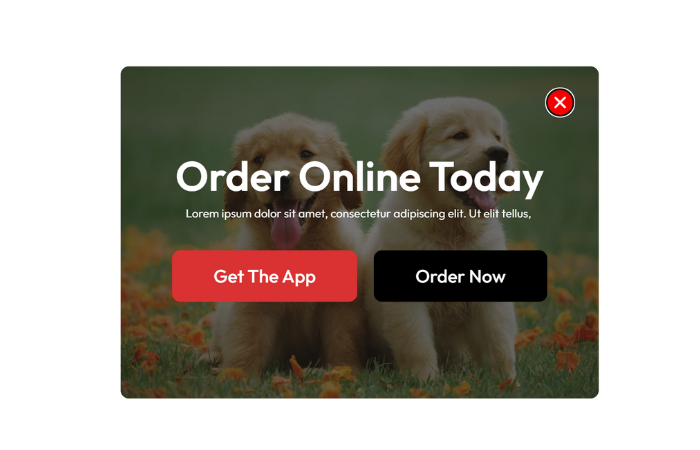
The Layout
A vibrant green promotional popup showcasing a mobile application together with App Store and Google Play download buttons.
Key Features
- Mobile app promotion
- App Store buttons
- Bold typography
- Large product imagery
- Strong CTA buttons
Best Used For
- Food delivery apps
- Local services
- Restaurants
- Mobile startups
- SaaS applications
This template is designed specifically to increase mobile app downloads while maintaining a visually engaging presentation.
Why Elementor Popup Templates Increase Conversions
A professionally designed popup is much more than a simple email form.
The right popup can help you:
- Capture qualified leads
- Increase newsletter subscriptions
- Promote seasonal offers
- Recover abandoned carts
- Drive product sales
- Generate consultation bookings
- Announce new products
- Build social media communities
- Deliver lead magnets
- Personalize customer experiences
Because Elementor provides advanced targeting rules, visitors only see relevant popups based on their behavior.
Start Growing Your Email List Today
Download professionally designed Elementor Popup Templates from Mc Starters and launch your next marketing campaign faster.
Pro Tips for Using Elementor Popup Templates
1. Configure Smart Display Triggers
Avoid displaying a popup immediately after a visitor lands on your website.
Instead, trigger popups based on:
- Exit intent
- Scroll percentage
- Time delay
- Inactivity
- Click events
- Page visits
Displaying popups at the right moment significantly improves conversion rates.
2. Optimize for Mobile Devices
Large desktop popups rarely translate well to smaller screens.
For mobile optimization:
- Stack columns vertically
- Hide decorative images
- Increase button sizes
- Reduce text length
- Maintain fast loading speeds
Elementor’s responsive controls make this process simple.
3. Keep Forms Short
Every additional field reduces conversion rates.
Whenever possible, collect only:
- Email address
- First name (optional)
Shorter forms create less friction and encourage more submissions.
4. Connect with Email Marketing Platforms
Integrate Elementor Forms with services like:
- Mailchimp
- ConvertKit
- ActiveCampaign
- Brevo
- HubSpot
- MailerLite
Automating your email marketing ensures every new subscriber enters your marketing funnel immediately.
5. Match Popup Design to Your Brand
Use consistent:
- Colors
- Typography
- Buttons
- Icons
- Images
- Brand messaging
A popup should feel like a natural extension of your website rather than an unrelated advertisement.
6. Test Different Popup Variations
Run A/B tests to improve performance.
Experiment with:
- Headlines
- Images
- Button colors
- CTA wording
- Timing
- Display triggers
- Form length
Small adjustments often lead to significant improvements in conversion rates.
Frequently Asked Questions
What are Elementor Popup Templates?
Elementor Popup Templates are pre-designed popup layouts built with Elementor Pro that help you create lead generation forms, promotional offers, newsletter signups, announcements, and marketing campaigns quickly.
Do I need Elementor Pro?
Yes. Elementor Popup Builder is available exclusively with Elementor Pro.
Can I customize every popup?
Absolutely. You can edit colors, fonts, layouts, buttons, forms, animations, images, icons, and display conditions directly inside Elementor.
Can I display different popups on different pages?
Yes. Elementor allows you to create advanced display conditions so different popups appear on specific pages, categories, products, or user segments.
Are these popup templates mobile responsive?
Yes. Every Mc Starters Popup Template is designed to work seamlessly across desktop, tablet, and mobile devices.
Which popup template converts the best?
It depends on your goal. Newsletter popups perform well for email growth, discount popups work best for WooCommerce stores, while lead magnet and quiz popups are excellent for generating qualified leads.
Can Elementor popups integrate with email marketing services?
Yes. Elementor Forms integrate with many popular email marketing platforms, allowing you to automate subscriber management and follow-up campaigns.
Final Thoughts
A professionally designed Elementor Popup Template can dramatically improve your website’s lead generation and conversion performance. Whether you’re collecting newsletter subscribers, promoting limited-time offers, showcasing a new product, encouraging app downloads, or generating qualified business leads, the right popup design makes all the difference.
The ten popup templates featured in this guide provide solutions for blogs, agencies, SaaS companies, WooCommerce stores, restaurants, digital creators, and online businesses. Combined with Elementor Popup Builder’s powerful targeting rules and responsive design controls, they give you everything you need to create high-converting marketing campaigns without coding.
Ready to grow your business? Explore the latest Elementor Popup Templates from Mc Starters and start building beautiful, conversion-focused popups today.
Complete Your Elementor Website
Mc Starters offers professionally designed Elementor templates for every section of your website:
- Popup Templates
- Mega Menu Templates
- Post Grid Templates
- Blog Archive Templates
- Single Post Templates
- Headers
- Footers
- Landing Pages
- WooCommerce Templates