
If you’re looking for professionally designed Elementor Single Post Templates, you can download them directly from Mc Starters. Our growing Single Post Template Library includes modern, responsive layouts built for blogs, news websites, agencies, portfolios, affiliate sites, SaaS companies, and online magazines.
Every template is fully editable in Elementor, making it easy to customize colors, typography, widgets, dynamic content, and layouts without writing code.
Why Use Elementor Single Post Templates?
Unlike archive pages that help users discover content, the single post template is where readers actually consume your articles.
A professionally designed single post layout helps you:
- Increase average session duration
- Reduce bounce rates
- Improve readability
- Showcase your brand professionally
- Increase newsletter signups
- Promote products or services naturally
- Improve internal linking
- Encourage social sharing
- Display related posts dynamically
- Optimize user experience across desktop and mobile
Because Elementor uses dynamic widgets like Post Title, Featured Image, Post Content, Post Info, and Author Box, one template automatically works for every blog post.
Download Elementor Single Post Templates
20 Best Elementor Single Post Templates
Whether you’re creating a personal blog, corporate knowledge base, affiliate website, or online publication, your single post page is where visitors spend the most time. It’s where they read your content, interact with your brand, and decide whether to continue exploring your website.
Most WordPress themes provide only a basic article layout. With Elementor Theme Builder, you can completely redesign your single blog posts using dynamic content while maintaining a consistent experience across your website.
This guide showcases 20 professional Elementor Single Post Templates, explains who each layout is best suited for, and provides expert tips for building high-converting article pages.
Download Best Elementor Single Post Templates
A01 – Hero Image Header
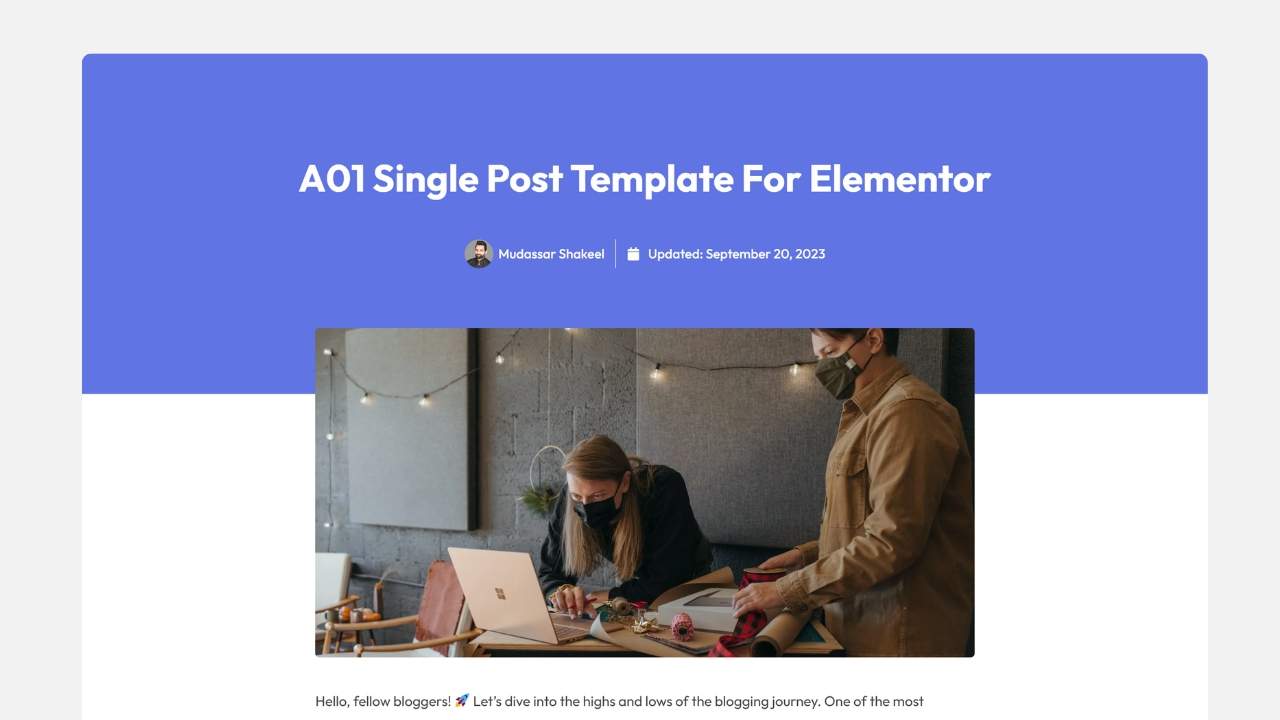
Layout
Features a wide colored header with a large featured image positioned above the article title.
Key Features
- Large hero image
- Strong visual hierarchy
- Dynamic post metadata
- Modern spacing
- Bold typography
Best For
- Travel blogs
- Lifestyle websites
- Corporate storytelling
- Photography blogs
A02 – Minimalist Typography Layout
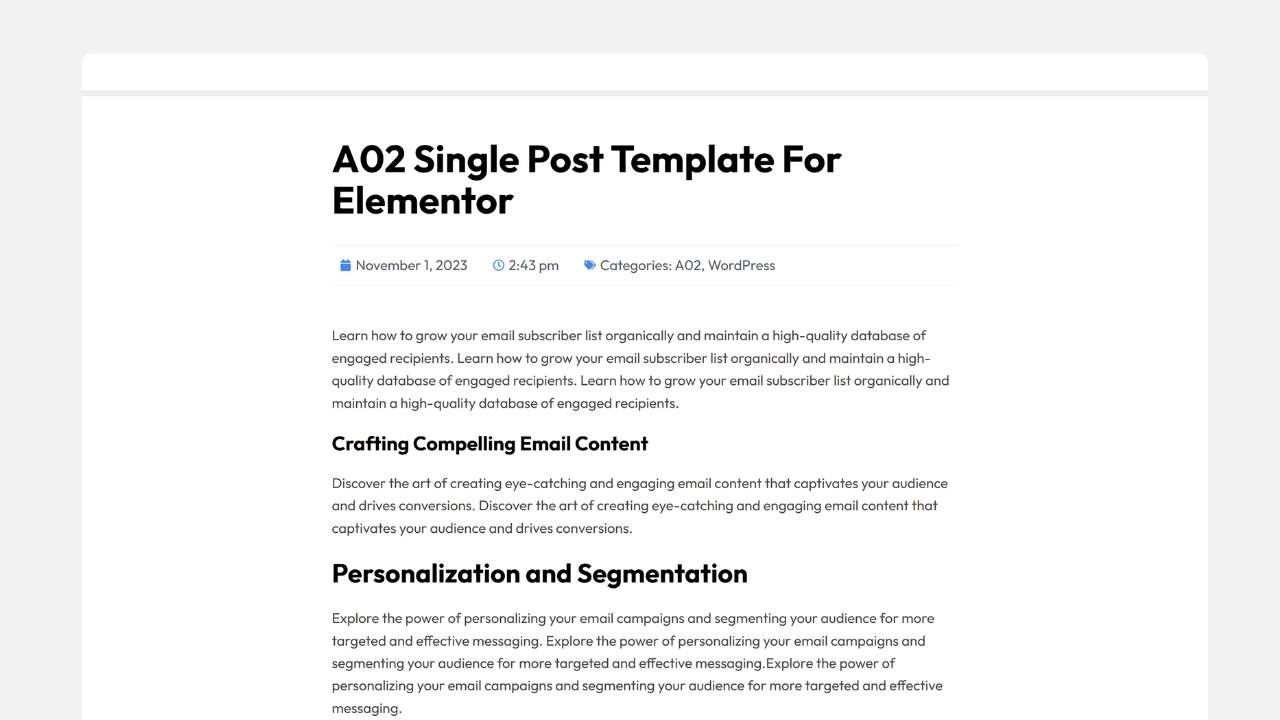
Layout
An ultra-clean reading experience with almost no visual distractions.
Key Features
- Large readable typography
- Wide white space
- Optimized line height
- Minimal design
Best For
- Editorial websites
- News publications
- Opinion blogs
- Long-form articles
A03 – Compact Accent Layout
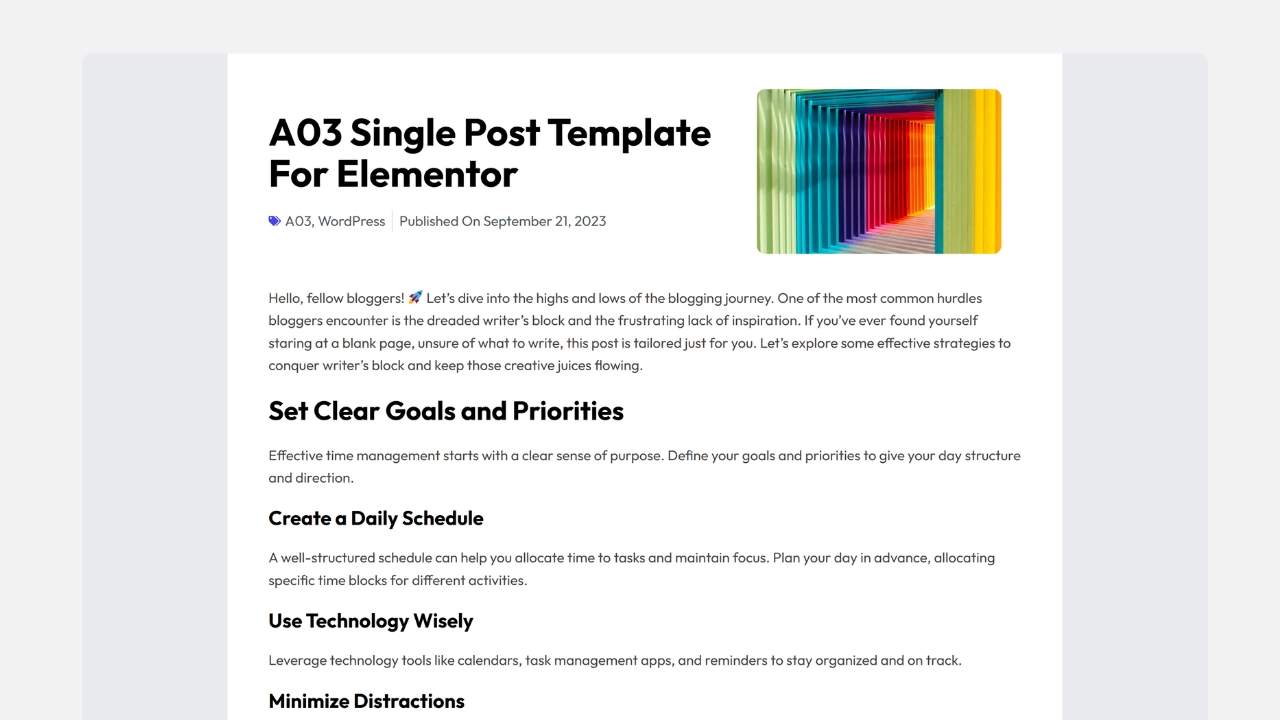
Layout
Classic centered article with a smaller featured image.
Key Features
- Clean dividers
- Compact metadata
- Professional spacing
- Balanced layout
Best For
- Business blogs
- Case studies
- Company updates
A04 – Full Width Feature Frame
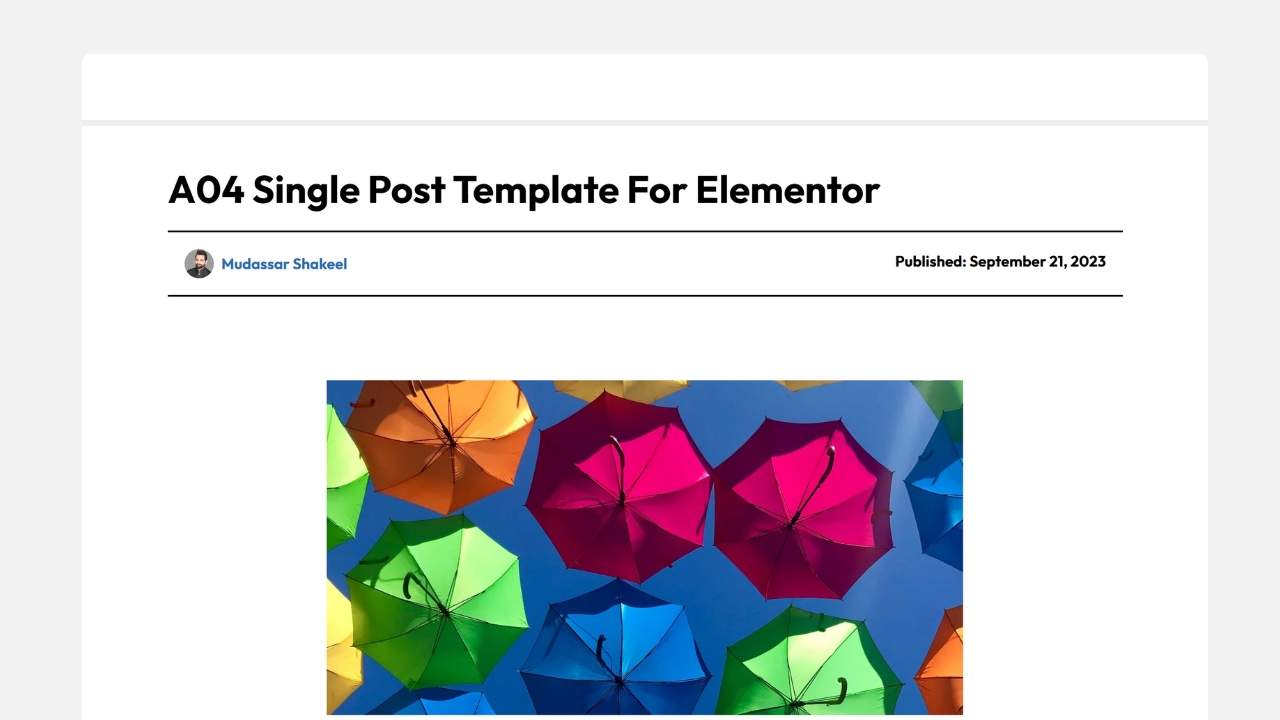
Layout
Massive landscape image directly below the title.
Key Features
- Edge-to-edge image
- Minimal distractions
- Large content area
Best For
- Creative blogs
- Photography
- Art portfolios
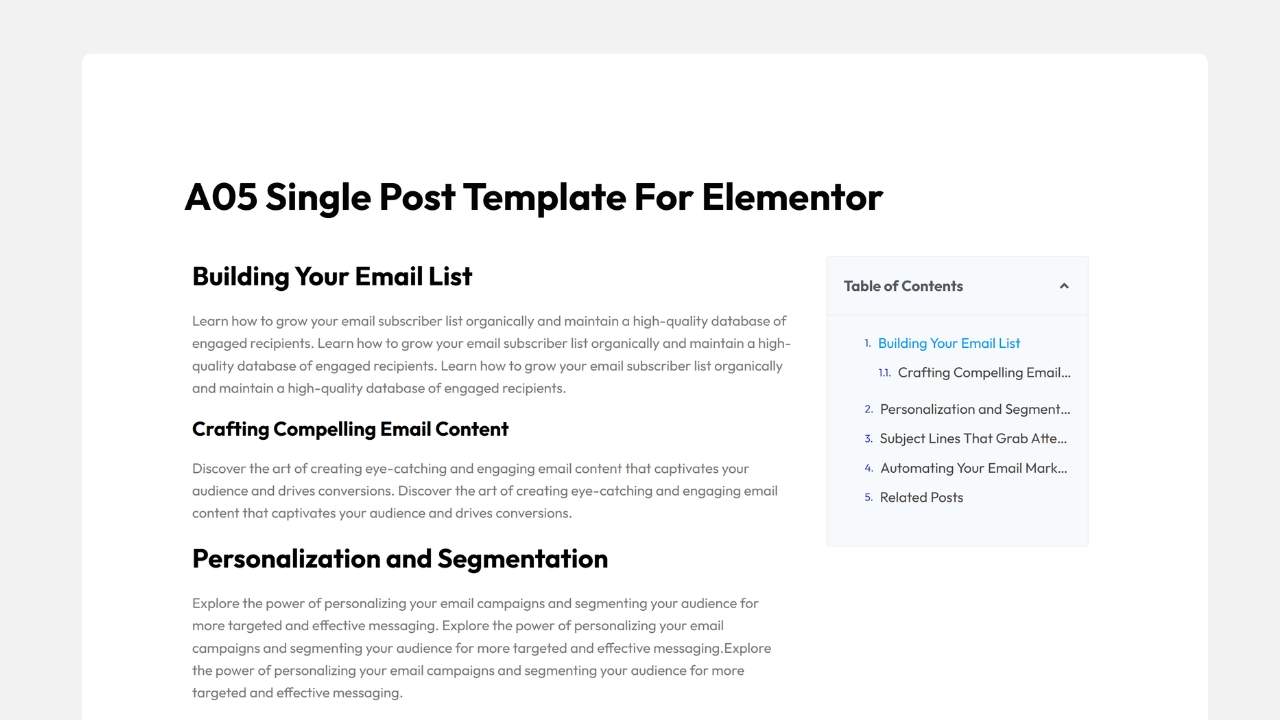
A05 – Sticky Table of Contents Layout
Layout
Two-column reading experience with a sticky Table of Contents.
Key Features
- Sticky TOC
- Long-form navigation
- Better UX
- Improved readability
Best For
- Tutorials
- Documentation
- Ultimate guides
- Educational websites
Need More Elementor Templates?
Mc Starters also offers:
- Mega Menu Templates
- Popup Templates
- Loop Grid Templates
- Archive Templates
- Header & Footer Templates
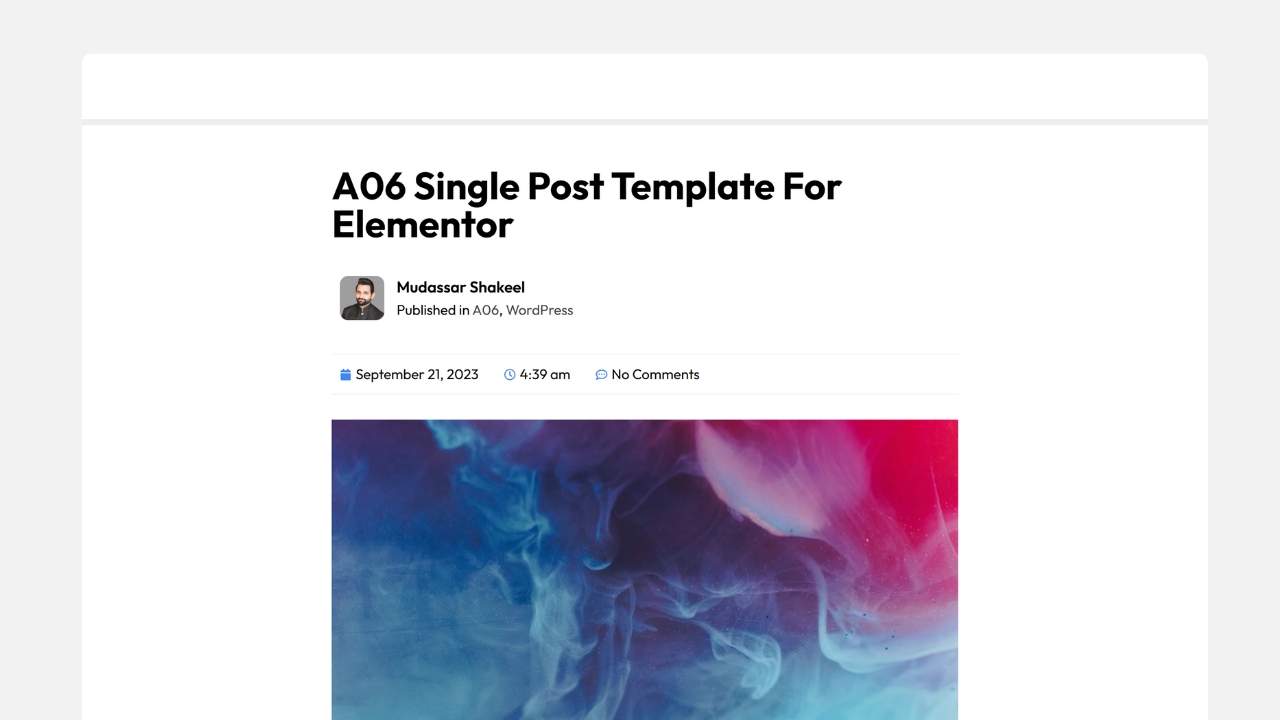
A06 – Graphic Author Box Spotlight
Layout
Author branding becomes the visual focus.
Key Features
- Large author profile
- Premium background graphics
- Trust-building layout
Best For
- Personal brands
- Multi-author blogs
- Guest posting websites
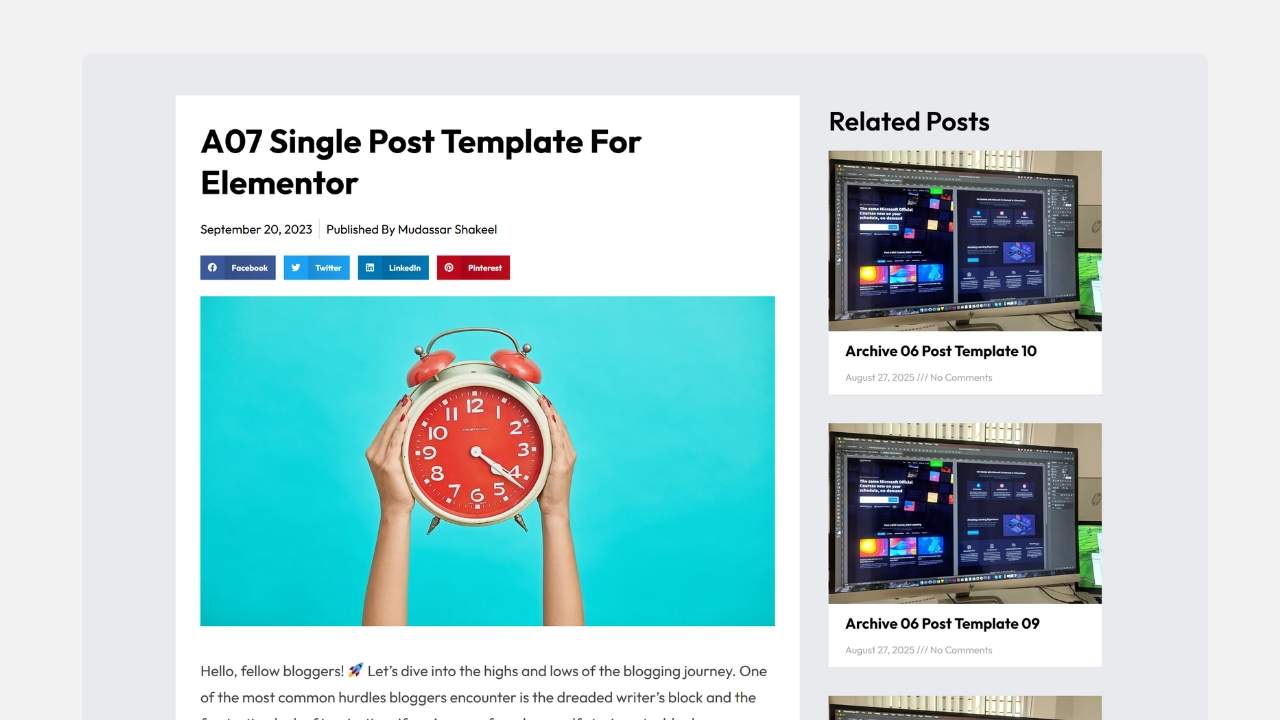
A07 – Related Posts Sidebar
Layout
Traditional blog layout with a dedicated right sidebar.
Key Features
- Dynamic related posts
- Better internal linking
- Increased page views
Best For
- News websites
- Affiliate blogs
- Online magazines
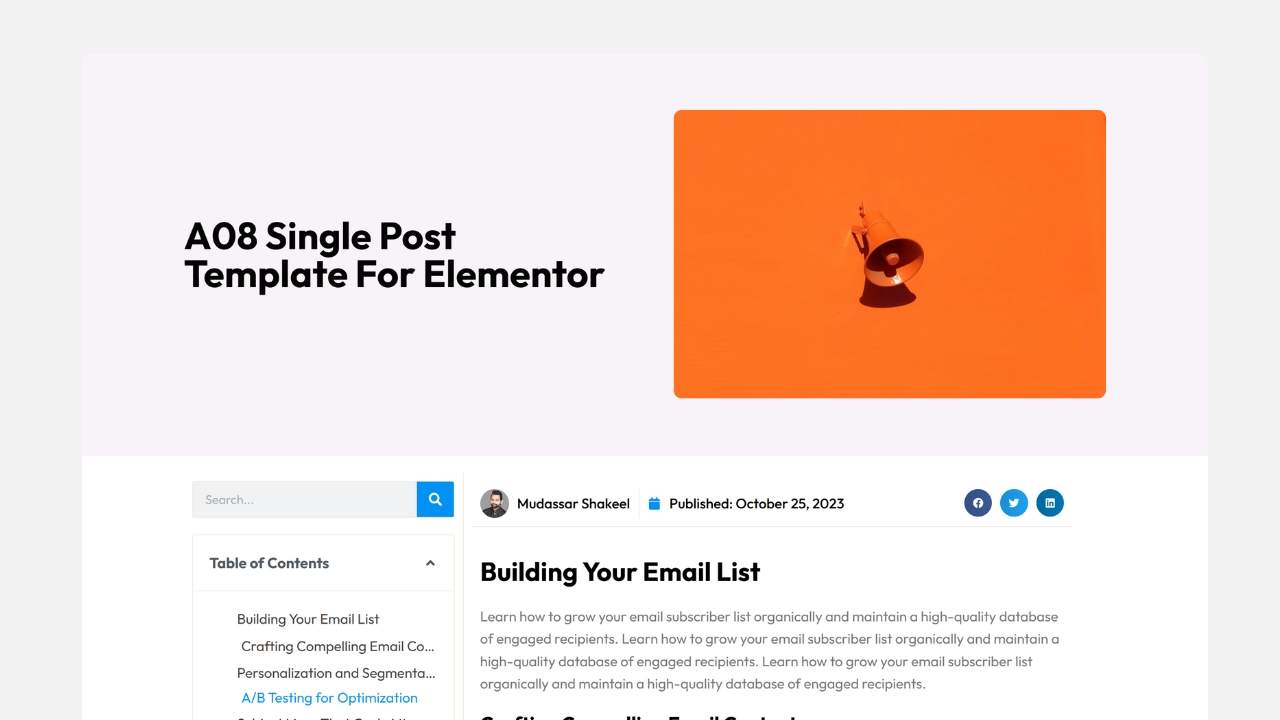
A08 – Split Contrast Header
Layout
Bold asymmetrical header with modern color blocks.
Key Features
- Inline Table of Contents
- Social sharing
- Contemporary design
Best For
- SaaS blogs
- Marketing agencies
- Technology websites
A09 – Classic Monetized Sidebar
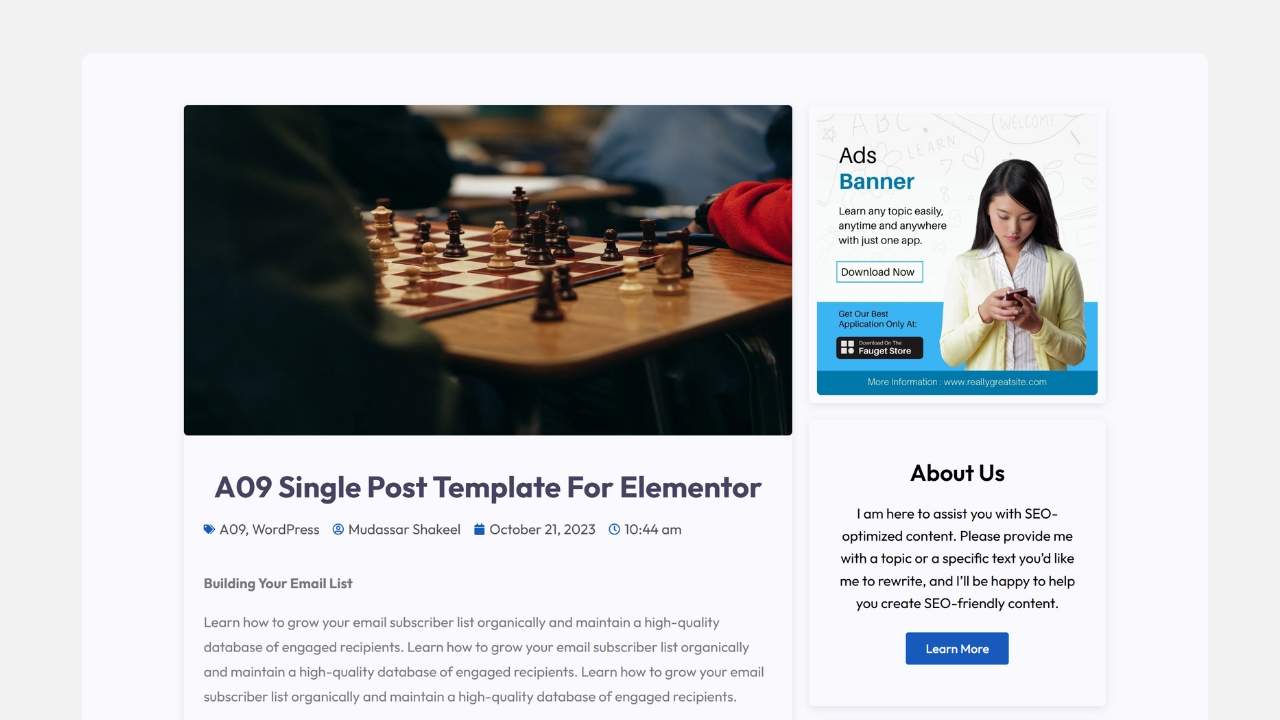
Layout
Magazine-inspired layout with advertising space.
Key Features
- Newsletter widgets
- Banner ads
- About section
- Sidebar promotions
Best For
- Affiliate marketers
- Recipe blogs
- Monetized publishers
A10 – Floating Social Sidebar
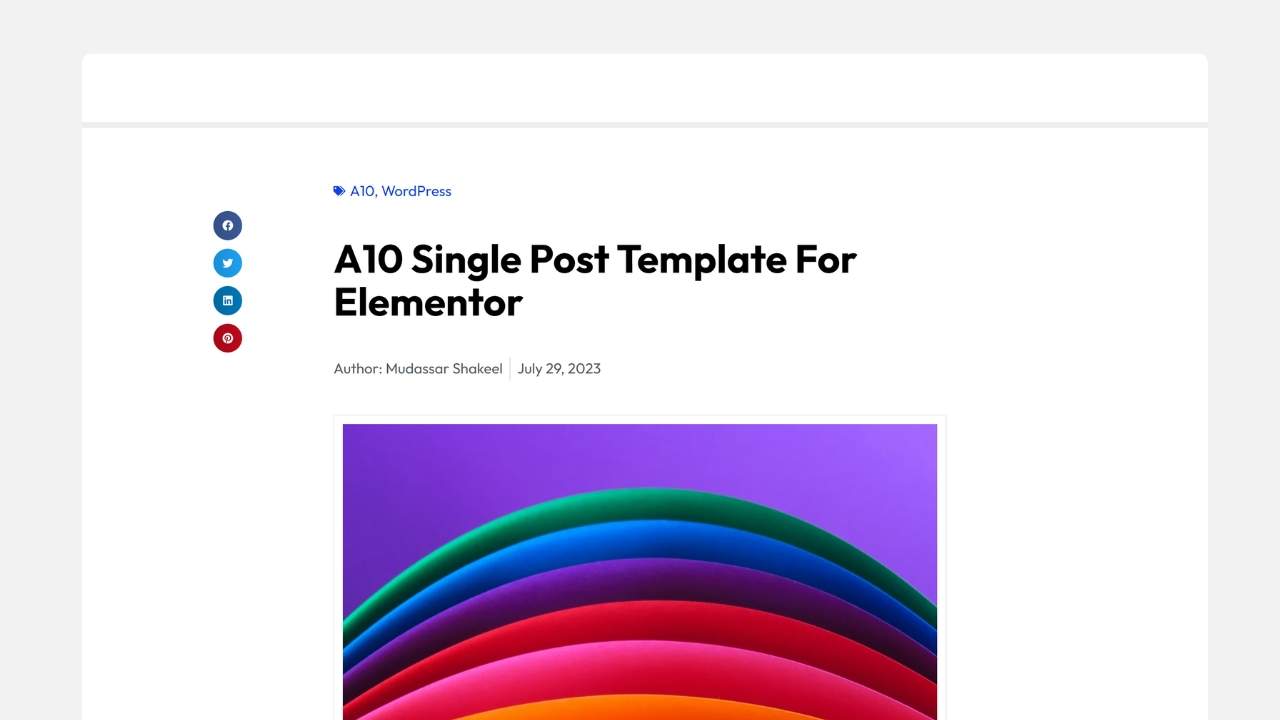
Layout
Clean reading layout with floating social icons.
Key Features
- Floating share buttons
- Colorful introduction section
- Spacious reading area
Best For
- Viral blogs
- News websites
- Social media publishers
A11 – Framed Media Blueprint
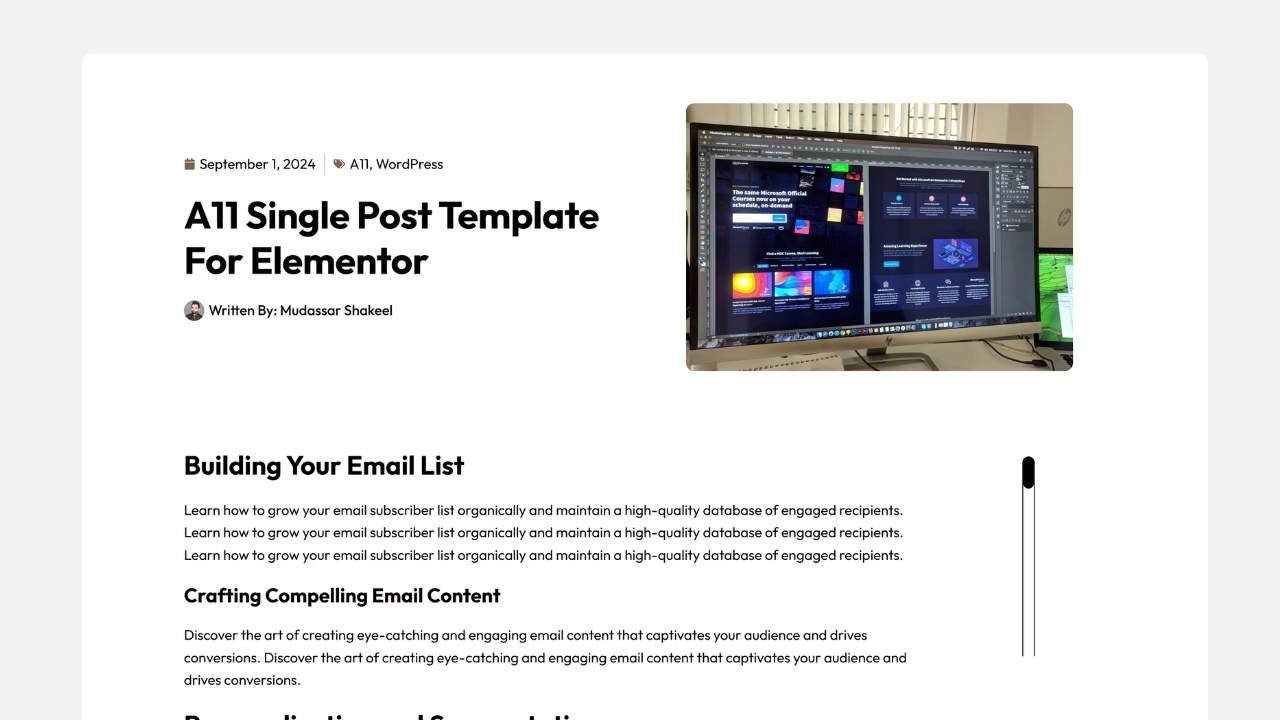
Layout
Video or software preview integrated into the article header.
Key Features
- Device mockups
- Video support
- Technical styling
Best For
- Software reviews
- Product tutorials
- Hardware blogs
A12 – Clean Desktop Portfolio Frame
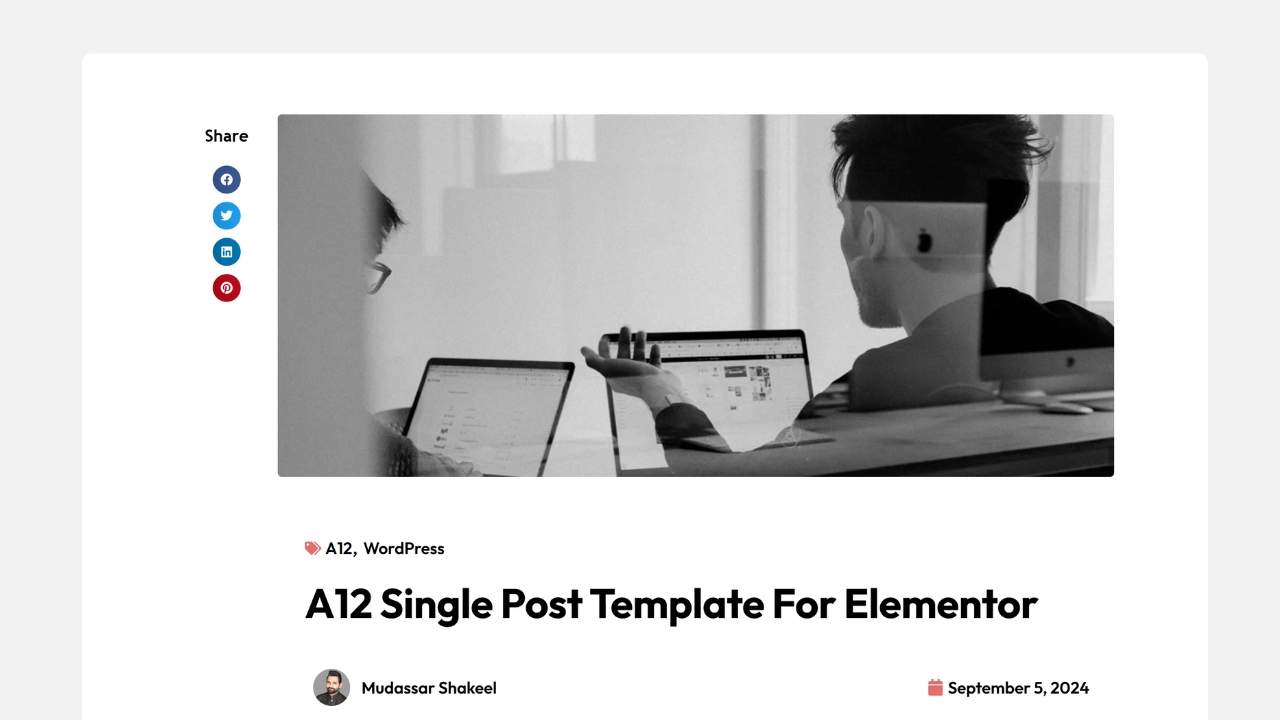
Layout
Modern portfolio-inspired article design.
Key Features
- Floating author icon
- Social utility bar
- Elegant spacing
Best For
- Designers
- Agencies
- Creative portfolios
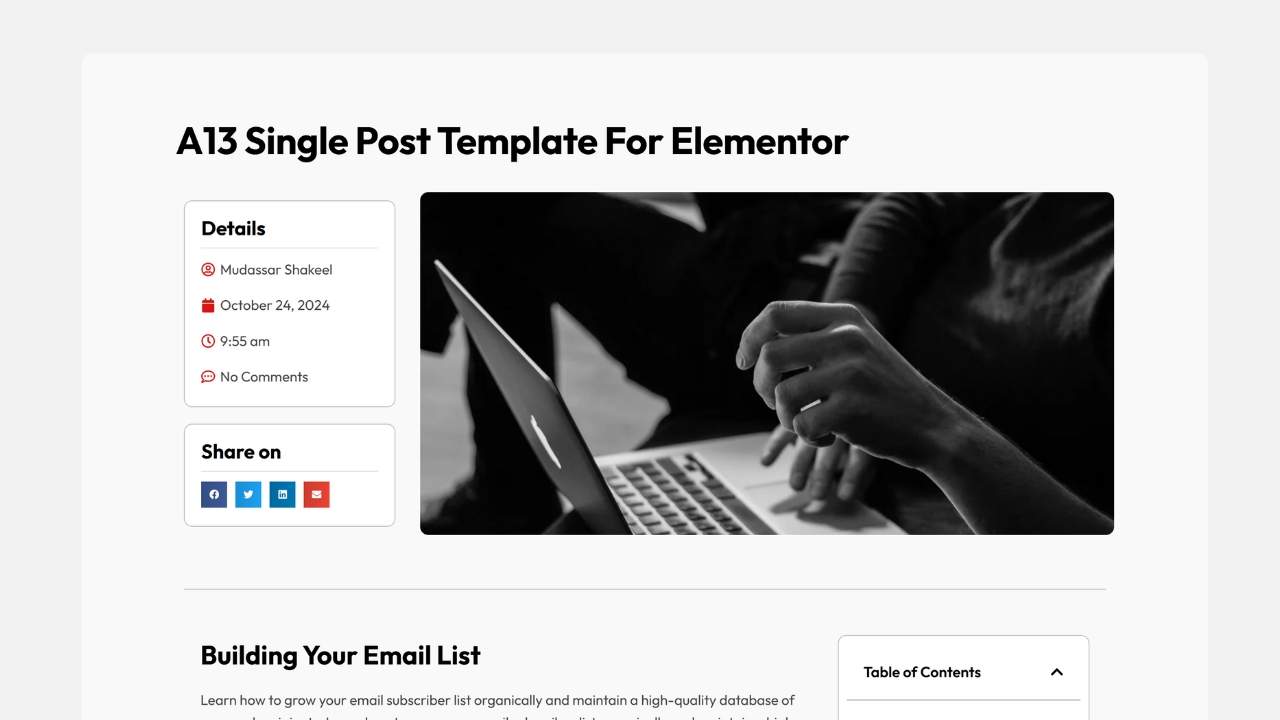
A13 – Clean Left Sidebar Hub
Layout
Moves the sidebar to the left side.
Key Features
- Author information
- Social sharing
- Better navigation
Best For
- Documentation
- Technical reviews
- Product comparisons
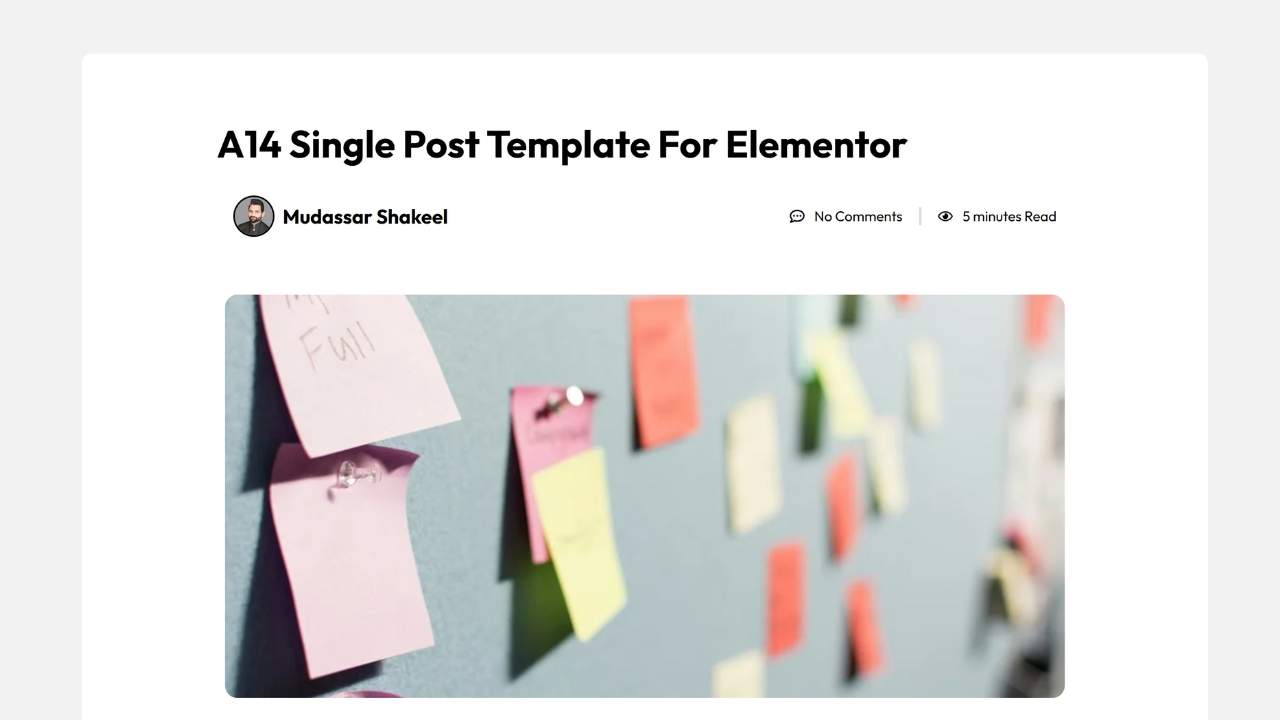
A14 – Minimalist Polaroid Banner
Layout
Elegant article presentation inspired by modern editorial layouts.
Key Features
- Canvas-inspired image
- Thin typography
- Spacious design
Best For
- Interior design
- Architecture
- Lifestyle blogs
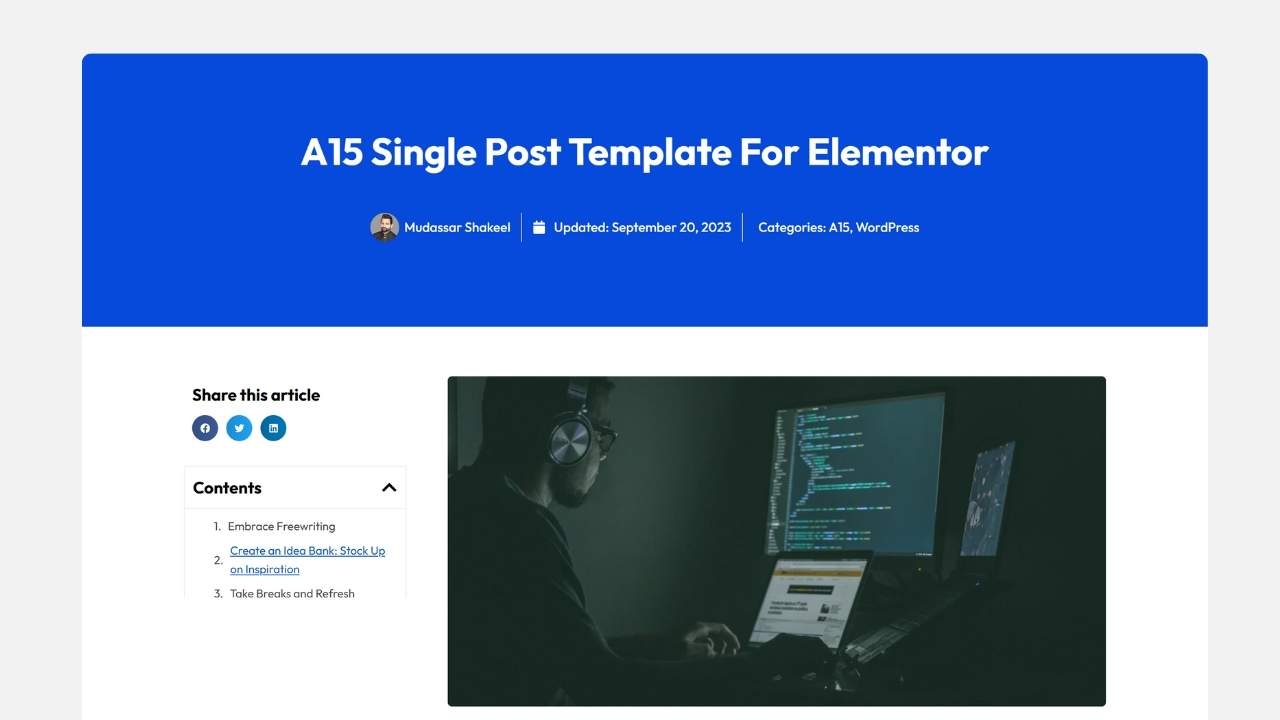
A15 – Royal Blue Header Split
Layout
Strong corporate branding through a full-width colored header.
Key Features
- Royal blue banner
- Feature image integration
- Left-aligned sharing buttons
Best For
- Corporate websites
- SaaS companies
- Marketing agencies
Download These Elementor Single Post Templates
Every layout shown in this guide is designed for Elementor Theme Builder and can be customized in minutes.
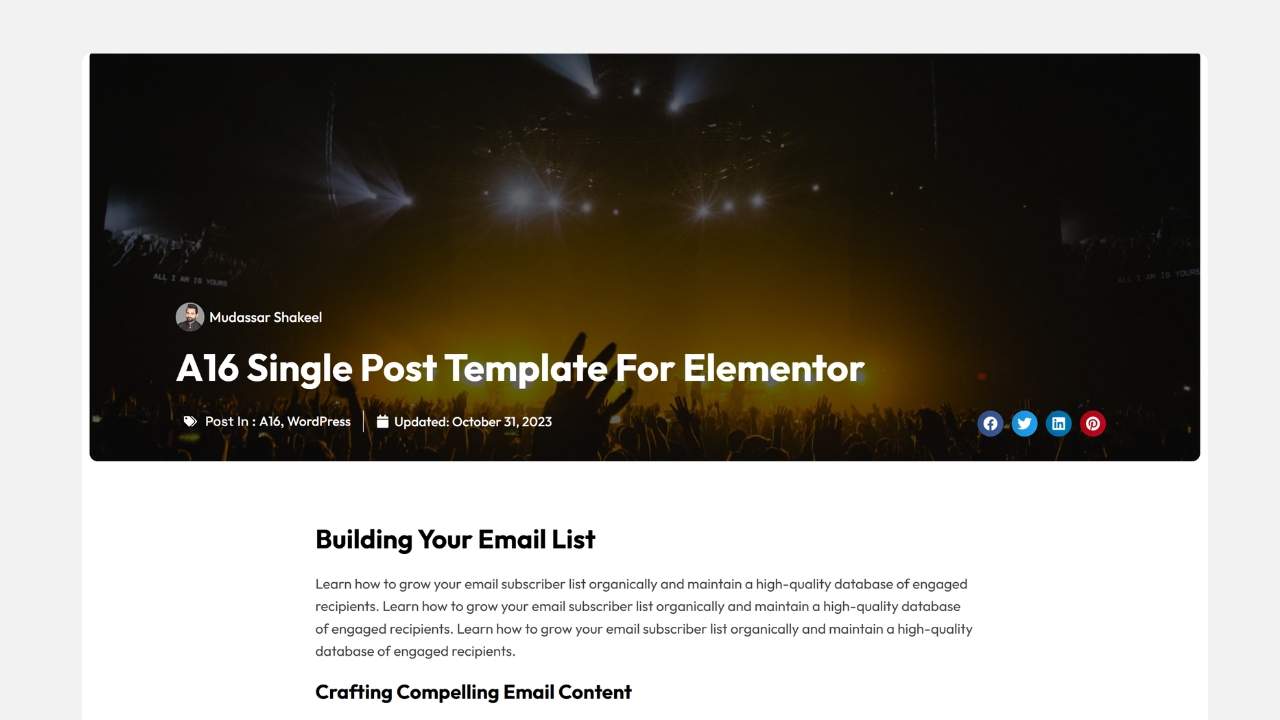
A16 – Dramatic Cinematic Dark Mode
Layout
Premium dark-mode article experience.
Key Features
- Black background
- Cinematic imagery
- Modern navigation
Best For
- Gaming blogs
- Entertainment websites
- Luxury brands
A17 – Magazine Review Feed
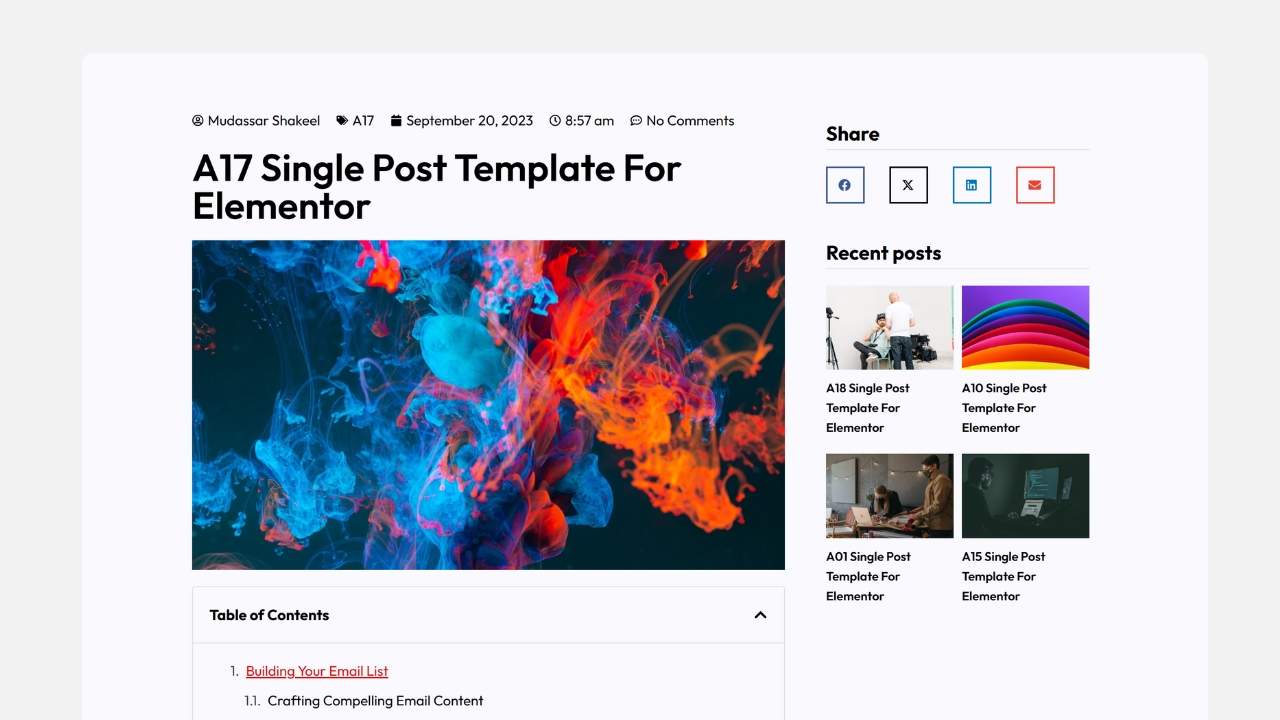
Layout
Feature-rich magazine interface.
Key Features
- Left TOC
- Recent posts
- Multiple content widgets
Best For
- Tech reviews
- Affiliate websites
- News publishers
A18 – E-Commerce Recommendation Stream
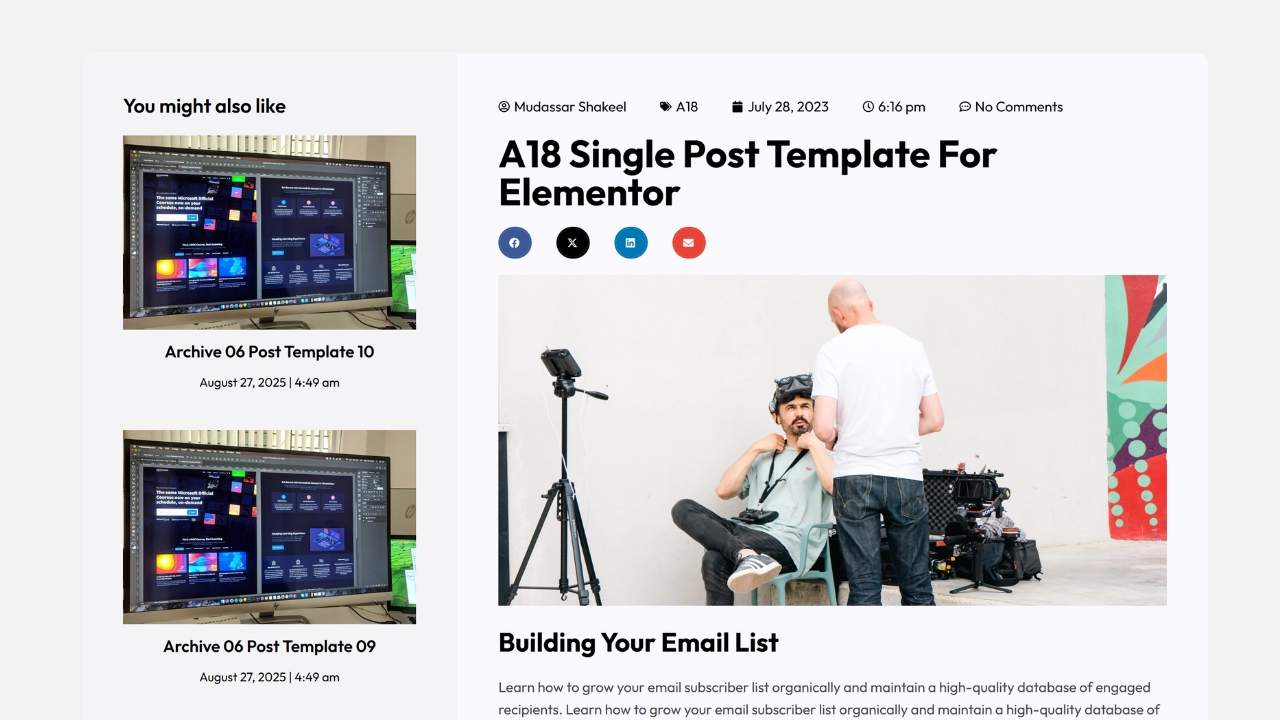
Layout
Designed to increase product discovery.
Key Features
- You May Also Like section
- Social sharing
- Cross-promotion
Best For
- Fashion blogs
- WooCommerce stores
- Digital products
A19 – Gradient Art Canvas
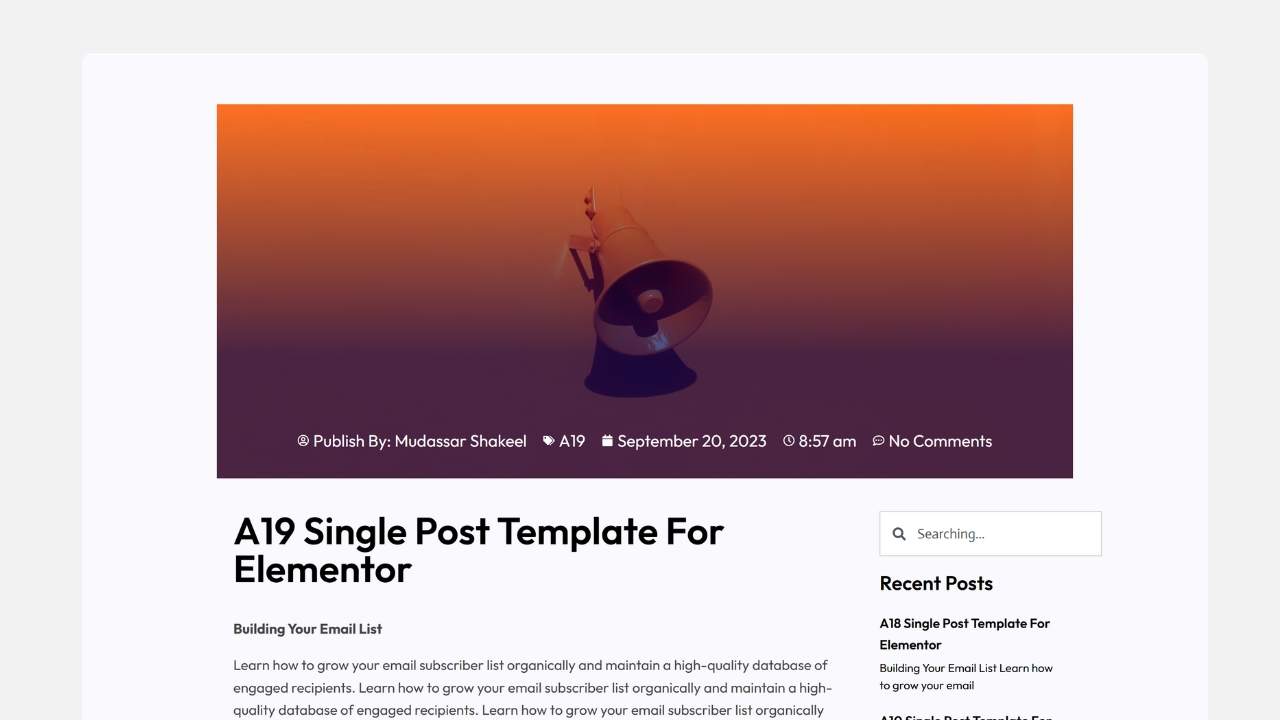
Layout
Creative layout centered around colorful gradients.
Key Features
- Artistic visuals
- Dual-column layout
- Modern typography
Best For
- Branding agencies
- Designers
- Creative writers
A20 – High Contrast Corporate Badge
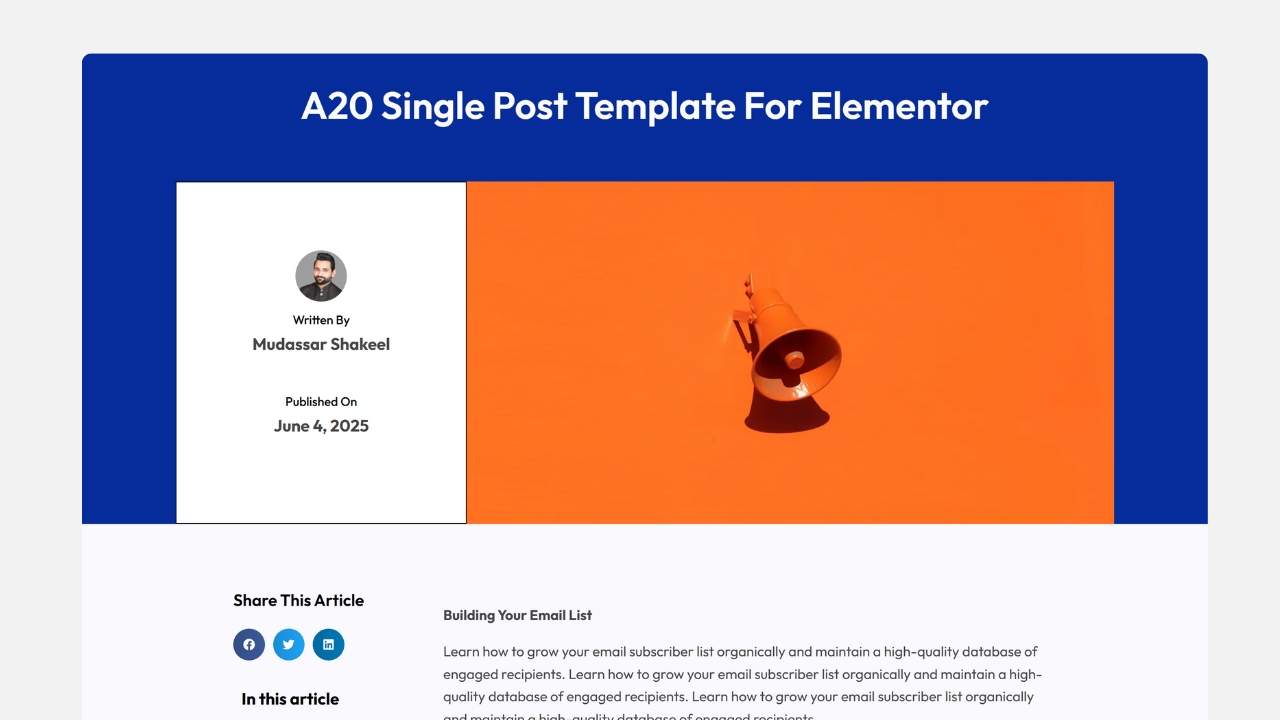
Layout
Professional enterprise layout emphasizing authority.
Key Features
- Royal blue branding
- Large author profile
- Corporate styling
Best For
- Financial websites
- Law firms
- Consulting agencies
Pro Tips for Building Elementor Single Post Templates
1. Use Dynamic Tags Everywhere
Never manually type article titles or upload static images.
Instead, use Elementor’s dynamic widgets:
- Post Title
- Featured Image
- Post Content
- Post Info
- Author Box
- Post Navigation
- Related Posts
Every new blog post automatically inherits the correct content.
2. Set Proper Display Conditions
Inside Elementor Theme Builder:
Display Conditions
Include →
- All Singular
- Posts
You can also create separate templates for different categories such as:
- Technology
- Marketing
- Gaming
- Reviews
- News
3. Keep the Reading Width Comfortable
For the best readability:
- 650–800px content width
- 18–20px body font
- 1.7 line height
- Plenty of white space
This significantly improves reading comfort on desktop screens.
4. Use Custom Fields
Combine Elementor with:
- Advanced Custom Fields (ACF)
- Meta Box
- JetEngine
Display dynamic:
- Product ratings
- Download buttons
- FAQs
- Specifications
- Author details
- Review scores
5. Add Smart Conversion Elements
A beautiful article should also generate leads.
Include:
- Newsletter signup
- CTA buttons
- Related posts
- Product recommendations
- Contact section
- Social sharing
- Sticky Table of Contents
These improve engagement without interrupting the reading experience.
Frequently Asked Questions
Are these Elementor Single Post Templates free?
Mc Starters offers both free and premium Elementor templates. Visit the template library to explore available downloads.
Do I need Elementor Pro?
Yes. Since Single Post Templates use Elementor Theme Builder, Elementor Pro is required.
Can I use different templates for different categories?
Yes. Elementor Display Conditions let you assign unique templates to individual categories, tags, or custom post types.
Will these templates work with any WordPress theme?
Yes. They work with most Elementor-compatible themes, including Hello Elementor, Astra, Kadence, Blocksy, GeneratePress, and others.
Are the templates responsive?
Yes. Every template is designed to work across desktop, tablet, and mobile devices.
Can I customize everything?
Absolutely. Colors, typography, spacing, widgets, layouts, buttons, dynamic fields, and sections are fully editable inside Elementor.
Which template is best for SEO blogs?
Templates with clean typography and Table of Contents sections such as A05 and A17 are excellent choices for long-form SEO content.
Final Thoughts
A well-designed Elementor Single Post Template transforms an ordinary article into an engaging reading experience. Whether you’re publishing tutorials, affiliate content, corporate updates, product reviews, or creative portfolios, choosing the right layout improves readability, increases engagement, and encourages visitors to explore more of your website.
The 20 templates covered in this guide provide solutions for nearly every type of blog or publication. By combining Elementor Theme Builder, dynamic content, responsive design, and strategic conversion elements, you can build professional article pages that not only look great but also help grow your audience and business.
Ready to upgrade your blog? Explore the latest Elementor Single Post Templates from Mc Starters and start creating beautiful, high-converting article layouts today.
Build a Complete Elementor Website
Looking for more than Single Post templates?
Mc Starters provides hundreds of professionally designed Elementor templates including:
- Single Post
- Archive
- Blog Grid
- Mega Menu
- Popups
- Headers
- Footers
- Landing Pages
- WooCommerce Templates