
Most of the website owners want their contact or subscription form to Redirect to another page after form submit Squarespace. That’s will be a great user experience if you are redirecting users into a custom thank you page or any other external page after submitting a form.
We Provide Free WordPress Templates. Check Out Here.
Redirect to another page after form submit Squarespace
Please follow the below step to Redirect to another page after form submits in Squarespace.
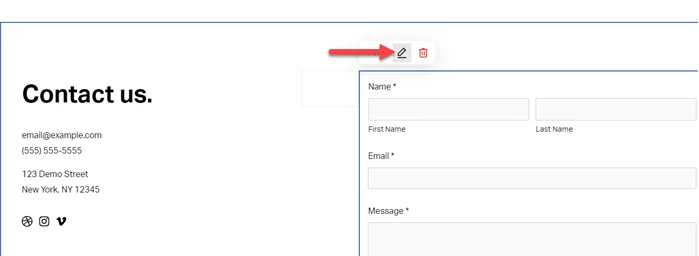
Step 1: Go to Contact Page > Form > Click on Edit icon.
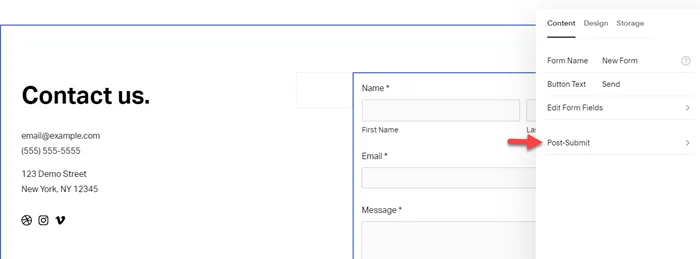
Step 2: Under content click on Post-Submit.
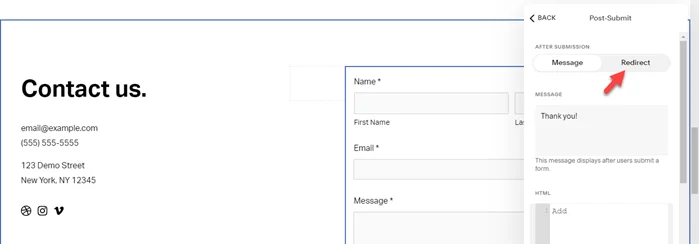
Step 3: Now here click on Redirect.
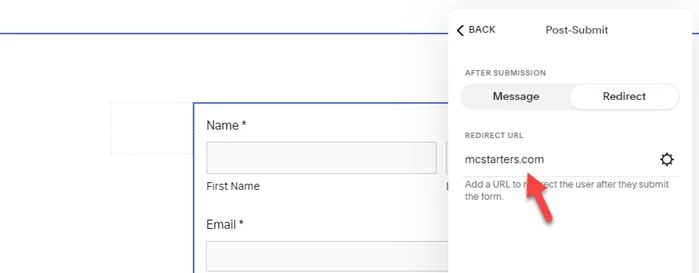
Step 4: Last, under redirect URl enter the URL that you want. It’s may be external URL or Thank you page.
I hope you found this post valuable. If you did, leave a comment below. I’ll see you there!
Create a website with Elementor Page Builder.