
Protect your device from Malware with NordVPN’s File Scanning Feature and Scan files you download for malware with a few simple steps
In today’s digital age, a single careless click on a suspicious link or attachment can spell disaster for your device. Malware, or malicious software, can infiltrate your system and wreak havoc within seconds. However, there’s a simple solution to safeguarding your device from such threats: nordVPN’s file-scanning feature.
How to download NordVPN (Desktop, Mobile & Extensions)
How does File Scanning Work?
But how exactly does this feature work, and how can you utilize it to protect your device effectively?
NordVPN’s file scanning feature is an integral part of its Threat Protection suite, designed to block malware-infected files, dangerous websites, trackers, and malicious ads. Once activated, Threat Protection diligently scans your files during the download process. If any malware is detected, it promptly deletes the malicious files, preventing them from causing harm to your device.
Scan files you download for malware With NordVPN
So, how can you take advantage of nordVPN’s file-scanning feature?
nordVPN’s file scanning feature is compatible with all popular web browsers, including Chrome, Safari, Edge, and Firefox, ensuring comprehensive protection while browsing the internet.
Enable file scanning feature on Windows Using NordVPN:
Here are a few steps to enable file scanning on Windows.
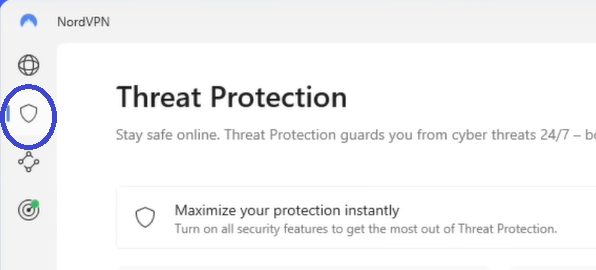
Step 1: Open the NordVPN app, and click on the shield icon in the sidebar.
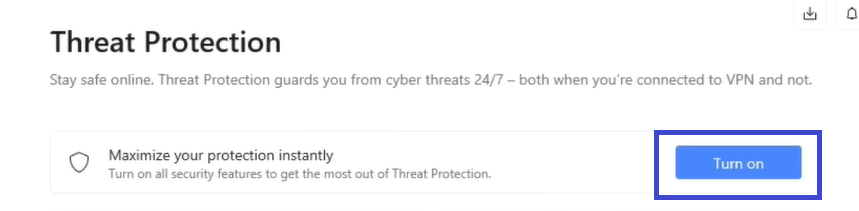
Step 2: Click the “Turn On” button.
Step 3: Access the “View activity and customize” section under the files tab.
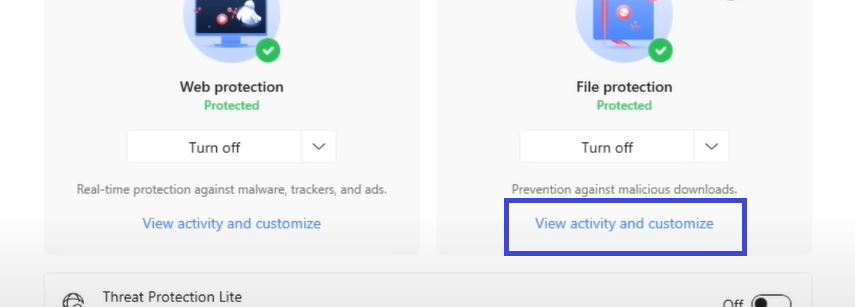
Step 4: Enable File Protection.

Enable file scanning feature on Mac Using NordVPN:
Here are a few steps to enable file scanning on Mac.
Step 1: Opening the NordVPN app, click on the shield icon, and locate the Threat Protection section.
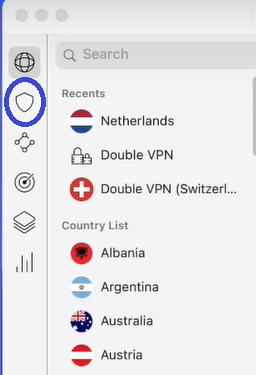
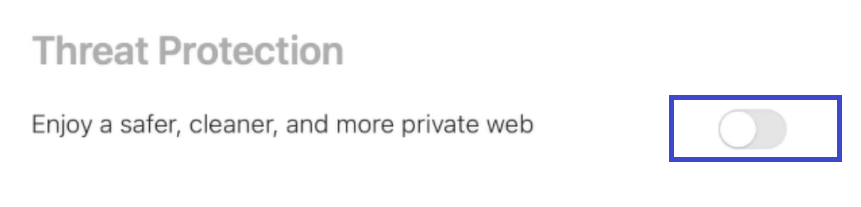
Step 2: Toggle the Threat Protection switch on.
Step 3: Access the “Settings” tab to enable “Block infected files.“


Once activated, nordVPN’s Threat Protection feature runs seamlessly in the background, continuously monitoring your downloads for malware in real-time. The best part? You don’t even need to be connected to the VPN for the file-scanning feature to work.
Conclusions:
In conclusion, safeguarding your device from malware has never been easier with nordVPN’s file scanning feature. Protect your digital assets and enjoy peace of mind while surfing the web by getting nordVPN today!