

The Toggle Widget allows you to build collapsed text boxes where the visitor only sees the titles of the text box items. This allows you to present your content in a compact format, allowing visitors to swiftly sift through the titles without having to navigate through a long page.
Download Elementor mega menu templates
Elementor toggle widget contain icons but not have any options to increase icon size within toggle widget Elementor. To increase icon size need to custom CSS code.
You Might Also Like: Free Elementor Templates For Websites
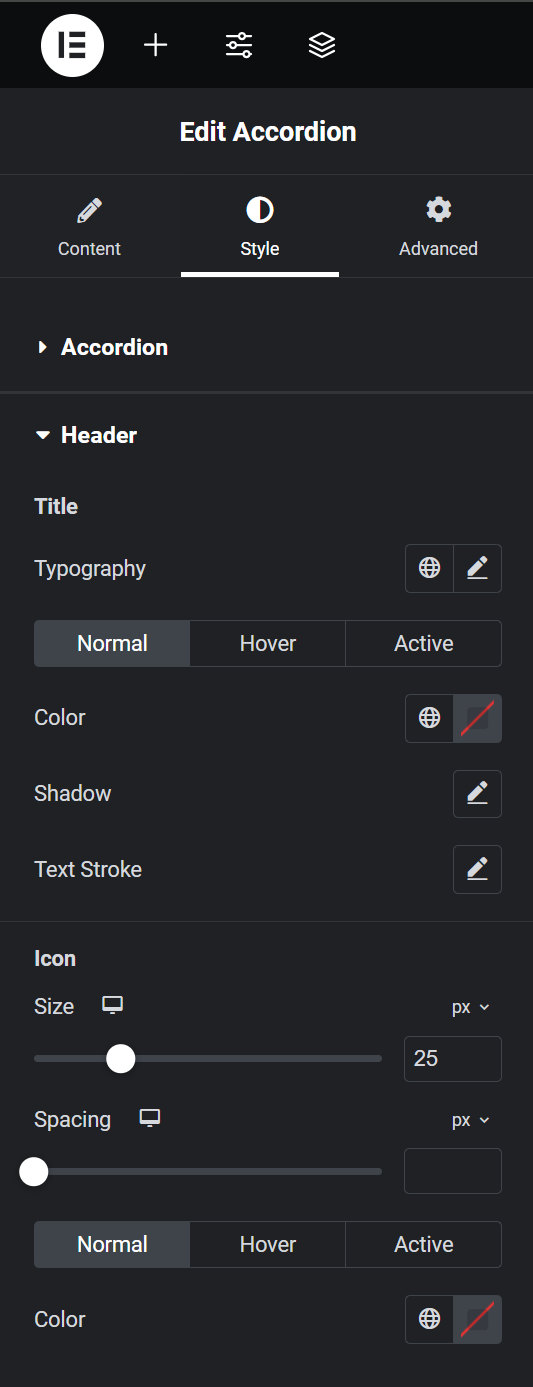
Elementor accordion icon size
Step 1: Add accordion widget.
Step 2: Go to style >Header > Change icon size.
Increase icon size within toggle widget in Old Elementor version.
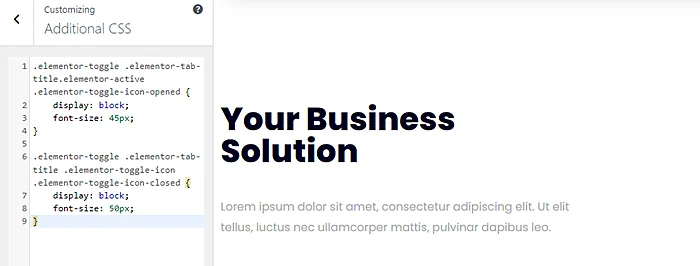
Step 1: Copy Below Code
.elementor-toggle .elementor-tab-title.elementor-active .elementor-toggle-icon-opened {
    display: block;
    font-size: 45px;
}

.elementor-toggle .elementor-tab-title .elementor-toggle-icon .elementor-toggle-icon-closed {
    display: block;
    font-size: 45px;
}
Step 2: Paste code into Appearance > Customize > Custom CSS and you can adjust the icon size by changing font size.
You Might Also Like to Hire: Elementor Pro Expert