
Google provides the platform to create Google Map API key to handle website maps. But recently, it can change the method to create the API keys on the Google Maps platform. Now. first to important to enable the billing account with a bank and credit card account. It also has a valid API key for all projects. After creating the billing account must be access to free or monthly charges and the Google Maps platform also decided to provide the standard rates. It provide change with the limited usages and free api keys with with no charge.
In this plog post, I am telling you how to create a Google Map API key.
Step by step guide to create a Google Map API key
Create a Google map key by following these step-by-step instructions.
Step 1: First to enable the the billing accounts Go to the provided link, click “GET STARTED,” and select “Maps.” Click “CONTINUE.“ Create a new project or select an existing one and click “Next.” Select your country to create a billing account and click “Confirm.” Add customer information. Choose your payment method, add payment details, and click “Submit” to enable billing.
Step 2: Select your website from the Account Overview page.
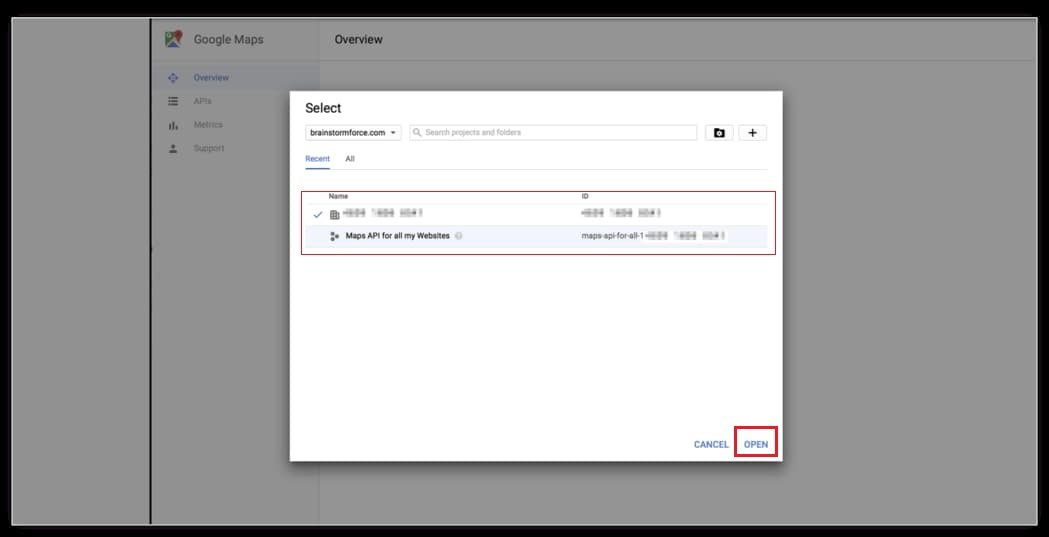
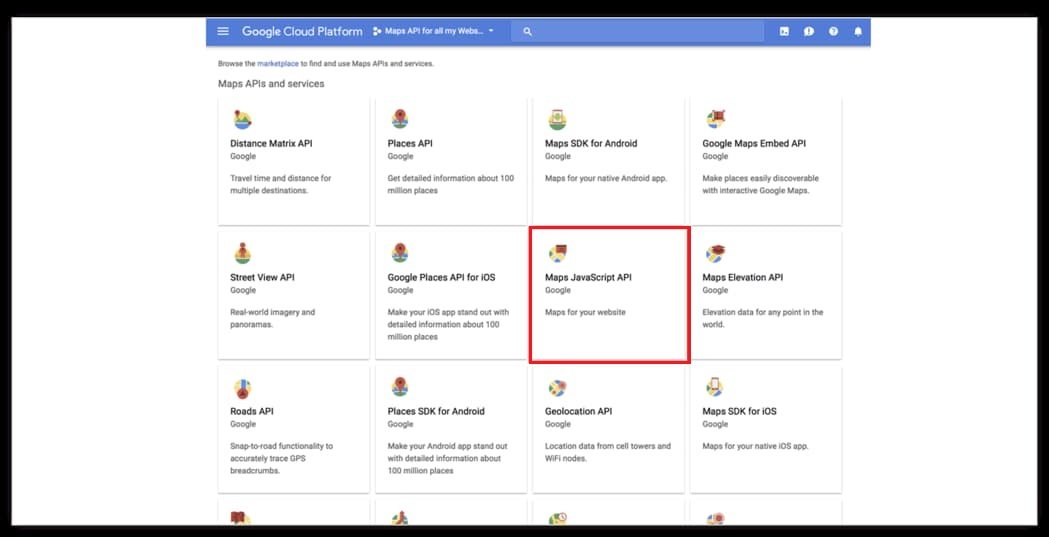
Step 3: Choose “Maps JavaScript API.”
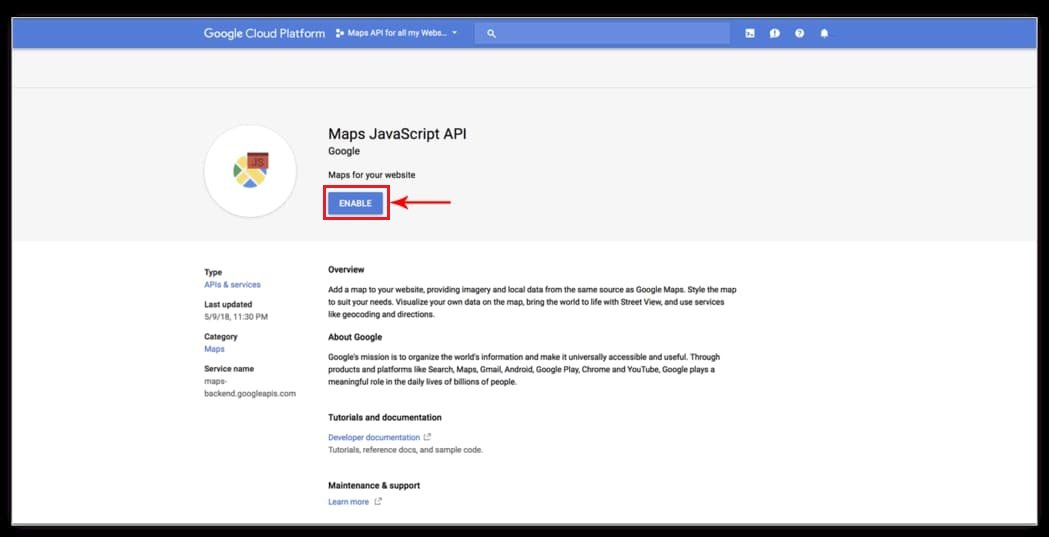
Step 4: Enable Maps for your website.
Step 5: Choose “APIs credentials.”
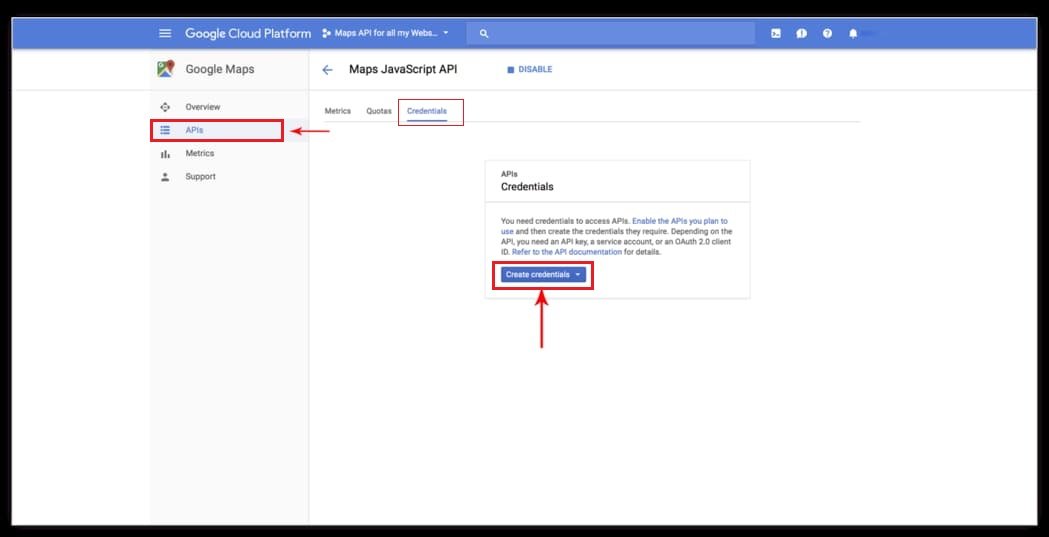
Step 6: Select “API Key” option.
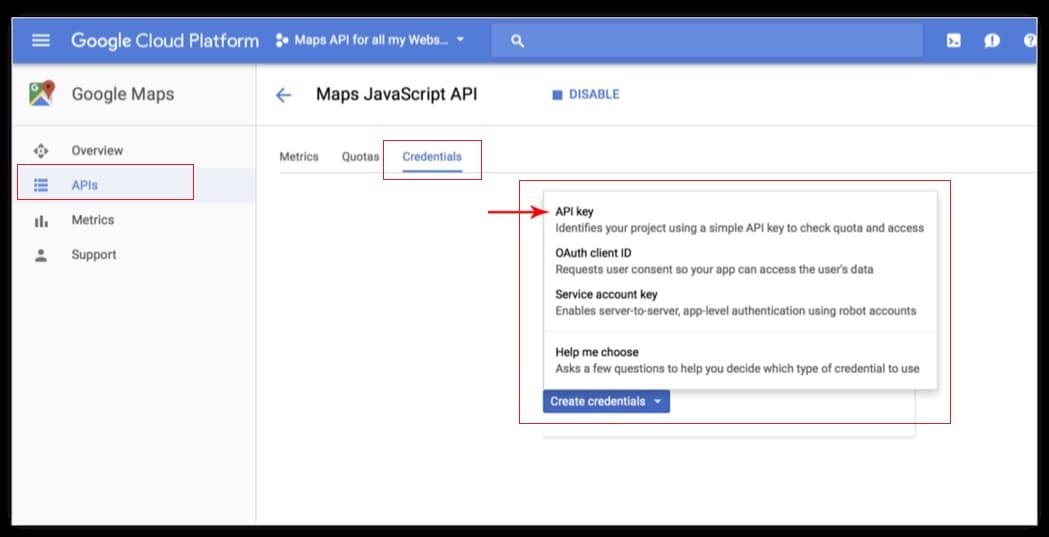
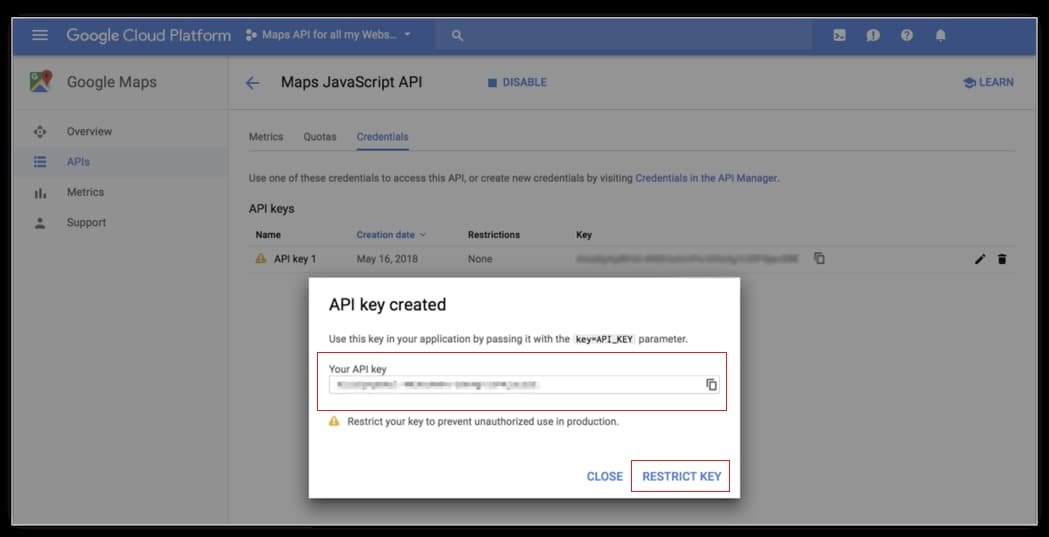
Step 7: Copy the generated API key.
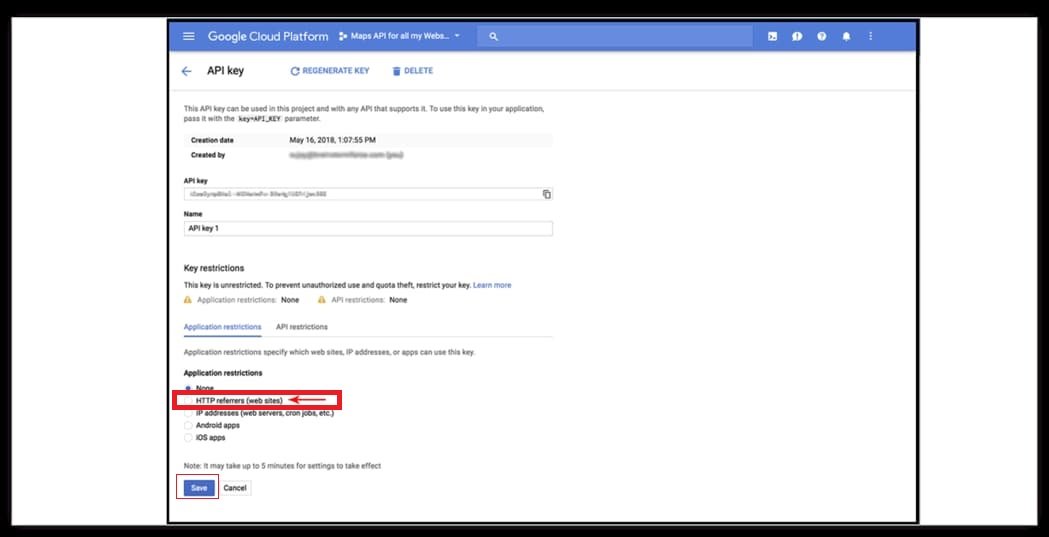
Step 8: Select HTTP referrers for your site. This is important for security and usage control.
Step 9: Monitor map usage on your account overview page.
After creating you can add Google maps API keys in Elementor, Webflow and Divi plugins.
By following these steps, you’ll have successfully set up an API key for the Google Maps JavaScript API, allowing you to integrate Google Maps into your website or application.