6 best insurance theme for Elementor

You’ve come to the perfect place if you want to build a website for an insurance company. You’ll find a variety of designs and features in our list of the top best insurance theme for Elementor.

You Might Also Like Free Elementor Templates For Website.

Some of these insurance WordPress themes come in a variety of styles, offering you a variety of options for your new website’s appearance. Other themes in this category give you just one pre-built layout or demo to build your site on, which means you’ll have to make fewer decisions when it comes to setting up your site – simply activate the theme and begin adding content.

In WordPress, Elementor provides the quickest and simplest editor. Editing that is responsive. Change to mobile view and fine-tune each element to make it look great on any device.

You Might Also Like: Elementor Pro Website Builder

Best insurance theme for Elementor

Here we list the 5 best insurance themes for Elementor which you can get from ThemeForest websites. So let’s start.

  • Alico – Insurance WP
  • Lyfplan – Insurance WordPress Theme
  • YourProtect – Insurance & Finance WordPress Theme
  • Insolan – Insurance Agency WordPress
  • Topika – Insurance Company WordPress Theme
  • Assurena – Insurance Agency WordPress Theme

You Might Also Like: Best Insurance WordPress themes

Alico – Insurance WP

Alico – Insurance WP

Alico is a WordPress theme for the insurance industry. This theme is appropriate for many types of businesses, including corporate, insurance, and banking. Every month, the theme will be updated.

Feature of Alico – Insurance WP Theme

  • Alico have 12+ awesome demos
  • Easy to Customize
  • Dedicated Support
  • Fully Responsive
  • 1 Click Demo Install

Lyfplan – Insurance WordPress Theme

Lyfplan – Insurance WordPress Theme

The Lyfplan WordPress Theme is a modern Insurance WordPress theme. Develop websites for business consulting firms and insurance firms, as well as insurance agents, independent agencies, and trading firms.

Features of Lyfplan – Insurance WordPress Theme

  • Elementor Ready
  • One click demo importer
  • 100% Fully Responsive
  • Well organized code with Coding Standards
  • Cross-browser compatibility
  • Compatible with “Contact Form 7” plugin
  • Theme Options
  • Color schema and typography settings

YourProtect – Insurance & Finance WordPress Theme

YourProtect – Insurance & Finance WordPress Theme

YourProtect is the best insurance and finance WordPress theme with a unique design. They have a good rating on the ThemeForest website.

Features of YourProtect Theme

  • Gorgeous Home Page Layouts
  • A lot of features for Elementor Page Builder
  • Modern Design
  • Flexible, Drag & Drop Header Builder with Presets
  • Customizable colors and fonts
  • More than 30 modules with all the necessary settings
  • One-Click Demo Content Import

Insolan – Insurance Agency WordPress

Insolan – Insurance Agency WordPress

Insolan is a WordPress theme for insurance companies and agencies that comes with pre-built web features to assist you in creating your own website.

The Insolan WordPress Theme is very easy to adjust, and it comes with a lot of features and a powerful admin panel that allows any client to create a great website. Insolan also has a number of capabilities for creating a professional-looking website with an appealing design.

Features of Insolan – Insurance Agency WordPress

  • Clean & Simple Design
  • Fully Responsive Layout
  • One Click Demo Import
  • Powerful Theme Options
  • 2 Index Home Layout
  • RTL Support
  • Elementor Page Builder

Topika – Insurance Company WordPress Theme
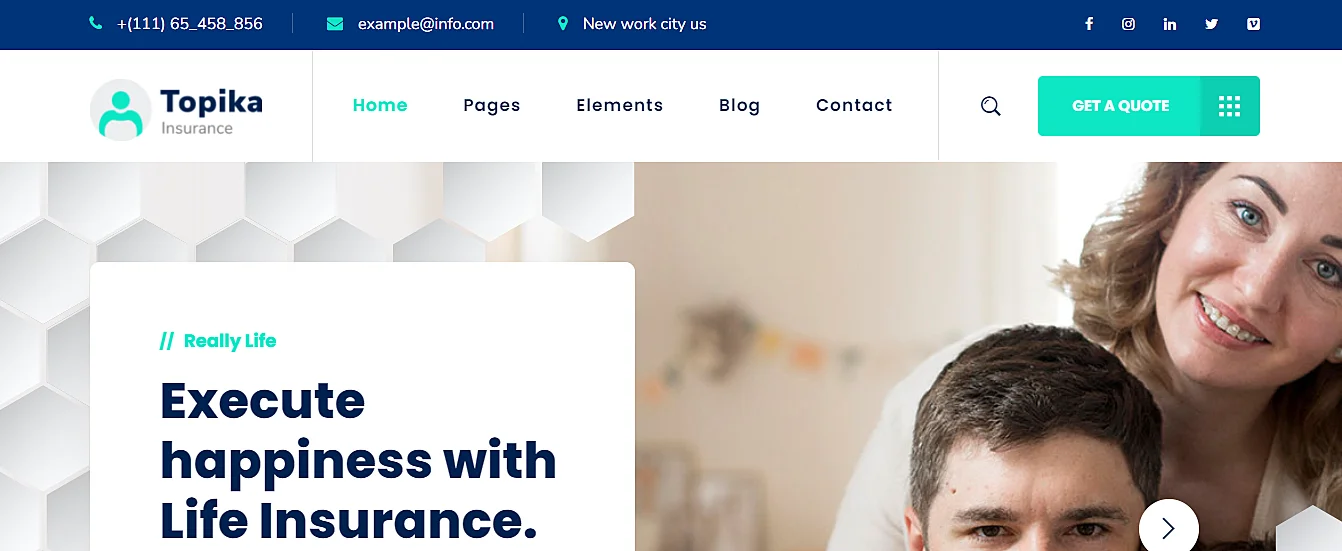
Topika – Insurance Company WordPress Theme

Any insurance firm will find Topika theme to be the ideal answer. You can get started straight away because it’s well-organized and simple to alter and modify. The theme is built with the Elementor page builder, making it even easier to personalize your site without having to know how to code.

Features of Topika Theme

  • Drag and drop page builder – Elementor
  • Demo content
  • One click installation
  • Powerful framework
  • Detailed documentation

Assurena – Insurance Agency WordPress Theme
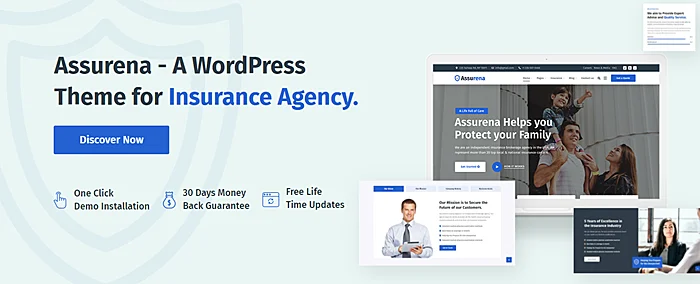
Assurena – Insurance Agency WordPress Theme

Assurena is a simple, responsive WordPress theme designed for insurance agencies, insurance advisors, consulting firms, financial firms, and small businesses. Assurena is certain to supply you with every layout, function, and option you may possibly require to create a gorgeous corporate website with ease.

Features of Assurena WordPress Theme

  • Highly Customizable
  • No coding knowledge required
  • One-Click Demo Content Import
  • WooCommerce compatible
  • Elementor Drag & Drop Page Builder
  • SEO Optimized

I hope you like that and decide the theme for the insurance website but if still not then comment below or post a question in the forum.

Frequently Asked Questions

What are the best insurance themes for Elementor?

Here is the list of the best insurance themes for Elementor.
1. Alico – Insurance WP
2. Lyfplan – Insurance WordPress Theme
3. YourProtect – Insurance & Finance WordPress Theme
4. Insolan – Insurance Agency WordPress
5. Topika – Insurance Company WordPress Theme
6. Assurena – Insurance Agency WordPress Theme

You Might Also Like to Hire: Elementor Designer for Website
How to make the WordPress site public?

In this post, you will learn how to make the WordPress site public. I will show step by step. You need to follow every step but if still can’t do this then comment below. I will help you.

You Might Also Like: Free Elementor Templates

Make the WordPress site public

To make the WordPress website public you need to do following steps:

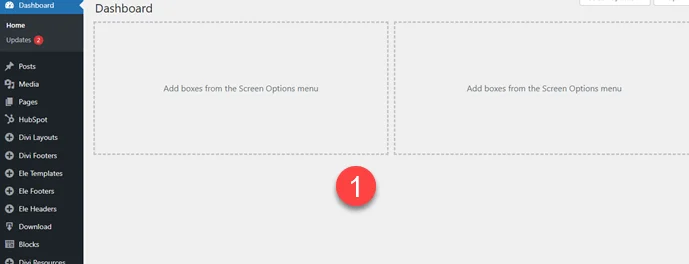
Step 1: First you need to Open WordPress Dashboard.

Open WordPress Dashboard

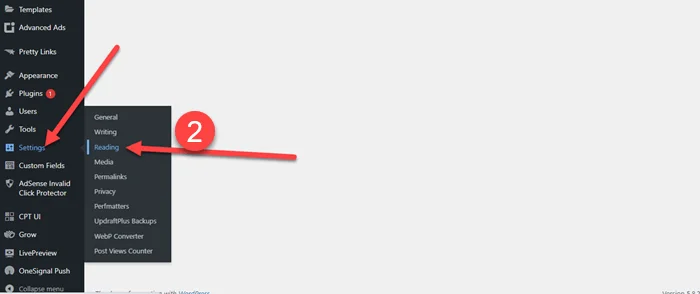
Step 2: Now Scroll down you see setting tab and under setting atb you click on Reading.

WordPress Reading

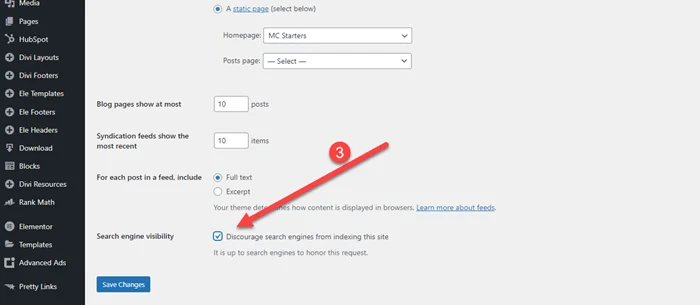
Step 3: Now you see “Discourage search engines from indexing this site” is Checked.

Discourage search engines from indexing this site Setting

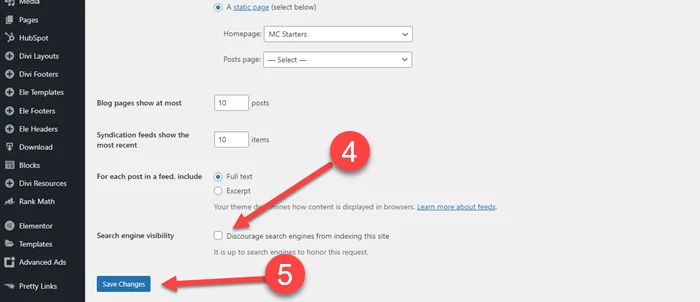
Step 4: Now Make sure “Discourage search engines from indexing this site” is unchecked. 

Step 5: Click on Save Changes

Uncheck Discourage search engines from indexing this site Setting

If you website not index yet you also need to do the following thing.

You Might Also Like: Rank Math SEO Plugin

Video Tutorial

Frequently Asked Questions

How do I make my WordPress site Public?

To make WordPress site public or live, you just go to setting> Reading Tab > Uncheck “Discourage search engines from indexing this site”. After this you also need submit xml sitemap to rank website fast in google search engine.

What is the first step to Rank Website in Google?

Making website public or live is the first step to rank website in google. Another important step is to submit website to google search console and Bing webmaster tool. If you are use WordPress then must install WordPress plugin.

You Might Also Like: WordPress Web Design Services

How to Change Elementor Default Hamburger Menu Icon

Elementor is a fantastic page builder, and it is the most popular page builder for WordPress. They have hundreds of Elementor header, footer and full page templates.

Download Free Elementor Templates and Make Website in Less Time and without coding.

Elementor Pro comes with a header builder. With header builder, we easily add menus, logos, and icons. But some developers want to Change Elementor Default hamburger Menu Icon into custom icons, custom images, and text. 

Get Best Page Builder: Elementor Pro

In this post, I will show you how to change an elementor hamburger menu icon without having to use a plugin.

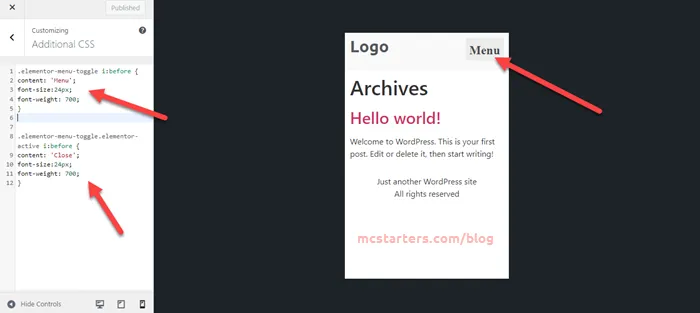
Add Text to Elementor Hamburger Menu Icon

Add Text to Elementor Hamburger Menu Icon

Step 1: Copy below code and paste into Appearance > Customize > Additional CSS.

Step 2: You can replace “Menu” text with any text you want.

.elementor-menu-toggle i:before {
content: 'Menu';
font-size:24px;
font-weight: 700;
}
.elementor-menu-toggle.elementor-active i:before {
content: 'Close';
font-size:24px;
font-weight: 700;
}

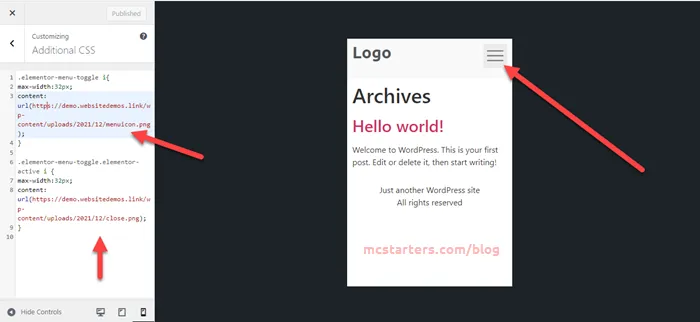
Add own image icon to Elementor Hamburger Menu Icon

Add own image icon to Elementor Hamburger Menu Icon

Step 1: Copy below code and paste into additional CSS.

Step 2: Replace image with own image Url.

.elementor-menu-toggle i{
max-width:32px;
content: url(https://mcstarters.com/blog/wp-content/uploads/2021/12/menuicon.png);
}

.elementor-menu-toggle.elementor-active i {
max-width:32px;
content: url(https://mcstarters.com/blog/wp-content/uploads/2021/12/close.png);
}

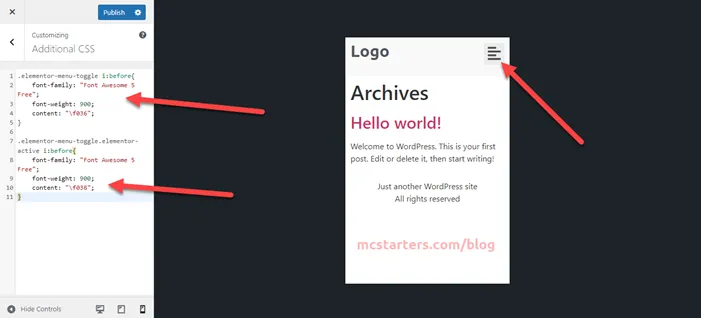
Add custom icon to Elementor Hamburger Menu Icon

Add custom icon to Elementor Hamburger Menu Icon

Step 1: Copy below code and paste into WordPress child theme or Additional CSS.

Step 2: Get more icon code here if you want to change icons.

.elementor-menu-toggle i:before{
    font-family: "Font Awesome 5 Free"; 
    font-weight: 900; 
    content: "\f036";
}

.elementor-menu-toggle.elementor-active i:before{
    font-family: "Font Awesome 5 Free"; 
    font-weight: 900; 
    content: "\f038";
}

Video Tutorial:

That’s it! If you have any questions, feel free to comment below.

For Problem Solution and Web Design: Hire Elementor Expert.

Faq : Change the hamburger icon in Elementor

How do I change the hamburger icon in Elementor?

You can change hamburger icon in Elementor with the help of custom code. Get custom code from this post and paste code into appearance > customize > custom CSS.

How do I change the menu style in Elementor?

You can change menu style in Elementor theme builder. It is easy to use with drag and drop system.

6 Free Keyword Research Tools

Looking for the best keyword research tools for your business or bog? Here’s what we use to achieve success.

You Might Also Like: Best Speed Optimization WordPress Plugins

Free Keyword Research Tools

  • Google Trends
  • Keyword Generator
  • GSC
  • Answer The Public
  • Keyword Surfer
  • Keyword Sheeter

Google Trends

Google Trends

Google Trends imagines the relative search demand of a keyword over time. Google Trends is a free tool from Google that provides data and graphs on the popularity of specific searches in Google and YouTube. Following are the features of google trend that love everyone.

  • Using Google Trends to Find Niches
  • Help to Find Relevant Product Categories in Related Topics
  • Using Google Trends for Keyword Research
  • Help to Find Niche Topics by Region

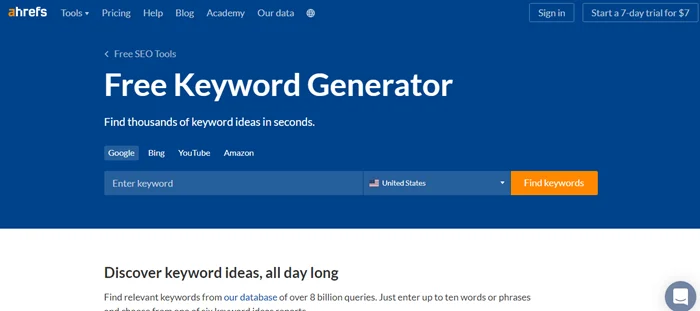
Ahref Keyword Generator

ahref Keyword Generator

Ahref Keyword Generator finds up to 150 keyword ideas for any seed keyword. Ahref is the best keyword research tools. Free Ahref comes with these keyword research type:

  • Google Keyword Research
  • Bing KW Research
  • YouTube Keyword research
  • Amazon research.

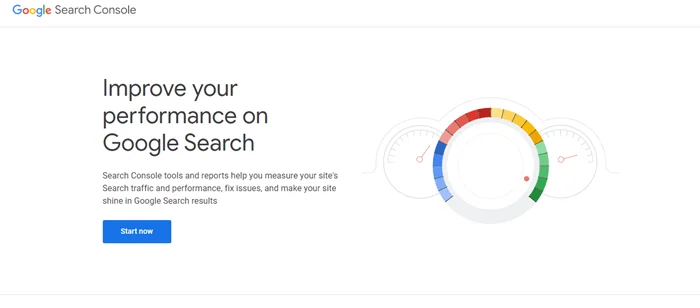
GSC

GSC

GSC help you track your website performance in organic search result. Google search console is the 100% free tool by google. here are some core features of google search console.

  • Search Analytics Report
  • Data Highlighter
  • GSC helps thee site owner to see your site exactly as Google sees it.
  • It allows you to submit pages for rapid indexing.

Answer The Public

Answer The Public

Answer the Public finds questions, prepositions, and related searches. Following are the feature of Answer the public.

  • Unlimited daily searches
  • Monitor & get Alerted to new suggestions
  • Compare data over time
  • Create folders to organize your research
  • Export your results to CSV

Keyword Surfer

Keyword Surfer

Keyword Surfer is a free Chrome extension that shows search volumes. Following are the core features of keyword surfer.

  • Content Editor
  • Content Planner
  • SERP Analyzer
  • SEO Audit
  • Keyword Research
  • Keyword Surfer
  • Content Editor Extension

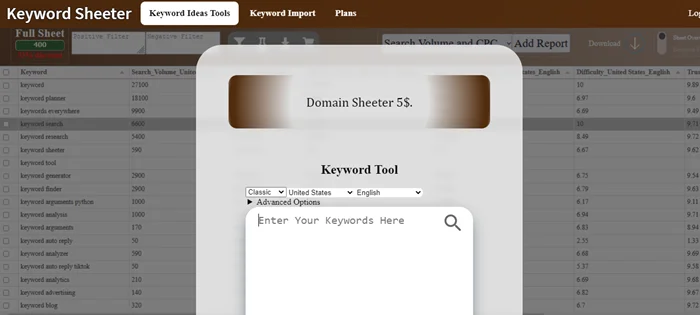
Keyword Sheeter

Keyword Sheeter

Keyword Sheeter pulls thousands of autocomplete suggestions from Google. It is also best bulk keyword research tools. here is list some features of keyword sheeter.

  • Free Keyword Tool
  • Keyword Difficulty Grader
  • Search Volume and CPC
  • Domain Availability Checker
  • Bulk Keyword Tool

Frequently Asked Questions

What are the free keyword research tools?

You Might Also Like: WordPress website services

6 Best Website Builder Of 2025

Looking for the top best website builder for your business website or blog? Here’s what every business owner use to achieve success.

You Might Also Like: free elementor templates for websites

Best Website Builder

  • Zyro Builder
  • Site123 Builder
  • Strikingly Builder
  • Wix Site Builder
  • Square Space
  • Weebly Builder

Zyro Builder

Zyro Builder

Hostinger-owned Zyro offers a website builder which is very easy-to-use. Folowing are some core features of zyro website builder.

  • Professional templates
  • No coding necessary
  • Complete creative control
  • Brilliant blogging tools
  • E-Commerce functionality
  • Universal payment solution
  • Domains and hosting
  • Service and security
  • Search optimization
  • Powerful integrations
  • Mobile-ready
  • AI business tools

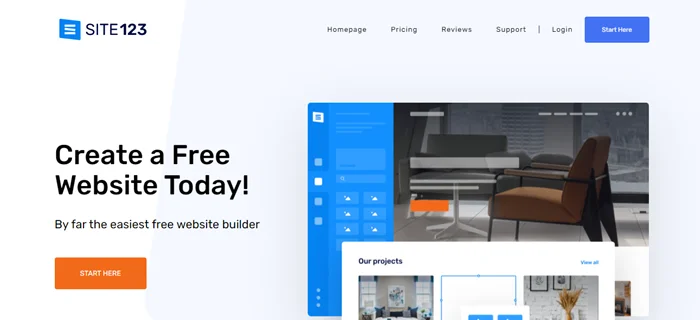
Site123 Builder

Site123 Builder

Create a free website with SITE123. No design or coding skills required. You can look at Site123 best free Website builder.

  • Responsive Web Design
  • SEO Tools
  • Sell Online
  • Free Hosting
  • Personal Blog
  • Free Website Domain
  • Email Accounts
  • 24/7 Website Support
  • Free Image & Icons Library
  • Multilingual Website
  • Schedule Booking
  • Events
  • Restaurant Reservations
  • Website Design Tools
  • Logo Tools
  • Custom Form Builder
  • Image Galleries
  • One Page / Multi-Page Option
  • Email Marketing
  • Professional Fonts
  • Social Media Integration

Strikingly Builder

Strikingly Builder

Strikingly is the best free website builder to create a mobile-friendly website easily. Strikingly is also best online website builder. Below we list some features of Strikingly.

  • Domain Names
  • Simple Store
  • Simple Blog
  • Analytics
  • Sign Up & Contact Forms
  • Social Feed
  • HTTPS Built-in

Wix Site Builder

Wix Site Builder

Choose a stunning template and customize anything with the Wix Builder. Wix is the one of best place to make a website. Following are the core features of wix website builder.

  • Wix Editor
  • Stunning Templates
  • Mobile Optimized
  • Unlimited Fonts
  • Total Design Freedom
  • App Market
  • Scroll Effects
  • Advanced SEO Tools
  • Advanced Design Features
  • Media Galleries
  • Built-in SEO Tools
  • Custom Domain Name
  • Beautiful Storefront
  • Multiple Payment Methods

Square Space

Square Space

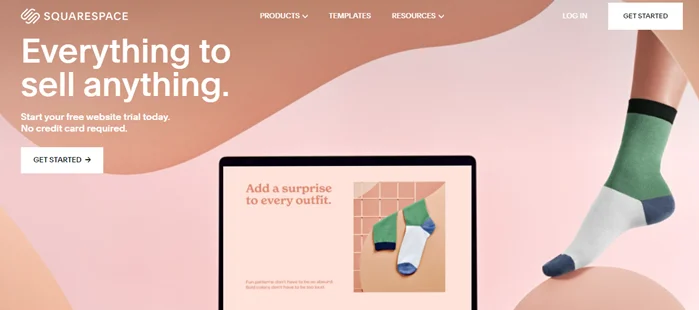
Squarespace is the all-in-one solution for anyone looking to create a beautiful website. Square is also best website builder for small business. Some features of SquareSpace.

  • Starter Layouts
  • Built-in Mobile Websites
  • BLOGGING
  • Commerce
  • Free Domain
  • Security and Privacy
  • Marketing
  • Analytics
  • Built-In SEO Tools
  • Extensions

Weebly Builder

Weebly Builder

Weebly’s free website builder makes it easy to create a website, blog. Weebly website is easy to use and cheap. Following are the features of Weebly.

  • Builder
  • Ecommerce
  • Mobile Apps
  • App Center
  • Domain Names
  • SEO
  • Blogging
  • Forms
  • Hosting

Frequently Asked Questions

Which is best website builder?

What’s the easiest website builder?

Wix is the easiest website builder that i ever use.

You Might Also Like to Hire: Elementor Website Developer
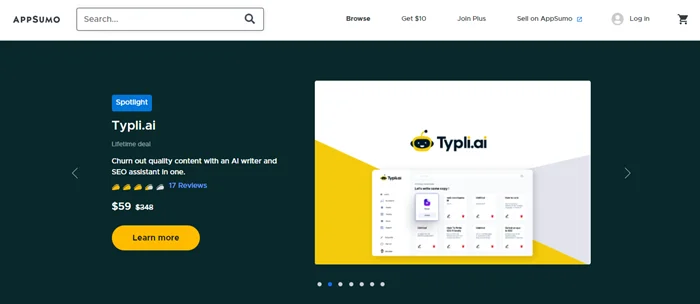
Tools That Drive Success For Your Small Business

Looking for the best tools for your business? Here’s what we are some tools That Drive Success For Your Small Business.

You Might Also Like: free elementor template for Websites

Tools That Drive Success For Your Small Business

  • NameCheap
  • Grammarly
  • Hostinger
  • Domain.Com
  • Stack Path CDN
  • App Sumo
  • Canva
  • Envato Elements
  • Sucuri Security

NameCheap

Tools That Drive Success For Your Small Business Namecheap

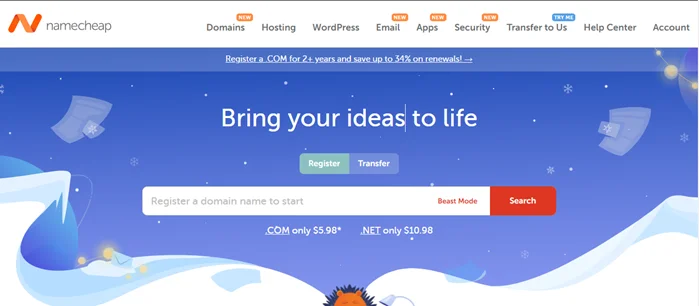
Provide One of the Best cheap and reliable Hosting Offers to Host your Money Sites.

Grammarly

Grammarly

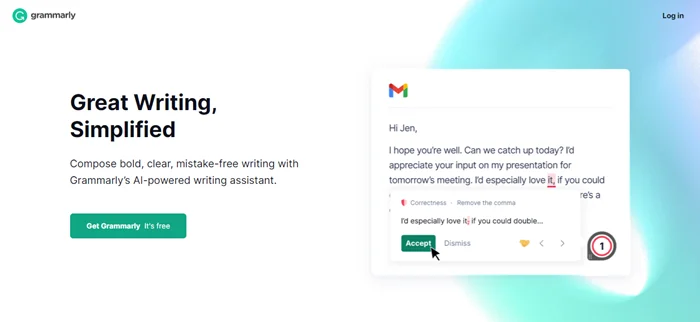
Millions trust Grammarly’s free writing app to make their online writing clear and effective.

Hostinger

Hostinger

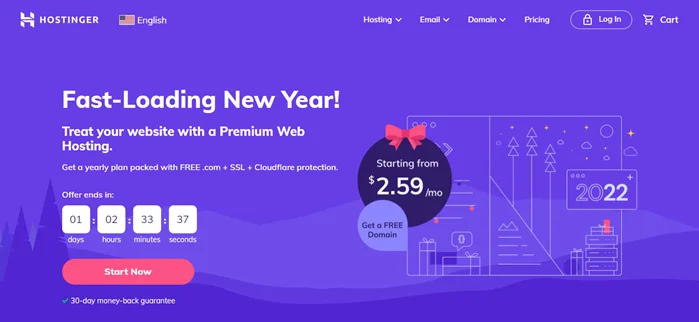
Start your website with a free domain and automatic 1-click WordPress installation.

Domain.Com

Domain.Com

Buy a domain name while choosing from all of the most popular top level domains.

Stack Path CDN

Stack Path CDN

It is a platform of computing infrastructure and services built at the edge of the cloud.

App Sumo

App Sumo

App Sume tools you need to grow your business shouldn’t put you out of business.

Canva

Canva

Everyone can create professional designs with Canva. It’s easy to use and free.

Envato Elements

Envato Elements

Explore hundreds of thousands inspiring and ready-to-use photos, templates, fonts and assets.

Sucuri Security

Sucuri Security

Gain peace of mind by securing all your websites. We fix hacks and prevent future attacks.

Frequently Asked Questions

What tools would be most helpful for a start up business?

WordPress are the most helpful for a start up business.

How can I make my small business more successful?

You can make small business more successful with the help of WordPress CMS and Asana Software.

You Might Also Like: WordPress Web Design Services for Business

Get Professional Websites